


Discover the Ultimate Android Music Player: Pulsar Music Player Pro
If you're passionate about music and seeking a highly functional, ad-free offline music player for Android, Pulsar Music Player Pro is the perfect choice. Renowned for its sleek design and comprehensive feature set, this premium app offers a seamless listening experience that caters to every musical need. Designed with meticulous attention to detail and inspired by material design guidelines, Pulsar delivers an intuitive and visually appealing interface that makes managing your music library effortless.
Key Features of Pulsar Music Player Pro
Elegant User Interface and Smooth Animations
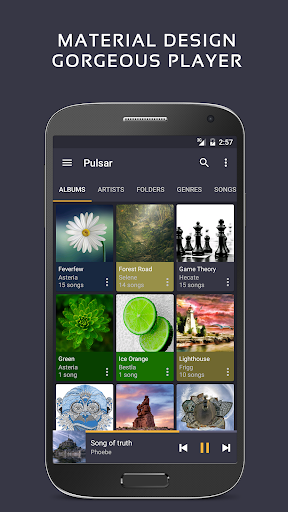
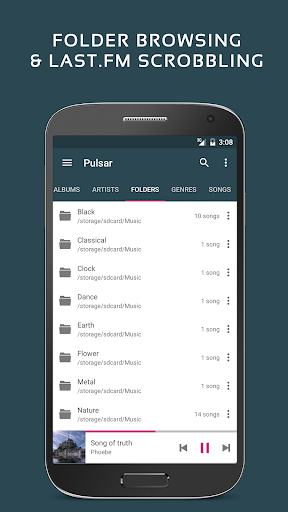
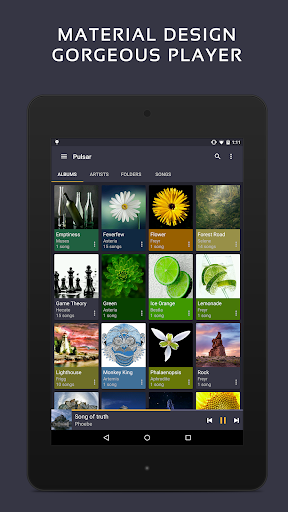
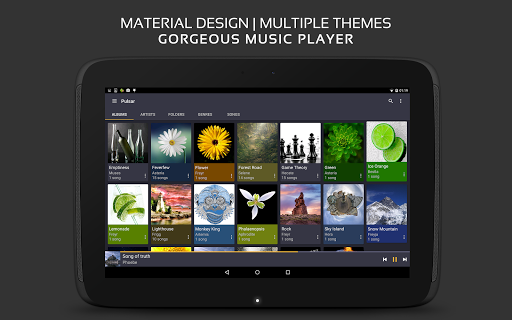
The app boasts a gorgeous user interface with animations adhering to material design standards, which provides a modern and engaging user experience. You can easily browse your music collection by album, artist, genre, or folder, making navigation simple and intuitive.
Comprehensive Music Management
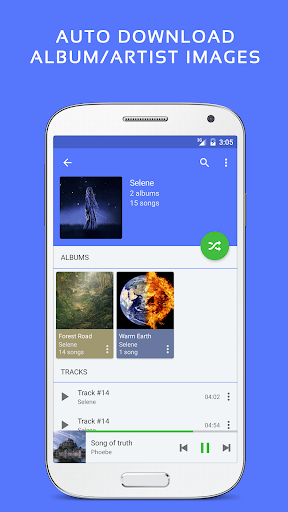
Pulsar supports managing playlists automatically generated based on your listening habits, such as most played, recently played, and newly added tracks. It also features automatic sync of missing album and artist images, ensuring your library looks visually organized.
Advanced Playback Features
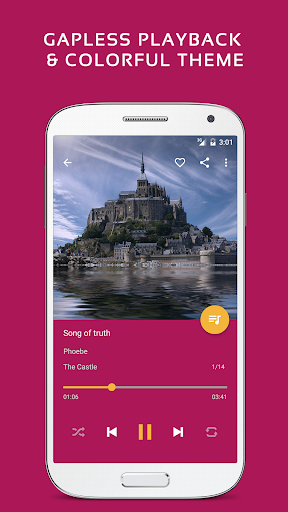
Experience uninterrupted listening with gapless playback and enjoy a customized sound with play speed adjustment. The app also supports crossfade and ReplayGain volume normalization, which enhance audio quality and transition between tracks smoothly. Music visualizers and lyrics display (embedded and LRC files) add an immersive dimension to your listening sessions.
Smart Search and Accessibility
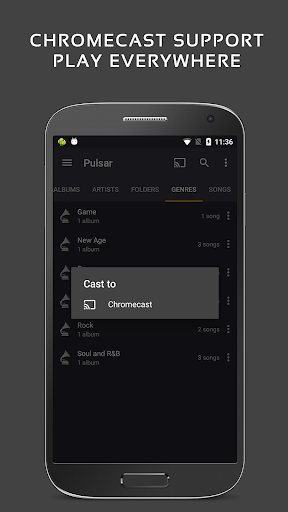
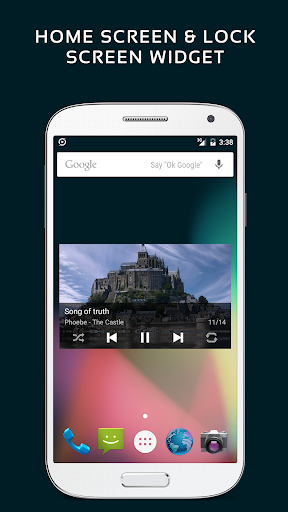
Find your favorite songs quickly through fast search capabilities across albums, artists, and tracks. The resizable home screen widget allows easy control at your fingertips, while voice command support and Google Chromecast integration enable versatile playback options. Android Auto compatibility ensures safe listening during drives.
Extensive Customization and Playback Control
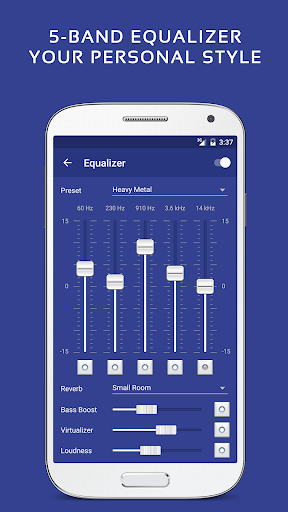
Utilize various colorful themes and customize equalizer settings with a 5-band controller, pre-configured presets, bass boosters, and reverb effects. The audio balance adjustment feature and a sleep timer add to user convenience, making Pulsar a truly personalized music experience.
Additional Premium Benefits with Pulsar Music Player Pro
The Pro version unlocks extra features such as 16 additional themes, theme customization, advanced equalizer controls, and additional sound effects like bass boosting and reverb. Enjoy an enhanced audio experience with these premium enhancements that go beyond the standard features.
Supported Formats and Library Management
Pulsar handles multiple music file types including mp3, aac, flac, ogg, wav, and more. If your music files aren’t appearing, a simple library rescan can resolve the issue. The app's comprehensive online manual provides detailed guidance to help you maximize its potential.
User Engagement and Support
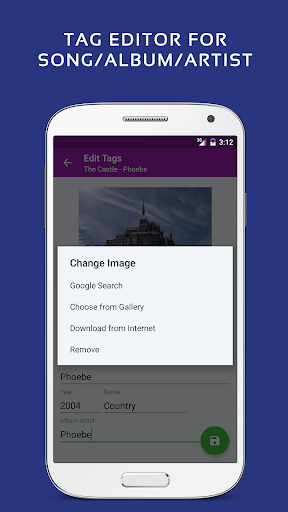
Community support is readily available through the Pulsar thread on XDA Developers. Additionally, if you’re interested in helping translate the app or reporting issues, you can contact the developers via email. The app’s album and artist images used in screenshots are licensed under Public Domain License.
Why Choose Pulsar Music Player Pro?
In a market flooded with subscription-based streaming services, Pulsar Music Player Pro stands out as a powerful, offline alternative. With no advertisements, in-app purchases, or subscription fees, it offers a one-time purchase that delivers an extensive suite of features for true music enthusiasts. Whether you’re an audiophile seeking fine-tuned sound or a casual listener who appreciates a sleek interface, Pulsar provides the perfect blend of performance and customization.
Final Verdict
If you are looking for a reliable, feature-rich music player that respects your offline listening experience, Pulsar Music Player Pro is an excellent investment. Its balance of advanced features, aesthetic design, and user-friendly controls makes it one of the best choices for Android users who want to enjoy their music collection without interruptions or distractions. Install Pulsar today and let your favorite tunes take center stage.
Pros
- User-friendly interface design
- High-quality audio playback
- Supports a wide range of file formats
- Customizable themes and color schemes
- Offline music playback functionality
Cons
- Limited support for podcasts
- Lacks integration with online streaming services
- Occasional app crashes
- Contains ads in the free version
- Limited options for cloud synchronization











