
OTG Reader: The Ultimate Portable File Manager for Android Devices
Are you tired of carrying your laptop everywhere just to access files from your USB flash drives or card readers? The OTG Reader app offers a seamless solution, transforming your Android phone or tablet into a powerful portable storage hub. With this intuitive app, you can effortlessly browse, manage, and enjoy your files directly from USB devices connected via an OTG (On-The-Go) cable. Whether you're on a trip, at work, or simply need quick access to your files, the OTG Reader app is designed to make your digital life easier and more flexible.
Features and Functionality of OTG Reader
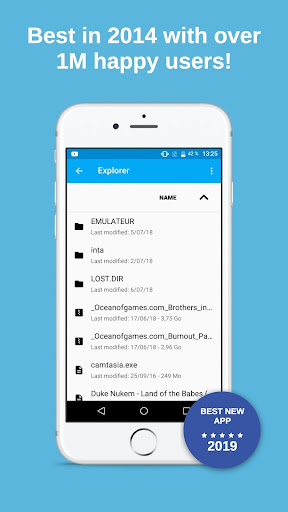
Using OTG (On-The-Go) cable is all it takes to connect your USB flash drives, card readers, or even external peripherals such as mice and LAN adapters to your Android device. Once connected, just launch the OTG Reader app, and you'll be greeted with a clear, user-friendly interface that displays all files stored on your connected device. Navigating through your documents, images, music, and videos is smooth and responsive, enabling you to open files directly with your preferred viewer or editor.
Key Features of OTG Reader
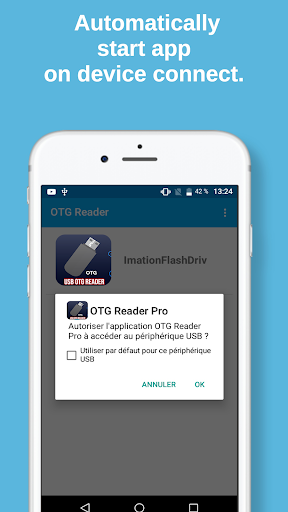
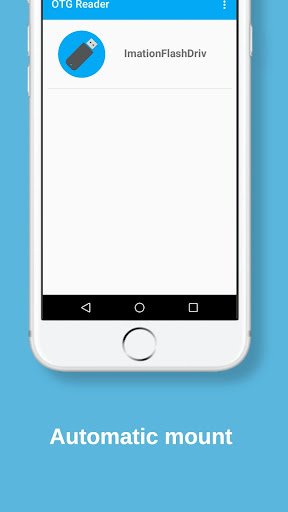
- Automatic Mounting: The app automatically detects and mounts your USB device when connected.
- One-Click Mount and Unmount: Easily mount or unmount drives with a single tap, ensuring quick and safe file management.
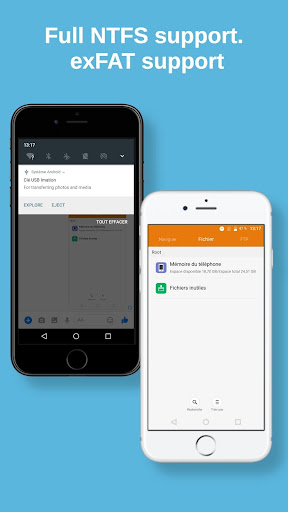
- Full NTFS and exFAT support: Handle various file formats and larger files effortlessly, making it compatible with a wide range of USB drives.
- Support for FAT32 disks: Compatible with most standard flash drives.
- Custom UTF-8 Mode: Options to change UTF-8 settings for better compatibility with different file systems.
- Notification alerts: Get notified once your drives are mounted successfully.
- Media scanning on mount: Automatically scans and previews media files for quick access.
Limitations and Tips
Please note that current support for FAT32 disks is seamless, but the fatless version limits line size to 30MB. To open larger files, it is recommended to consider the full version of USB OTG Reader. The app is designed to mechanically load necessary modules upon device connection, ensuring smooth operation every time you connect a USB device.
Why OTG Reader Is a Must-Have Tool
Have you ever been in a situation where you need to access files stored on a USB drive but don’t have a laptop handy? That’s where OTG Reader truly shines. This versatile app acts like a portable file manager, giving you direct access to your files right from your Android device. Just connect your USB device using an OTG cable, open the app, and you're set. It’s perfect for those who need quick, on-the-fly file management without carrying extra equipment.
User-Friendly Experience
The interface is designed with simplicity in mind, making it accessible even for users who are not tech-savvy. You can view, copy, move, rename, or delete files directly from your connected USB device. Media playback is smooth, allowing you to watch movies or listen to music stored on your USB drive without additional apps. Compatibility with multiple formats ensures a hassle-free experience whenever you need it.
Performance and Reliability
Designed with optimization in mind, OTG Reader offers fast, responsive performance even when handling large files. It’s lightweight, doesn’t drain your device's resources, and works reliably across various Android devices. The app's developers have prioritized stability and efficiency, making it a dependable choice for managing your external storage devices.
Final Thoughts
In summary, if you frequently need to access files on the go or want a portable way to manage your USB devices without carrying a laptop, OTG Reader is an essential app. Combining robust features with an intuitive interface, it transforms your Android device into an all-in-one portable storage solution. All you need is an OTG cable and this app to unlock a world of easy and flexible file management wherever you are. Make sure to keep OTG Reader installed on your device, and experience the convenience of portable file access at your fingertips.
Pros
- Quick access to USB storage devices
- Supports various file formats
- Intuitive user interface
- Auto organization of files
- Access files offline
Cons
- May not recognize all USB devices
- Some file transfer errors may occur
- Limited integration with cloud services
- Requires OTG cable to function
- Advertisements present in free version











