
Discover the Power of PicFrame: Transform Your Photos into Stunning Collages
Are you looking for an intuitive app that can elevate your photo editing experience? PicFrame is the perfect solution for anyone eager to create eye-catching photo collages with ease. Whether you're a casual photographer or a social media aficionado, this versatile app offers a comprehensive suite of features designed to help you craft beautiful frames and share your memories seamlessly.
Why PicFrame Stands Out for Photo Enthusiasts
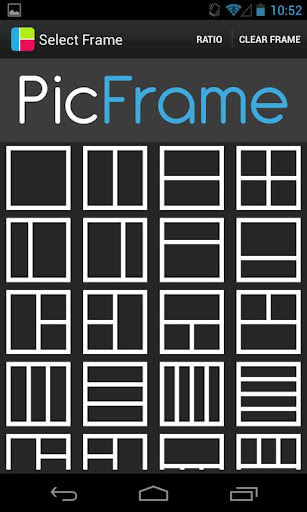
From the moment you open the app, you'll notice its user-friendly interface, making it accessible for users of all skill levels. PicFrame provides a diverse collection of templates and frames, suitable for occasions like birthdays, anniversaries, or casual fun outings. The app’s flexibility ensures your photos look their best, whether you're including a few images or multiple photos in a single composition.
Extensive Customization Features for Unique Collages
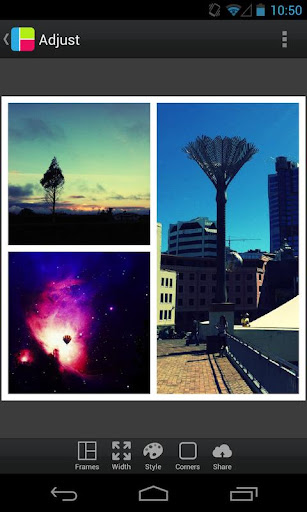
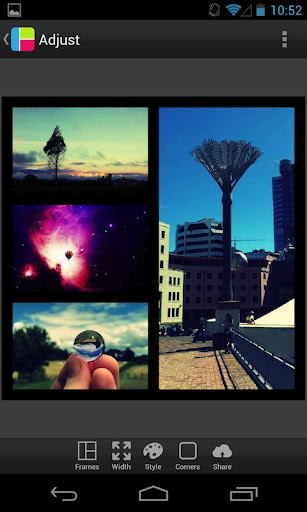
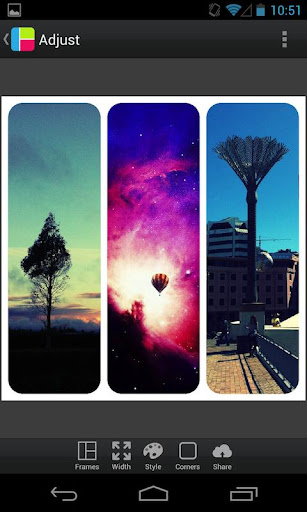
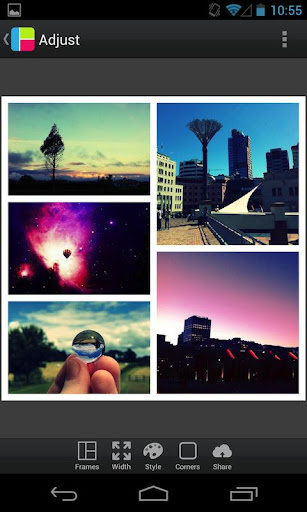
One of the core strengths of PicFrame lies in its extensive customization options. You can choose from 36 fully adjustable frames, each accommodating up to 5 photos. Dragging the inner frame borders allows for endless personalization, ensuring your collage perfectly fits your style. The app supports rounded corners and lets you modify the border width and border color effortlessly through an intuitive color picker.
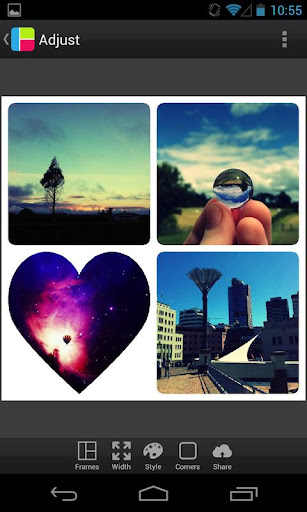
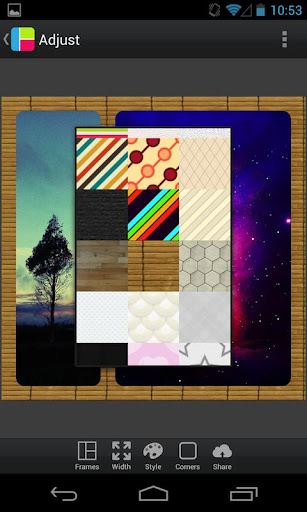
Want to add a special shape to your photos? PicFrame lets you transform your images into circles, hearts, hexagons, and more, adding a creative touch to every collage. To enhance the visual appeal, you can select from 52 background patterns that serve as perfect backdrops for your photos. Adjust brightness, contrast, and saturation individually for each photo to achieve the perfect look. Rotating, zooming, and dragging photos into position are just a few taps away, giving you complete control over your layout.
Flexible Aspect Ratios and Export Options
Whether you're creating content for social media or printing, PicFrame offers multiple output ratios, including 1:1, 3:2, 4:3, 16:9, 9:16, 2:3, 3:4. You can easily pinch to zoom and drag photos for precise positioning. Once you're satisfied, save your collage in your gallery or share it directly via social media platforms such as Instagram, Facebook, and Twitter.
High-resolution export options ensure your photos stay crisp and detailed, perfect for printing or sharing in high quality.
Enhance Your Photos with Filters and Ratios
Besides framing, PicFrame also offers a variety of filters to add that extra flair to your images. Whether aiming for a vintage aesthetic or a vibrant pop of color, you’ll find filters to match your mood. The app supports multiple aspect ratios, including square and rectangular formats, allowing you to tailor your collages for any platform or purpose.
Share and Celebrate Your Creations
Once your masterpiece is ready, sharing is straightforward. You can upload your collages directly to social media, send via email, or even print physical copies to create scrapbooks and wall art. The seamless sharing functionality makes it easy to showcase your creativity with friends and family.
Final Thoughts
In summary, PicFrame is a comprehensive photo editing and collage-making application perfect for users seeking customizable photo frames, multiple layout options, and effortless sharing. Its intuitive design paired with powerful features makes it ideal for both beginners and seasoned photo enthusiasts. Whether you're celebrating special moments or just experimenting with your images, PicFrame empowers you to turn ordinary photos into extraordinary works of art.
Pros
- User-friendly interface with intuitive controls.
- Wide selection of frame templates available.
- Supports exporting photos in high resolution.
- Integrates smoothly with social media platforms.
- Regularly updates with new features.
Cons
- Limited free features; many features require in-app purchases.
- Occasional advertisements may interrupt user experience.
- Some users experience app crashes on older devices.
- Limited options for customizing frames.
- Does not support creating video frames.











