

Color Portfolio: Your Ultimate App for Vibrant Creativity and Perfect Color Matching
Are you looking to add a splash of color to your photos and discover the perfect paint shades for your space? The Color Portfolio app by Benjamin Moore is designed to empower both casual users and creative professionals with an intuitive platform that combines fun and functionality. From applying paint colors to your home photos to matching real-world hues to their extensive palette, this app serves as your personal digital canvas for all things colorful.
Unleash Your Creativity with User-Friendly Features
One of the standout qualities of Color Portfolio is its accessible interface that caters to users of all experience levels. Whether you’re a beginner exploring your creative instincts or a seasoned photographer seeking new visual effects, this app makes it straightforward to experiment with color and style. Its thoughtfully designed navigation allows you to seamlessly explore its various features, making the process of adding color to your world both enjoyable and inspiring.
Explore an Extensive Palette of Colors
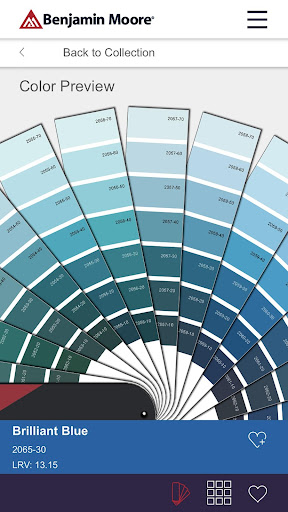
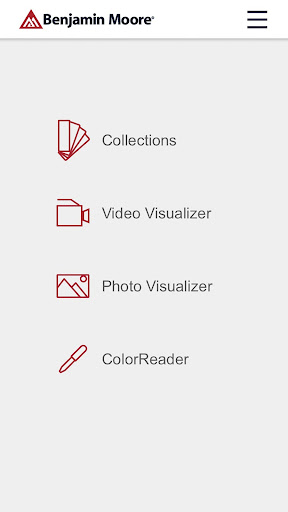
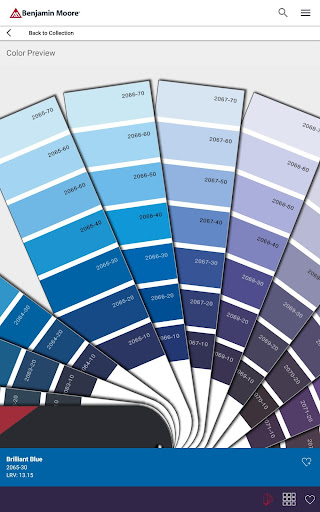
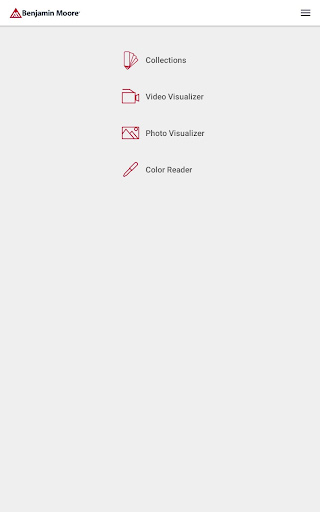
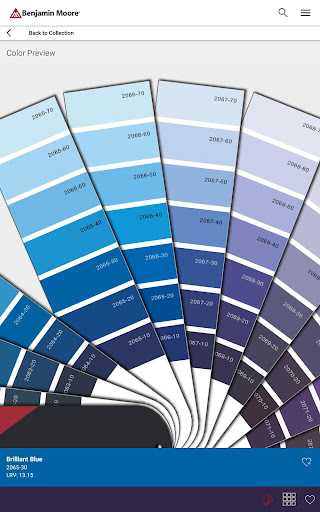
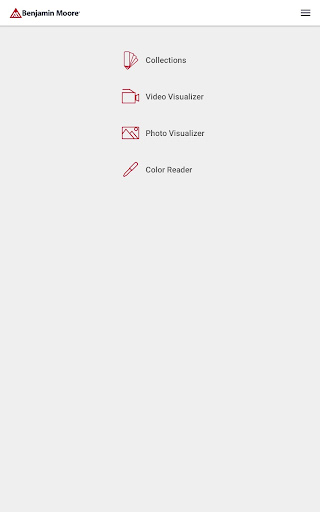
At the heart of Color Portfolio is a vast library of trusted Benjamin Moore hues. The VIRTUAL FAN DECK feature allows users to scroll through curated collections, including Color Preview®, Benjamin Moore Classics®, Affinity®, Historical Collection, Off-Whites, and Designer Classics. The intuitive interface makes selecting and experimenting with different shades effortless, whether you're making subtle tweaks or bold design statements. The app truly shines in helping users find that perfect hue that elevates their project or photograph.
Bring Photos to Life with Visualizer Tools
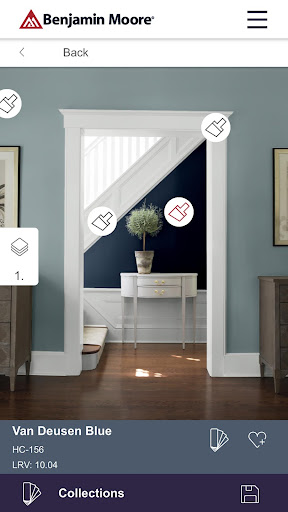
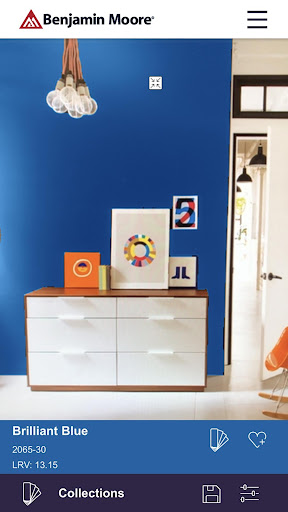
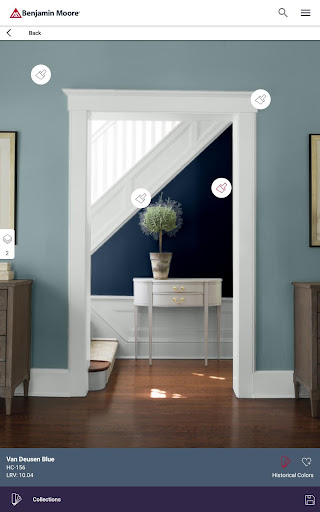
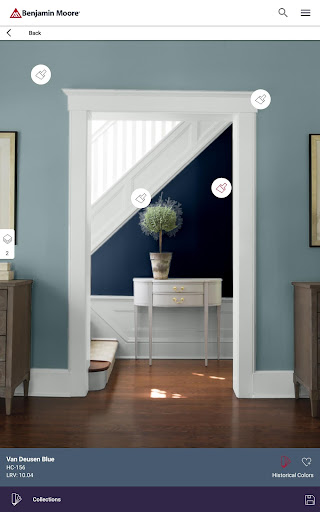
Transform your images with powerful visualizer tools. The PHOTO VISUALIZER feature enables you to take a photo of a room and instantly “try on” different paint colors by tapping surfaces for instant masking. Whether you're decorating a new space or giving a fresh look to existing decor, this feature allows you to see how various hues will look in real setting, making color choices much easier. Additionally, the app offers a gallery of inspirational photos where you can experiment further with different color ideas.
Experience Real-Time Color Application with AR Technology
The VIDEO VISUALIZER utilizes augmented reality (AR) to project Benjamin Moore colors onto surfaces in real-time. With this innovative feature, you can virtually paint your walls while actually standing in your space, providing a true sense of how a color will look before making any commitment. This immersive approach not only enhances the user experience but also significantly simplifies decision-making when selecting paint colors.
Accurate Color Matching with the ColorReader Device
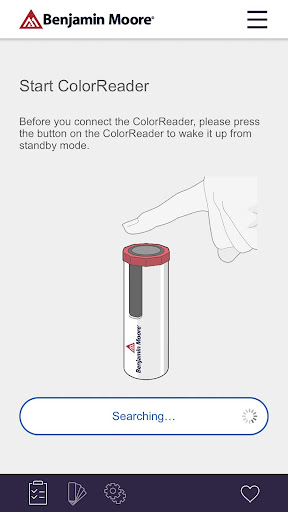
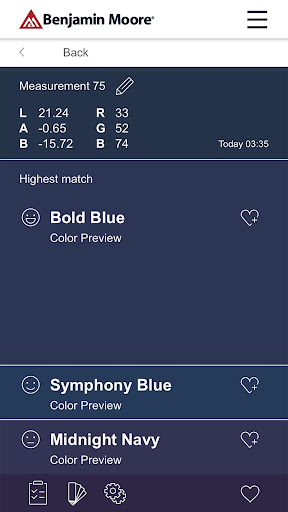
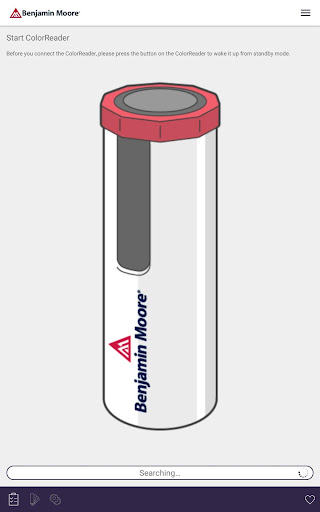
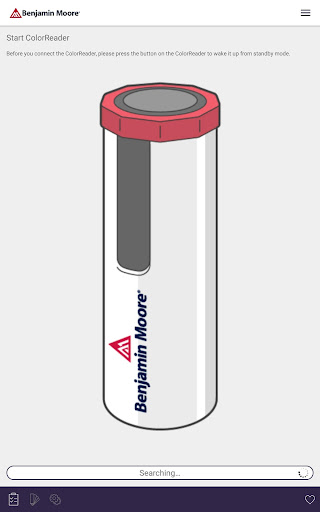
For those seeking precision, Color Portfolio offers compatibility with the ColorReader and ColorReader Pro devices by Datacolor. These integrated tools allow you to match any real-world color to Benjamin Moore’s extensive library accurately. Simply scan a color sample with the device, and the app will help you find the closest Benjamin Moore paint shade, streamlining your decorating or painting project. To purchase a ColorReader device, visit datacolor.com/bmorders.
Enhance Your Photos with Filters and Effects
Beyond color matching and visualization, Color Portfolio provides a wide array of filters and effects, allowing you to creatively enhance your photos. Whether you prefer a vintage aesthetic or a modern vibe, the app’s effects can dramatically transform your images. This flexibility makes it a versatile tool for social media enthusiasts and creative storytellers eager to share vibrant, eye-catching content.
Share Your Creative Masterpieces Effortlessly
Once your photos are perfectly edited, sharing them is a breeze. The app integrates smoothly with popular social media platforms, enabling you to upload and showcase your colorful projects instantly. This seamless sharing capability encourages users to display their creativity with friends, family, or followers without the hassle of manual uploads.
Conclusion
The Color Portfolio app opens up a world of endless possibilities for adding color, style, and personality to your photos and spaces. With features that include an extensive digital fan deck, innovative visualizers, professional-grade color matching tools, and creative filters, this app is a must-have for anyone passionate about design and color. Whether you're planning a home renovation, seeking inspiration for your next project, or simply want to experiment with vibrant visuals, Color Portfolio provides all the tools you need in an easy-to-use interface. Dive into the colorful world today and discover how fun and rewarding creative expression can be!
Pros
- Intuitive interface for straightforward navigation.
- Extensive selection of color palettes offered.
- Exports high-quality images.
- Works offline without interruptions.
- Options for customizing color palettes.
Cons
- Limited features available for free.
- Occasional app crashes reported by users.
- In-app purchases may be expensive.
- Does not support animated color palettes.
- Requires frequent updates to function properly.
You May Like

AlfredCamera Home Security app
House & Home
4.7
Zillow: Homes for Sale & Rent
House & Home
4.8
My Verisure
House & Home
4.8
Thumbtack: Hire Service Pros
House & Home
4.8
Trulia Rent Apartments & Homes
House & Home
4.7
Apartments.com Rental Search
House & Home
4.7
Apartments & Rentals - Zillow
House & Home
4.8
Angi: Hire Home Service Pros
House & Home
4.2
realestate.com.au - Property
House & Home
4.5
Госуслуги Дом
House & Home
3.8
Apartment List
House & Home
4.4
Rent. Apartments & Homes
House & Home
4.6