

Introduction to SMS Backup & Restore Pro
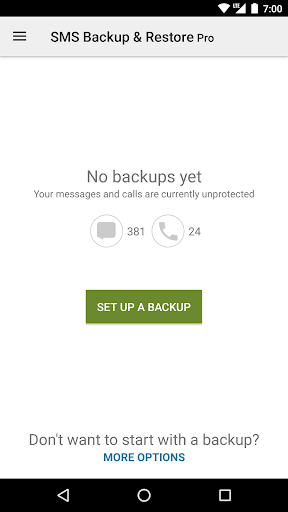
SMS Backup & Restore Pro is a comprehensive application designed to securely back up and restore your SMS & MMS messages and call logs directly from your Android device. Serving as the paid, ad-free version of its free counterpart, this app offers enhanced features to ensure your messaging history is always protected and easily recoverable.
One of the key strengths of this app is its ability to perform reliable backups in XML format, which are independent of Android version differences—making data transfer between devices smooth and efficient. Keep in mind, **this app only converts existing backups**, so prior backup creation is essential for restoring messages or call logs.
If you encounter any questions or issues, the app’s comprehensive FAQ is available at this link.
Core Features of SMS Backup & Restore Pro
Enhanced Backup Capabilities
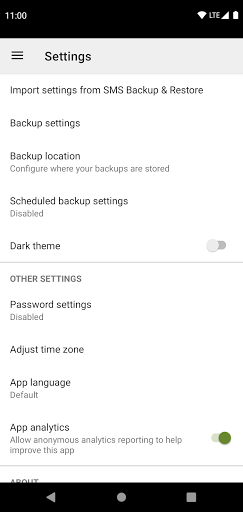
The pro version introduces advanced features not available in the free app, including the ability to compress and encrypt backup files for added security. Users can also utilize WebDAV as a backup destination, providing extra flexibility in managing their data.
Versatile Backup Options
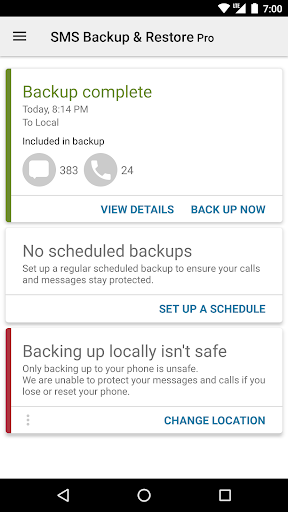
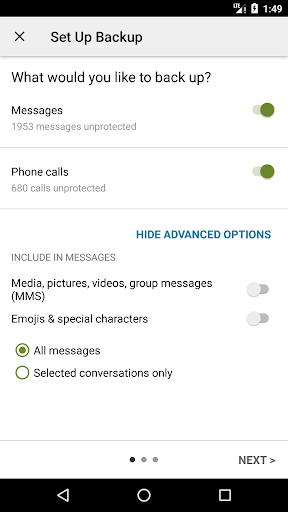
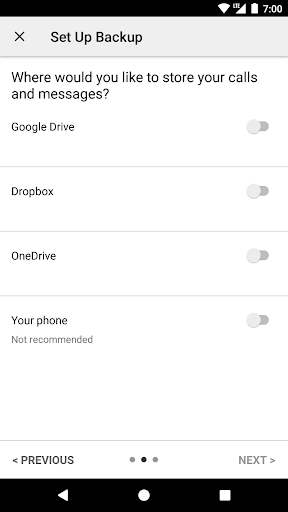
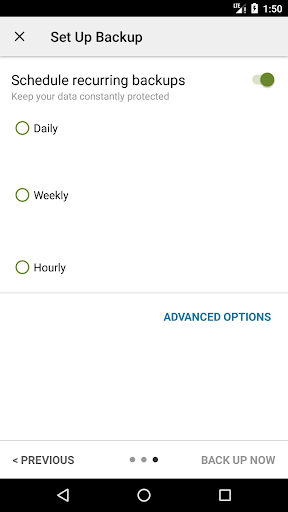
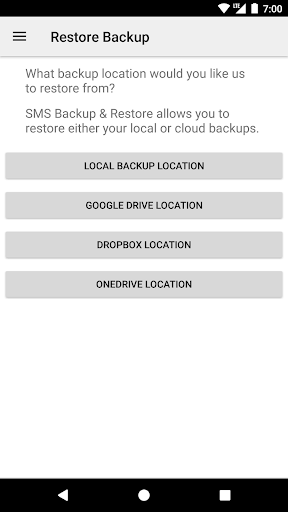
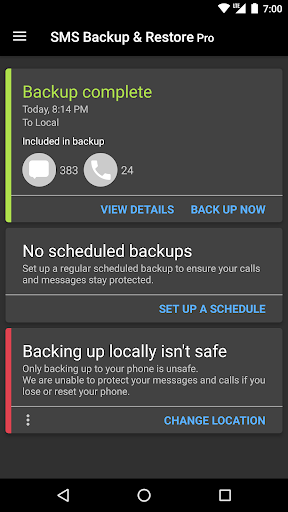
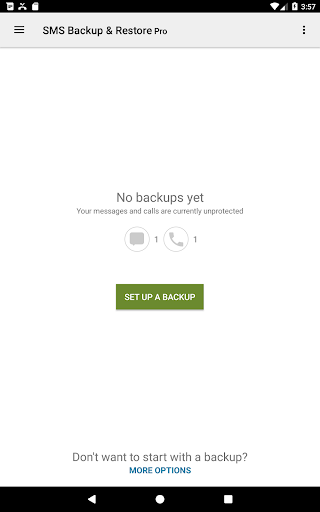
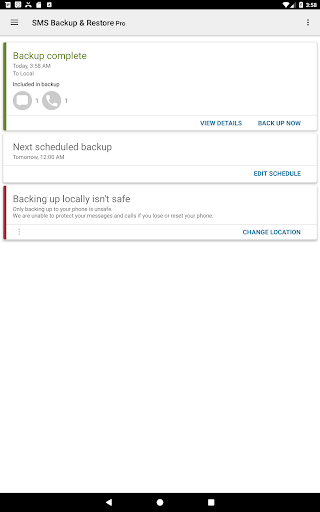
This app enables you to back up SMS and MMS messages along with call logs in a user-friendly XML format. You can set up local backups on your device and choose to automatically upload them to cloud services such as Google Drive, Dropbox, and OneDrive. Scheduled backups can be configured for daily, weekly, or monthly intervals to ensure your data is always current.
Selective Backup & Restoration
Need to back up specific conversations? No problem. The app allows you to select particular chat threads or logs, making restoration or transfer tailored to your needs. Viewing and managing backups is straightforward, with options to search through local or cloud-based backups to locate the precise data you require.
Seamless Data Transfer
Transferring your messaging data to a new phone is effortless with features such as fast transfer over WiFi Direct. This capability ensures your messages and call logs are quickly migrated, minimizing downtime. Additionally, the app supports email exports, allowing you to send backups conveniently via email.
Compatibility & Security
The backup files created are compatible across different Android versions, facilitating smooth data migration. It is recommended to keep an external copy of backups before performing a factory reset to prevent data loss. The app operates securely, without sending any files directly to the developer, ensuring user privacy at all times.
Why Choose SMS Backup & Restore Pro?
Imagine the panic of losing all your important text messages or call logs due to device failure or accidental deletion. SMS Backup & Restore Pro acts as your digital safety net, providing peace of mind. Its intuitive interface and robust functionality make backing up and restoring data straightforward—even for users with minimal technical expertise.
The app’s ability to schedule automatic backups means you never have to remember to save your data manually. Whether you're switching to a new device, performing a factory reset, or simply want to free up space by deleting old messages, this app makes the process seamless.
Moreover, the flexibility to store backups locally or in the cloud ensures that your data is always accessible and safe. Viewing backup content on a computer via the dedicated online viewer further enhances your ability to manage your messaging history efficiently.
Designed for Android 5.0 and higher, SMS Backup & Restore Pro is a reliable tool optimized for performance. Users can rest assured that their backups are created locally and only uploaded to cloud services with their consent, safeguarding their privacy and data security.
Conclusion
If you're searching for a trusted, efficient app to safeguard your SMS and call logs, SMS Backup & Restore Pro is an excellent choice. Its rich feature set, ease of use, and strong security options make it indispensable for anyone wanting to keep their messaging history safe and transferable. Whether managing backups manually or scheduling automatic ones, this app ensures your data is always within reach, ready to restore whenever necessary.
Don't risk losing your valuable messages—download SMS Backup & Restore Pro today and enjoy the peace of mind that comes with knowing your data is protected and easily recoverable.
Pros
- User-friendly interface
- Automatic backup capability
- Availability of cloud storage options
- Options for selective backups
- Quick restoration process
Cons
- Lacks support for iOS devices
- Contains advertisements in the free version
- Limited options for customization
- Does not provide data encryption
- Does not support synchronization across multiple devices











