

Introducing BuildCalc: The Ultimate Construction Calculator App
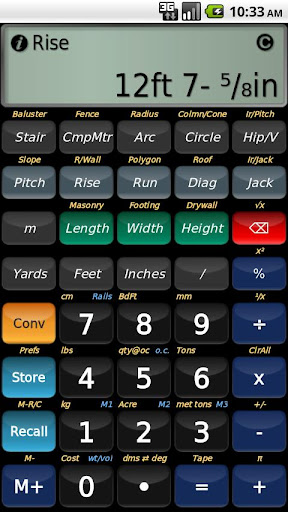
Imagine having the best construction calculator at your fingertips—and then enhancing it to make your job even easier. That’s the core vision behind BuildCalc. Whether you’re a professional contractor, a DIY enthusiast, or someone working on construction projects, BuildCalc was designed to serve your needs with precision and user-friendliness. It’s a tool that’s been meticulously developed over nine months, involving experts from around the globe, to ensure you get more functionality, more answers, and less hassle. If you encounter any difficulties or have questions, the developers are committed to helping you succeed, accessible through support channels like email. But what truly makes BuildCalc stand out is its ability to combine complexity and simplicity—delivering advanced construction calculations in an intuitive, streamlined interface. This app aims to replace cumbersome calculators and scattered notes, consolidating all essential functions into one powerful tool.
Key Features of BuildCalc: More Functionality and Fewer Frustrations
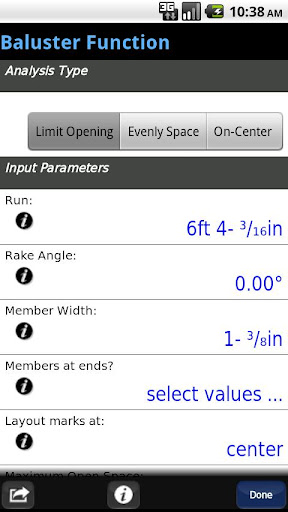
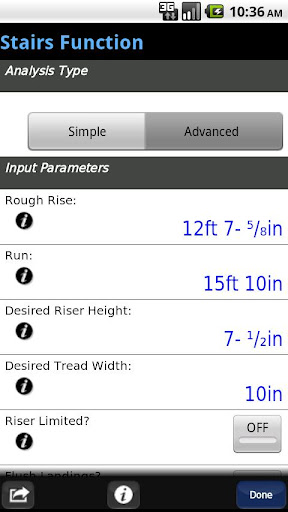
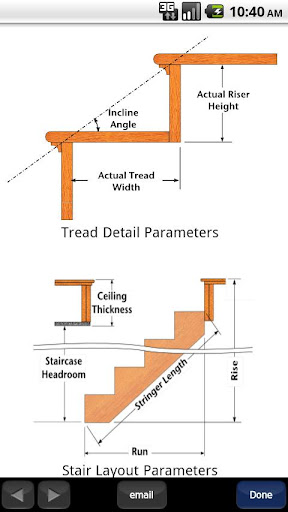
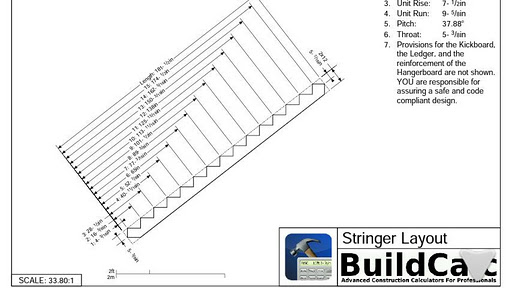
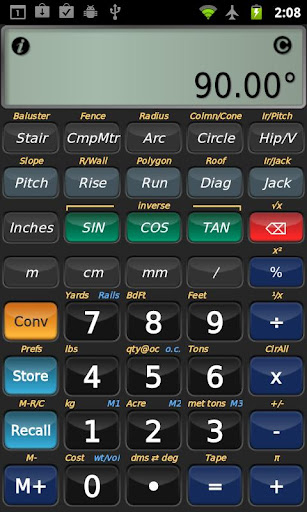
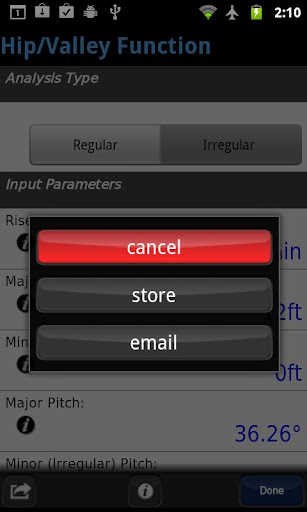
The core strength of BuildCalc lies in its extended capabilities, supporting a wide range of construction calculations with ease and flexibility. However, it doesn’t just add features—it makes them accessible and practical for everyday use. • Advanced Baluster Function: Easily layout railing and staircase balusters with minimal guesswork, customizing for any unique project requirements. This function offers detailed options and flexibility, helping you achieve professional-grade results.• Advanced Stair Function: Generate detailed stair layouts, including dimensioned drawings of your Stringer, installation details, and the final staircase. These drawings can be exported as PDFs for sharing or printing, making project documentation straightforward.• Fence Function: Input a fence row length, and BuildCalc will estimate the necessary number of posts, rails, pickets, or panels, saving you time and reducing waste.• Interactive Functions: The app supports fully interactive calculations for stairs, balusters, compound miters, diagonals, and Hip/Valley roofs. Easily modify input values, change project parameters like the run or roof type, and see results update automatically—no remembering complex keystrokes needed.Additionally, it includes a Full Daylight Visibility Mode, ensuring your calculations are visible in bright conditions, enhancing usability on busy work sites.
More Answers for Precise Measurements
BuildCalc removes the limitations of fixed sizes by allowing you to add custom dimensions for bricks, blocks, tiles, drywall sheets, shingles, and sheathing. This adaptability ensures you can tailor calculations to your specific materials without constraints. It also simplifies complex tasks like cutting hip roof rafters with a miter saw or circular saw, automatically switching between • Miter Saw and • Protractor results with just a tap. This feature extends to calculating angles for sheathing, purlins, gable areas, backing angles, and more, making it a comprehensive tool that outperforms standard construction calculators.
Streamlined Simplicity and Less Hassle in Your Workflow
Forget the frustration of repeatedly pressing buttons to see your results. BuildCalc consolidates all results into clear, list-style outputs with only a couple of taps. You can also save your calculations for quick recall later, avoiding re-entry and minimizing errors.The app's refined user interface eliminates confusing keystroke sequences common in other calculators, offering checklists and real-time help for key inputs—like hip rafter length or stair dimensions—so you get accurate results without guesswork.For drywall and masonry projects, use the • Room Mode to input your room’s dimensions, and instantly receive the needed drywall or masonry materials for walls and ceilings. This feature saves you from complex calculations and ensures precise material estimates.Lastly, BuildCalc emulates the capabilities of the Construction Master® Pro, providing professional-grade calculations without the need for expensive tools. Please note, it’s an independent tool and not affiliated with Calculated Industries, owners of the Construction Master trademark.
Why BuildCalc Is a Must-Have Construction App
If you’ve spent long hours on construction sites or enjoy tackling DIY projects, BuildCalc will quickly become your go-to app. It is designed with a user-friendly interface that allows anyone—from seasoned pros to weekend warriors—to perform complex calculations effortlessly.Its ability to handle diverse projects—whether calculating rafters, stair layouts, fencing, or masonry—makes it invaluable on the job site. Seamless unit conversions between metric and imperial units facilitate international and local projects alike, ensuring accuracy regardless of measurement systems.Additionally, the app is continuously updated with new features and improvements, reflecting the developers’ commitment to delivering a robust, reliable tool. With features like saving your favorite calculations and exporting detailed drawings, BuildCalc consolidates essential functions into one efficient platform.In summary, BuildCalc isn’t just a construction calculator—it's a comprehensive project companion that streamlines your workflow, improves accuracy, and helps ensure your projects are completed successfully. Whether you’re handling complex framing, staircases, or material estimates, BuildCalc makes every calculation straightforward and dependable. Download it today and experience the difference a dedicated construction calculator can make in your building projects.
Pros
- Provides highly precise calculations for construction tasks
- Features an intuitive interface that allows for quick navigation
- Supports both metric and imperial measurement systems
- Includes advanced functionalities such as date calculations
- Regular updates enhance overall performance and features
Cons
- Has a steep learning curve, especially for new users
- Free version offers limited features
- Does not support cloud storage for saving projects
- May experience occasional bugs after updates
- Full access requires making in-app purchases











