

Discover the ArtRage Vitae Mobile Painting App
ArtRage Vitae Mobile Painting is a premier natural painting application designed for both Android and iOS devices. This innovative app brings the authentic feel of traditional art supplies to your fingertips, making it an ideal choice for artists of all skill levels, from beginners to seasoned professionals. With its intuitive interface and a rich array of tools, ArtRage Vitae transforms your mobile device into a portable art studio, allowing you to explore, experiment, and create whenever inspiration strikes.
Unleash Your Creativity with Realistic Tools
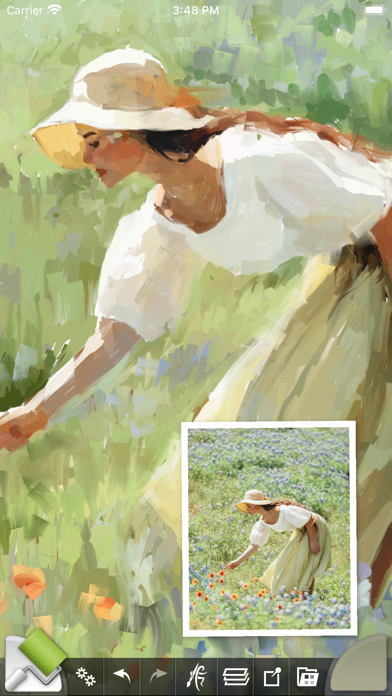
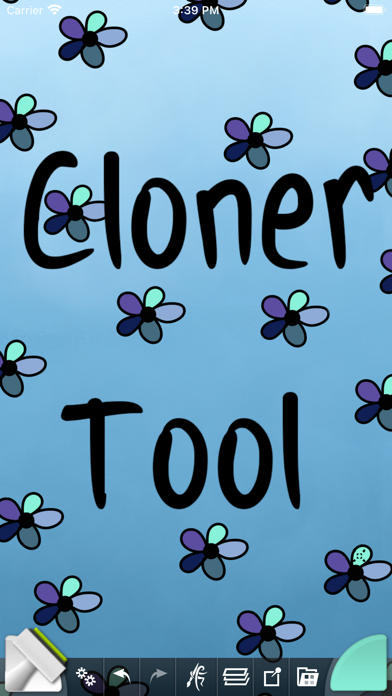
One of the main attractions of ArtRage Vitae is its ability to mimic real-world painting techniques through digital tools. The app features • Real color blending capabilities, letting you mix colors seamlessly, just like on an actual palette. Whether you're blending oil paints on textured canvases or creating delicate watercolor gradients, the app offers a genuine painting experience. The • New Cloner tool and a variety of other specialized tools enhance your artistic options, making each stroke feel natural and expressive.
Comprehensive Toolset for Every Artistic Need
ArtRage Vitae provides a diverse set of tools, including 16 main tools with countless variations through presets and custom settings. You can work with • Natural Painting Tools such as Oil Brush, Watercolor, Palette Knife, Paint Roller, and Paint Tube. For sketching and detailed drawing, the app offers Airbrush, Ink Pen, Felt Pen, Pencil, Wax/Chalk Pastel, and Eraser. Additionally, utility tools like Flood Fill and Color Sampler support your workflow, while special effect tools such as Glitter Tube and Gloop Pen provide creative flair.
Layer and Effect Features for Professional-Quality Art
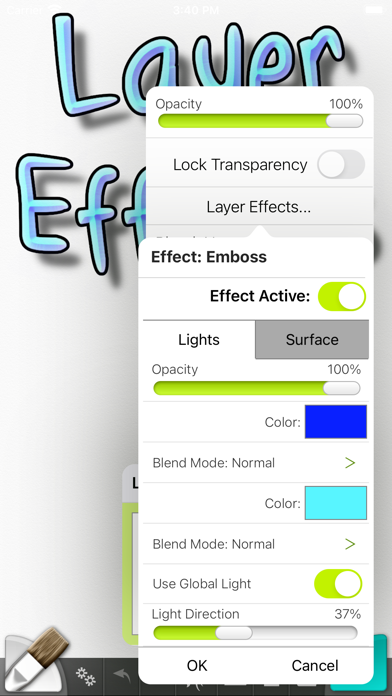
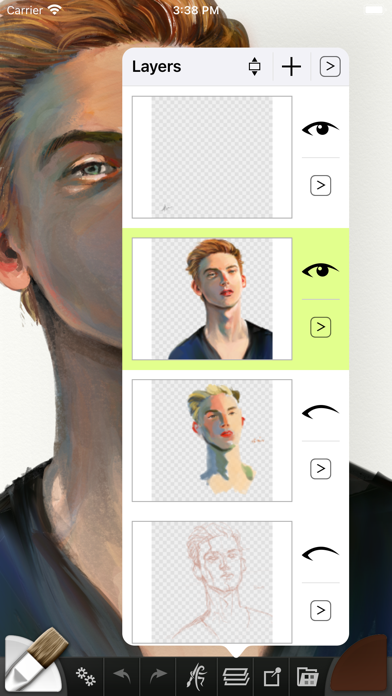
Unlock your artistic potential with advanced features like • More layer options for exporting and merging and • Layer Effects that allow you to add highlights, shadows, and three-dimensional effects to individual layers. The app also supports industry-standard • Layer Blend Modes and offers flexible options like transparent layers and adjustable canvas textures. You can organize your artwork efficiently with • unlimited undo/redo, import images for tracing or references, and store custom presets for quick access.
User-Friendly Interface and Performance
Designed to be easy to use and intuitive, ArtRage Vitae prioritizes a natural painting experience. The interface maximizes creative space without clutter, allowing you to focus on your art. It offers • Multi-Touch canvas manipulation, support for stylus-only modes, and keyboard shortcuts for enhanced workflow. Despite the complexity of features, the app runs smoothly with minimal lag, making it suitable for art sessions on the go.
Export, Share, and Support
Completed masterpieces can be easily exported as JPG or PNG files through Android's sharing system or on iOS devices. The app is compatible with desktop versions of ArtRage, enabling seamless transition between mobile and desktop platforms. Additionally, you can record scripts of your paintings to play back or share. Support is readily available via forums or email, ensuring that help is just a click away if needed.
Technical Insights and Permissions
ArtRage Vitae includes a comprehensive manual and offers free product support. The app requires access to storage to open and save files, and camera/media permissions for importing photos. It also needs network access for license verification but can be used offline if desired.
Why Choose ArtRage Vitae Mobile Painting?
Whether you're sketching ideas, creating detailed digital paintings, or experimenting with new art techniques, ArtRage Vitae Mobile Painting stands out as a powerful, realistic, and user-friendly tool. Its combination of • natural paint behavior, customizable tools, and robust layer effects make it a versatile choice for artists seeking to capture the tactile feel of traditional media with the convenience of digital technology. If you're passionate about transforming your mobile device into a portable art studio, ArtRage Vitae is undoubtedly a top contender for your artistic toolkit.
Pros
- Intuitive and easy-to-use interface.
- Offers a wide variety of realistic brushes.
- Includes advanced options for layer blending.
- Allows customization of canvas textures.
- Can be used offline without an internet connection.
Cons
- Supports limited file formats for export.
- May experience lagging on older devices.
- Does not include an initial tutorial for beginners.
- Premium features require additional payment.
- Lacks some features available on desktop versions.











