
Introduction to Pixel Studio PRO: Editor
Pixel Studio PRO: editor is a powerful and versatile pixel art creation app designed for both artists and game developers. This special edition offers a completely ad-free experience with all PRO features unlocked, making it an excellent choice for users seeking professional-level tools without any interruptions.
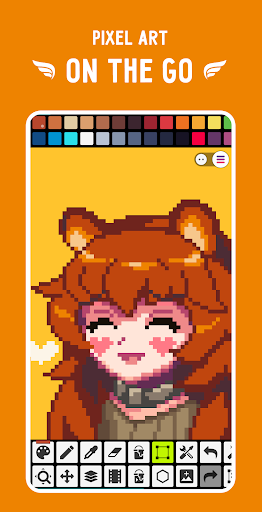
The app is renowned for being simple, fast, and portable, allowing users to craft stunning pixel art anywhere and at any time. Whether you're a beginner exploring the world of pixel art or a seasoned professional working on complex animations, Pixel Studio PRO provides an intuitive interface coupled with advanced features.
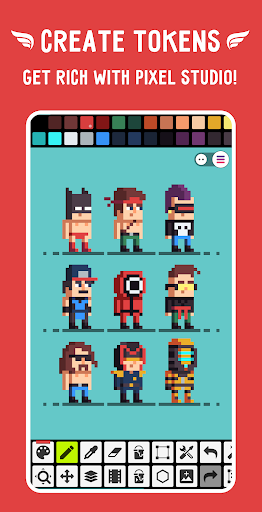
With support for layers and animations, a rich toolkit, and seamless sharing options through the Pixel Network™, it brings everything necessary for creating breathtaking artworks, animations, and even NFTs. Downloaded over 5 million times worldwide, and localized into more than 25 languages, Pixel Studio PRO is recognized as one of the top pixel art editors available on multiple platforms.
Key Features of Pixel Studio PRO
Ease of Use and Accessibility
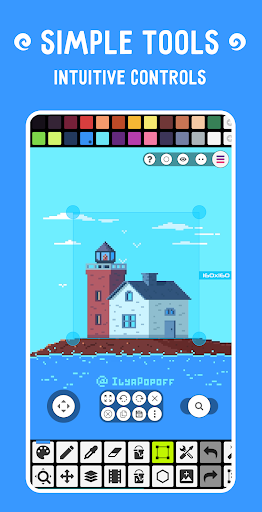
The app stands out for its super simple, intuitive, and user friendly interface, making it accessible for beginners while still offering advanced options for experts. Its design ensures a minimal learning curve, so users can start creating right away.
Comprehensive Drawing and Animation Tools
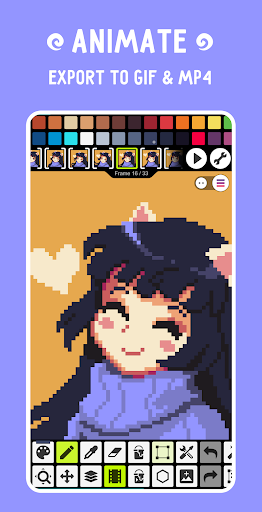
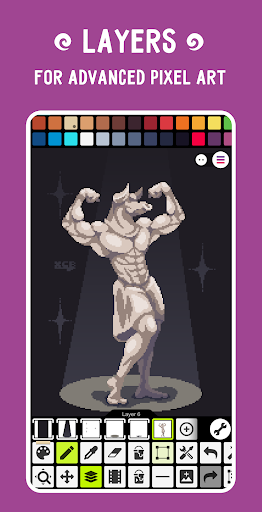
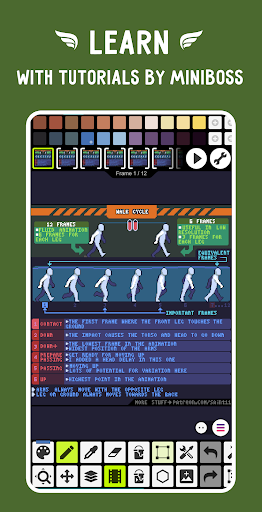
Pixel Studio PRO offers robust support for layers, enabling the creation of complex pixel compositions. Artists can design frame-by-frame animations, save them as GIFs, and extend animations with music, exporting videos directly to MP4 files. Additional tools include shape, gradient, and brush options, along with sprite libraries and tile mode for seamless textures.
Color Management and Customization
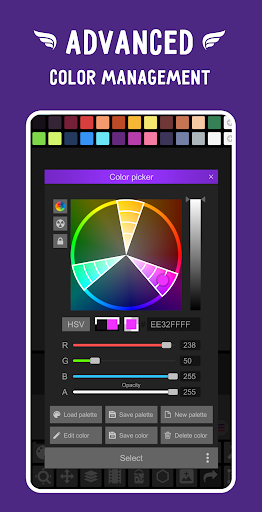
Customize your palette with built-in options or download from Lospec. An advanced color picker provides RGBA and HSV modes, while features such as apply palettes to images and grab palettes from existing artwork offer flexibility. Support for 256-color palettes and extended color adjustments enhances artistic control.
Support for Various Formats and Devices
Pixel Studio PRO supports a wide range of formats including PNG, JPG, GIF, BMP, TGA, PSD, SVG, and more. It also supports stylus input from Samsung S-Pen, HUAWEI M-pencil, and Xiaomi Smart Pen, optimizing for mobile and tablet use with portrait and landscape modes. The app is compatible with powerful hardware requirements, ensuring smooth performance for large projects.
Cloud Sync and Community
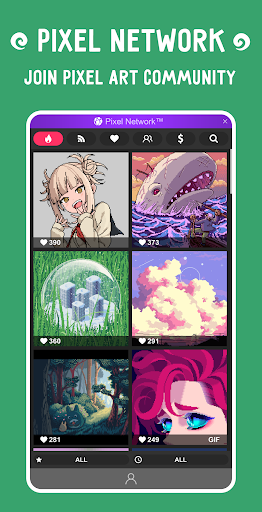
With Google Drive sync (single platform) and access to the Pixel Network™ community, artists can share artwork, collaborate, and participate in a vibrant pixel art community. The platform also supports creating NFTs, extending artistic potential beyond individual projects.
Extended Features and PRO Benefits
Upgrading to the PRO version unlocks several exclusive features:
- Ad-free experience for uninterrupted creativity
- Extended project size limits and advanced tools
- Dark theme for comfortable working environments
- Support for extra formats such as AI, EPS, HEIC, PDF, SVG, WEBP (cloud read-only), and PSD (cloud read/write)
- Unlimited color adjustments for hue, saturation, and lightness
- Unlimited export options, including high-quality MP4 videos
- Higher capacity for projects and storage in the Pixel Network™
Additional tools such as shape and gradient tools, custom brushes, a dot pen for precision, and onion skinning for advanced animation make Pixel Studio PRO a comprehensive solution for pixel artists.
Supported Devices and Performance
Pixel Studio PRO is optimized for devices with at least 2GB+ RAM, ensuring smooth handling of large projects and complex animations. It supports multitasking and multithreaded image processing for efficiency. Compatibility with popular stylus devices like S-Pen, M-pencil, and Xiaomi Smart Pen further enhances the drawing experience.
Whether working on a smartphone, tablet, or PC, Pixel Studio PRO provides flexible modes to fit your workflow, including portrait and landscape orientations. The app's powerful features enable artists to produce professional-grade pixel art, animations, and game assets with ease.
Conclusion
If you're passionate about pixel art and looking for a versatile, feature-rich editor, Pixel Studio PRO: editor is undoubtedly one of the best choices available today. Its combination of user-friendly design, extensive toolkit, cloud integration, and community features makes it a top contender for artists and game developers alike.
Download Pixel Studio PRO and start creating pixel masterpieces that can be shared, animated, and even turned into NFTs—empowering your artistic journey with one of the best pixel art tools out there. Whether you're crafting simple sprites or intricate animations, Pixel Studio PRO has everything you need to bring your pixel vision to life.
Pros
- Supports detailed editing with a robust layer system.
- Intuitive interface suitable for beginners.
- Wide variety of brushes and tools available.
- Options for high-resolution exports.
- Frequent updates introducing new features.
Cons
- Premium version can be quite costly.
- Steep learning curve for advanced functionalities.
- Some users experience occasional crashes.
- Free version has limited features.
- Does not support vector graphics.