

TeslaMirror: Your Ultimate Solution for Android to Tesla Screen Mirroring
Imagine effortlessly connecting your Android device to your Tesla vehicle, allowing you to mirror your phone screen directly onto the car’s infotainment display. TeslaMirror stands out as the pioneering application that brings this convenient feature to Tesla owners, transforming your driving experience with seamless screen sharing. Whether you want quick access to navigation, streaming media, or other apps, TeslaMirror offers an innovative solution designed to enhance your in-car connectivity.
Key Features of TeslaMirror
Free Trial and Purchase Benefits
New users can enjoy a free 144-hour (6-day) trial of the Android version of TeslaMirror directly from the Play Store. When you purchase the app, the trial is automatically activated, providing you with ample time to evaluate its capabilities. Not satisfied? Simply request a refund via email with your order details—no hassle involved.
Device Compatibility and Setup
TeslaMirror is compatible with Tesla models equipped with MCU2 or MCU3 hardware—such as Model 3, Model Y, Model X (post-March 2018), and Model S (post-March 2018)—including vehicles upgraded from MCU1. To ensure optimal performance, connect your Tesla to your Android device’s mobile hotspot, preferably using a 5GHz Wi-Fi network.
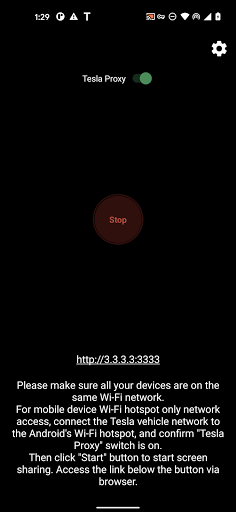
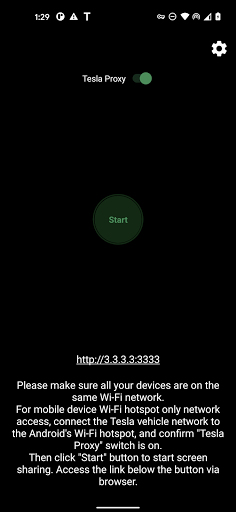
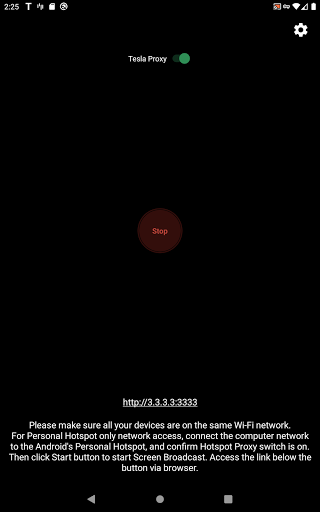
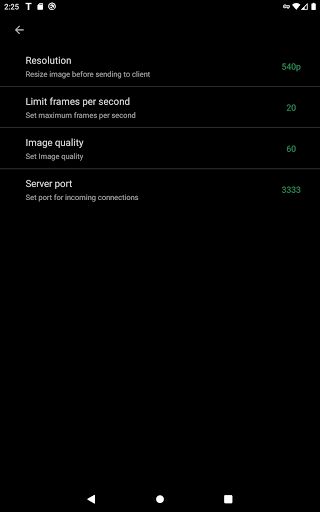
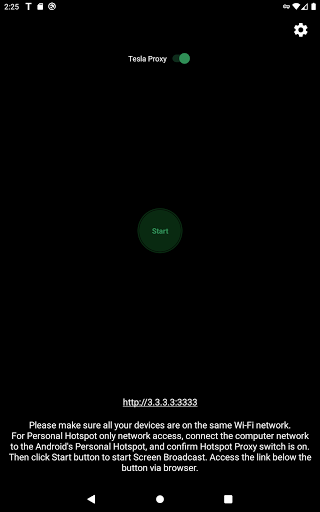
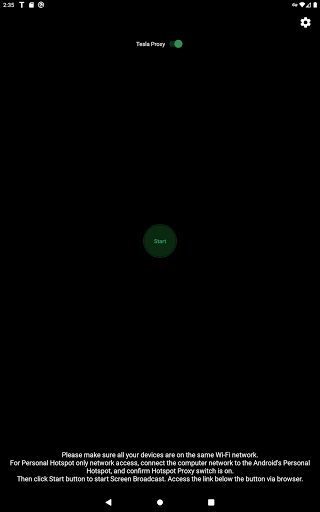
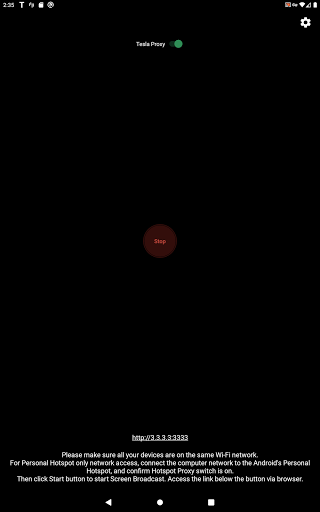
Setup is straightforward: update your Tesla's infotainment system, ensure the vehicle is parked, enable the "Tesla Proxy" switch in TeslaMirror, and start the screen broadcast. The app provides clear instructions to guide you through each step, making it accessible even for users without advanced technical skills.
Audio and Video Capabilities
The app supports lossless audio in Hi-Res quality (96 kHz, Stereo, 32-bit) via the H.264 mode, delivering superior sound quality compared to Bluetooth. For traditional screen mirroring without audio, the MPEG mode is available. You can enjoy watching videos, streaming music, or navigating through your favorite apps on a crisp, responsive display.
Remote Control & Privacy
TeslaMirror offers a Remote Control feature, allowing you to operate your Android device remotely using a touchscreen or mouse. To enable this, grant necessary Accessibility permission. Rest assured, the app does not collect personal data or track user activity, maintaining your privacy while providing powerful control options.
Security and Network Requirements
For proper operation, the app utilizes a VPN (VpnService) to bypass Tesla's network restrictions on private LAN IP addresses. The VPN tunnel is established solely between your Android device and Tesla vehicle, without connecting to public servers, ensuring your data remains private and secure.
How TeslaMirror Enhances Your Driving Experience
Easy and User-Friendly Setup
Getting started is quick—download TeslaMirror, update your Tesla firmware, connect via hotspot, and launch the app. The intuitive interface and straightforward instructions make it accessible for users of all technical backgrounds. This simplicity encourages more Tesla owners to unlock the full potential of their vehicle’s infotainment system.
Exceptional Performance on the Road
Once configured, TeslaMirror provides a stable, responsive connection with minimal lag, whether you're navigating city streets or cruising along highways. The high-quality video streaming capabilities ensure your media consumption feels natural and effortless, turning your Tesla into a mobile entertainment hub.
Expand Your In-Car Entertainment
From streaming music and videos to accessing your favorite apps, TeslaMirror transforms your vehicle into a personalized multimedia center. Whether you're waiting during charging or enjoying a long drive, the app keeps you entertained and connected with ease.
Legal Notice and Usage Warnings
Important: This service must only be used when your vehicle is parked. Usage while driving can be dangerous and might be subject to legal restrictions depending on your jurisdiction. The app requires a VPN to operate properly, but it does not connect to any public servers, ensuring your privacy remains protected. The VPN functions solely to bypass Tesla's network limitations.
Final Thoughts
If you’re a Tesla owner seeking a reliable and feature-rich solution for Android to Tesla screen mirroring, TeslaMirror is an excellent choice. Its seamless setup, high-quality streaming, and remote control features make it a standout app in the automotive connectivity arena. Enhance your driving experience, enjoy your favorite media on the go, and stay connected with ease. TeslaMirror truly elevates your Tesla’s infotainment system, turning everyday drives into entertaining journeys.
Pros
- Seamless integration with Tesla vehicles.
- High-quality mirror streaming.
- User-friendly interface.
- Quick setup process.
- Stable connection with minimal lag.
Cons
- Limited to Tesla car owners.
- Requires a strong internet connection.
- Subscription fee for premium features.
- Occasional app crashes reported.
- No offline capabilities.











