

Discover the Powerful Features of Money Manager (Remove Ads)
If you're searching for an efficient, ad-free way to stay on top of your personal finances, the Money Manager (Remove Ads) app is an excellent choice. Designed to help users gain clear insights into their financial health, this app combines simplicity with a robust set of features, making it accessible for both beginners and seasoned budgeters alike. Whether you're looking to track daily expenses, manage budgets, or keep your financial data secure, Money Manager offers a comprehensive solution without the distraction of advertisements, providing a seamless user experience.
Intuitive and Streamlined Financial Tracking
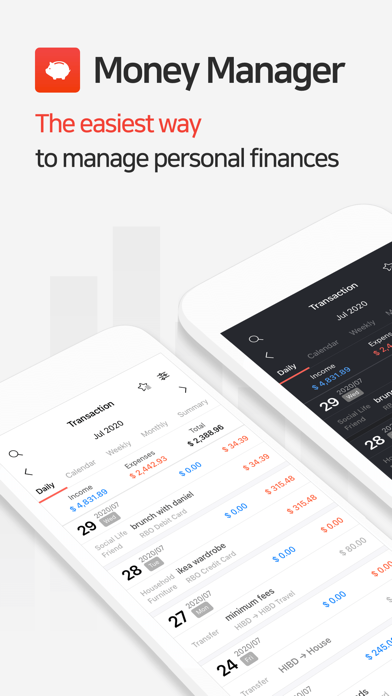
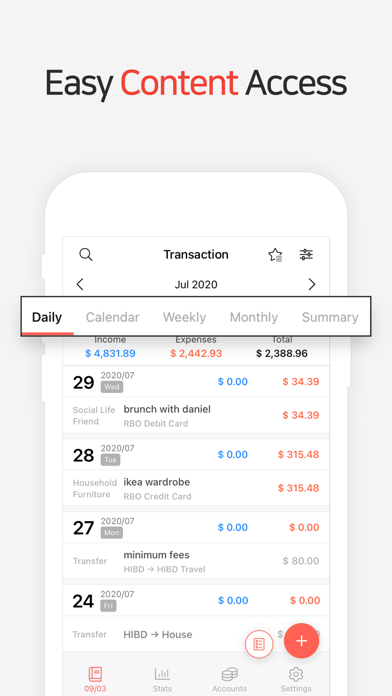
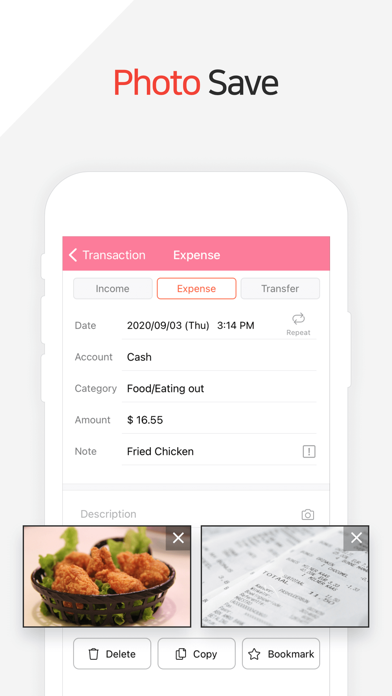
One of the standout aspects of Money Manager (Remove Ads) is its clean, user-friendly interface. As soon as you open the app, you'll notice how straightforward it is to input your income and expenses. The effortless layout eliminates the typical complexities found in many financial apps, allowing you to focus solely on managing your money efficiently. Whether you're new to personal finance or an experienced user, you can quickly navigate through the app's features, making everyday tracking hassle-free.
Robust Budget Management and Visual Insights
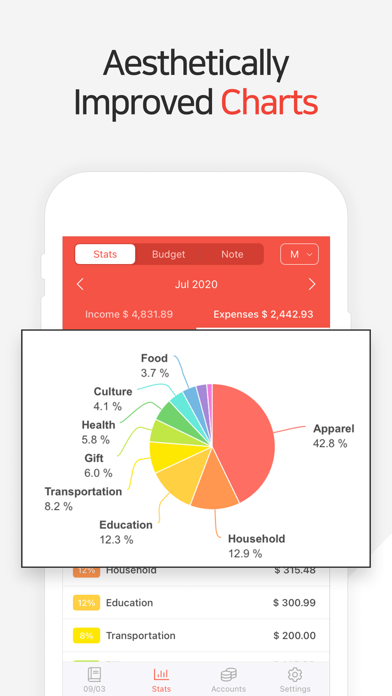
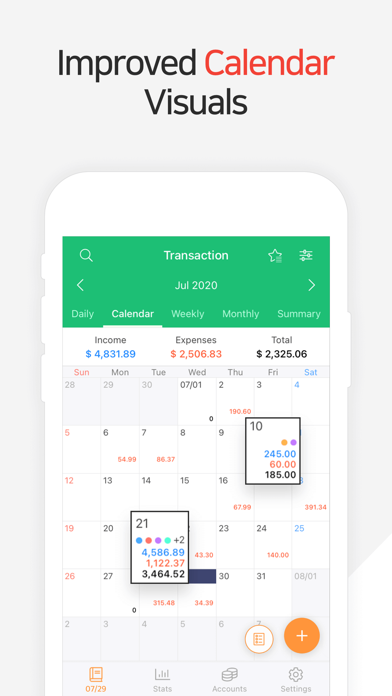
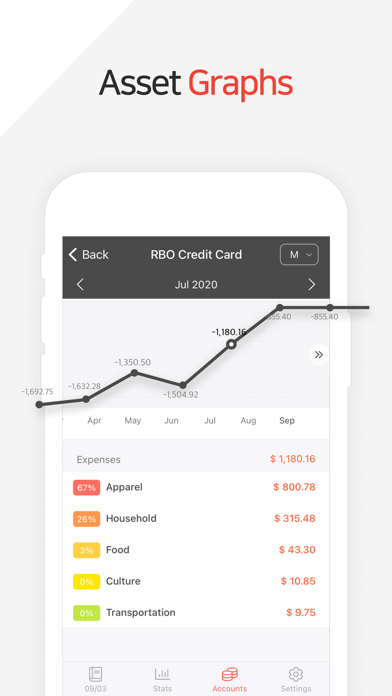
The budget management feature is a true game-changer. You can set monthly spending limits and monitor your expenses visually through charts and graphs, providing instant insight into how your spending aligns with your budget. The app also alerts you when you're nearing your spending cap, helping prevent overspending and encouraging smarter financial decisions. Additionally, instant statistics enable you to instantly view expenditure by category, compare monthly changes, and observe your overall financial progress through dynamic graphs—making it easier to understand your money habits at a glance.
Comprehensive Asset and Card Management
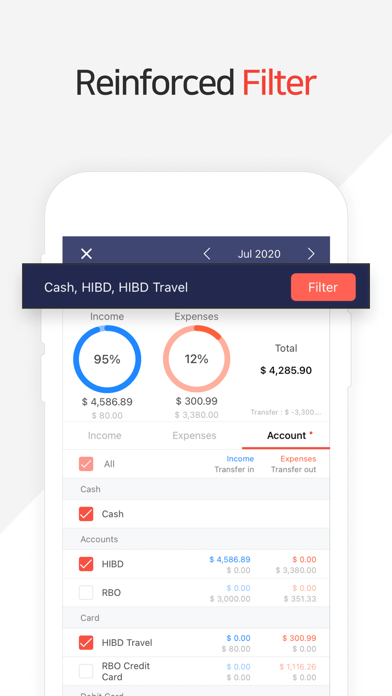
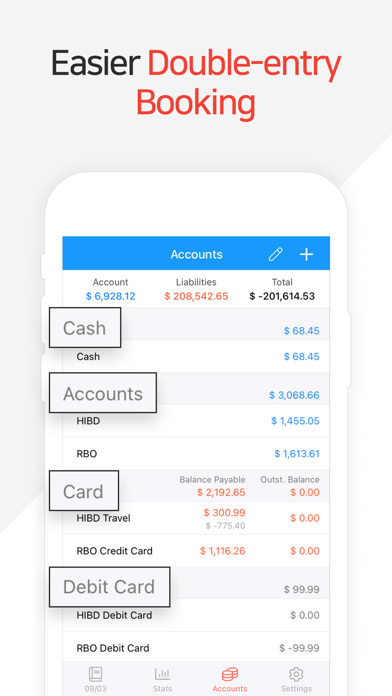
With capabilities such as • Card / Debit Card management, users can keep track of payment dates, payment amounts, and outstanding balances right from the asset tab. Connecting your debit card allows for automatic debit arrangements, simplifying your routine payments and automatic transfers. The app also facilitates function-rich operations like • transfer, direct debit, and recurrence, making it easier to manage assets, recurring bills, and loans efficiently. This seamless automation ensures your financial management stays accurate and up-to-date.
Enhanced Security and Data Safety
Security is fundamental for financial applications, and Money Manager (Remove Ads) prioritizes protecting your sensitive data. You can set a passcode or use biometric authentication for secure access. Additionally, the app supports backup and restore options, including exporting data in Excel format and cloud backups via Google Drive. This ensures that your financial data remains safe, recoverable, and synchronized across multiple devices—giving you peace of mind.
Additional Features for Better Money Control
The app also includes versatile functionalities such as changing the starting date of your financial records, a built-in calculator for quick computations, and a bookmark feature that facilitates effortless input of frequently used expenses. With these tools, managing daily transactions becomes even more convenient, enabling you to customize your experience to fit your personal financial needs.
PC Manager and Cross-Device Accessibility
For users who want to extend their money management beyond mobile devices, the app offers PC manager functionality. You can view, edit, and sort your data via Wi-Fi on your PC, with graphical charts displaying account fluctuations. This makes comprehensive financial tracking and editing more flexible and accessible, especially for those who prefer working on a larger screen.
Why Choose Money Manager (Remove Ads)?
In a digital era filled with ads and distractions, Money Manager (Remove Ads) provides a distraction-free environment dedicated solely to your financial well-being. Its combination of clear visuals, robust features, and secure data handling makes it a top choice for anyone serious about budgeting, expense tracking, and financial planning. Whether you're managing personal finances, savings, investments, or loans, this app empowers you with instant insights, efficient automation, and reliable security—all in a sleek, ad-free design.
Pros
- Intuitive user interface
- Detailed financial reports
- Supports multiple currencies
- No advertisements for distraction-free experience
- Provides data backup and restoration
Cons
- Limited features in the free version
- Steep learning curve for beginners
- Lacks integration with banks
- Requires manual data entry
- Limited customer support options











