

Introducing MyRadar Weather Radar Pro: The Ultimate Ad-Free Weather App
Are you tired of unpredictable weather ruining your plans? Do you want a reliable, fast, and user-friendly weather app that provides real-time radar updates without intrusive ads or privacy concerns? MyRadar Weather Radar Pro is the perfect solution. As a premium, ad-free version of the popular free radar app MyRadar, it offers a seamless experience for weather enthusiasts and everyday users alike.
Key Features of MyRadar Weather Radar Pro
Animated Weather Radar for Accurate Tracking
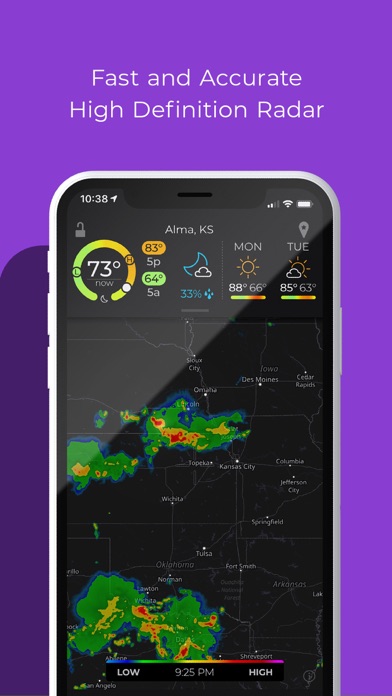
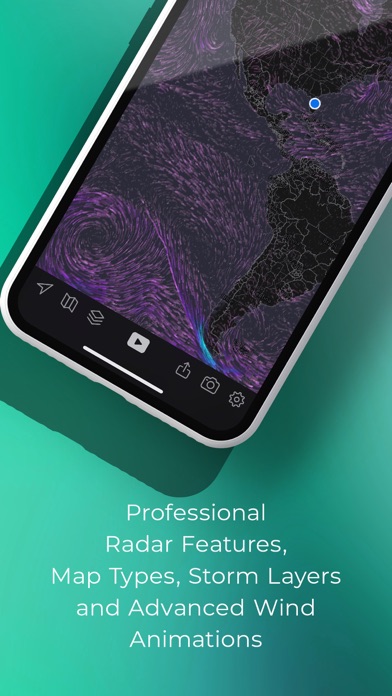
MyRadar Weather Radar Pro displays detailed animated weather radar maps centered around your current location. Once you open the app, your position automatically pops up on the map, showcasing real-time weather movements with smooth animation. You can easily zoom and pan across the United States—exploring weather conditions from street level to national scale. The animated radar makes it simple to see if rain, snow, or storms are headed your way and how quickly they’re moving.
Customizable Data Layers and Overlays
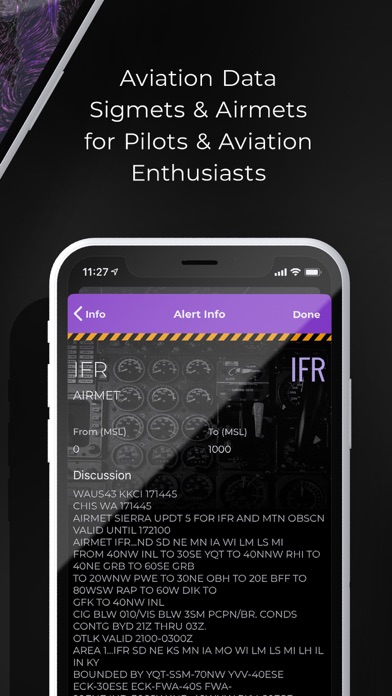
Beyond basic radar, the app allows you to overlay various data layers such as wind patterns, temperature, and even aviation-specific information. Whether you're a weather enthusiast or need precise data for planning outdoor activities, MyRadar Weather Radar Pro serves as your personal meteorologist in your pocket.
Real-Time Alerts and Severe Weather Notices
Stay ahead of severe weather with customizable alerts for specific conditions. Receive notifications when storms approach, or if hazardous weather warnings are issued in your area. This feature is especially valuable for outdoor events, travel planning, or simply keeping your family safe.
Additional In-App Purchases for Enhanced Features
While the core features are robust, the app offers optional in-app upgrades like real-time hurricane tracking, ideal for hurricane season, and a professional radar pack that provides detailed views of individual radar stations. These enhancements ensure that users with advanced weather tracking needs can get even more detailed insights.
Compatibility and Convenience
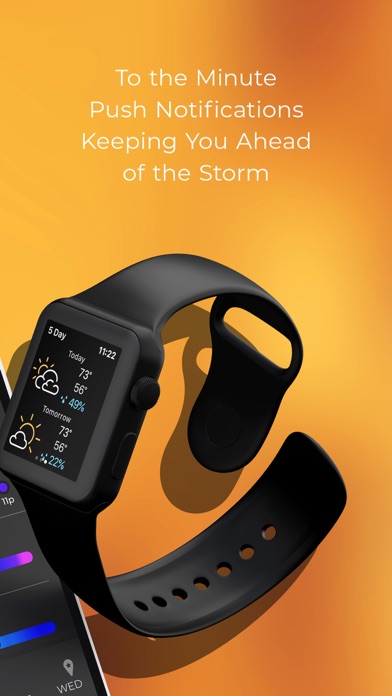
MyRadar Weather Radar Pro is available not only on Android and iOS devices but also supports Wear OS smartwatches. Check radar tiles and current weather updates directly from your wrist—great for on-the-go updates during outdoor activities or emergencies.
Why Choose MyRadar Weather Radar Pro? The Benefits
Imagine avoiding the inconvenience and frustration of being caught in the rain without warning. Whether you're planning a picnic, a hiking trip, or simply want to stay informed, MyRadar Weather Radar Pro is your essential weather companion. Its fast, intuitive interface makes navigating detailed radar maps a joy, while real-time updates keep you on top of changing conditions.
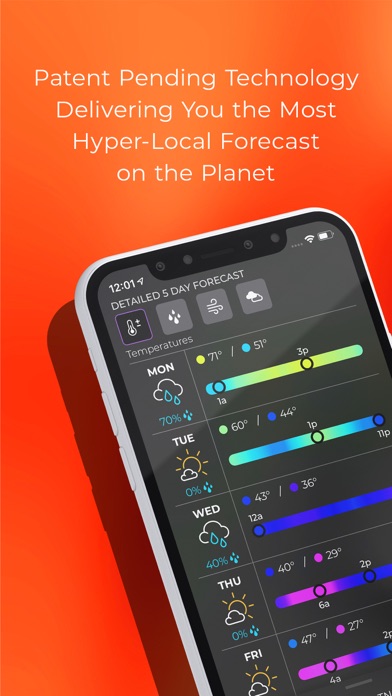
The app’s ability to overlay various weather data layers turns it into a versatile tool for weather forecasting enthusiasts and casual users alike. The customizable alerts mean you’re always informed about severe weather threats without constantly checking the app manually.
Moreover, as an ad-free application, MyRadar Weather Radar Pro respects your privacy and offers an interruption-free experience—an important aspect for users who value data security and a clutter-free interface.
Final Thoughts: Your Go-To Weather App
In summary, MyRadar Weather Radar Pro combines speed, accuracy, and user-friendly design to bring you comprehensive weather coverage at your fingertips. With its detailed animated radar, multi-layer overlays, alert system, and compatibility across devices—including smartwatches—it’s a powerful tool for anyone wanting to stay ahead of weather changes. Whether you're an outdoor enthusiast, commuter, or just someone who hates surprises from Mother Nature, this app is a must-have in your daily toolkit. Download MyRadar Weather Radar Pro today and experience the difference of a dedicated, ad-free weather radar application that truly keeps you informed.
Pros
- Provides accurate weather updates
- Features real-time radar imagery
- Has an intuitive and user-friendly interface
- Allows users to set customizable alerts
- Offers detailed and comprehensive weather data
Cons
- Requires an active internet connection
- Contains frequent advertisements in the free version
- May cause battery drain during use
- Requires a subscription for access to premium features
- Limited functionality when offline











