Discover GIMP: The Versatile GNU Image Manipulation Program
If you're searching for a powerful and professional-quality image editing tool, GIMP (GNU Image Manipulation Program) stands out as a top-tier choice. This free, open-source software packs an extensive range of features that rival many paid alternatives, making it a favorite among digital artists, photographers, and hobbyists alike. Available on various platforms, GIMP's adaptability ensures you can work seamlessly whether on a desktop or mobile device.
Unparalleled Features for Creative Freedom
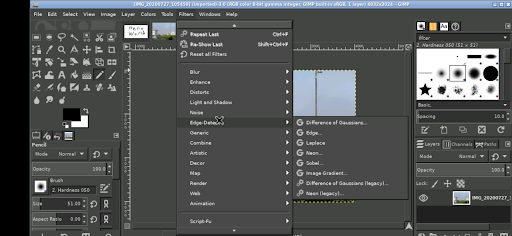
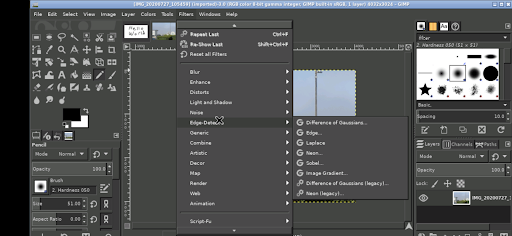
GIMP offers an almost limitless array of tools for photo retouching, digital painting, and graphic design. It supports a wide variety of file formats, enabling users to import, edit, and export images effortlessly. Its interface is highly customizable, allowing you to tailor your workspace to match your workflow preferences. For those seeking additional functionality, GIMP boasts an extensive library of plugins that extend its capabilities—from simple filters to complex automation scripts.
The official GIMP website provides a comprehensive overview of all its features. Whether you're performing basic image adjustments or creating intricate digital artwork, GIMP has the tools you need to bring your vision to life.
Getting Started with GIMP on Android
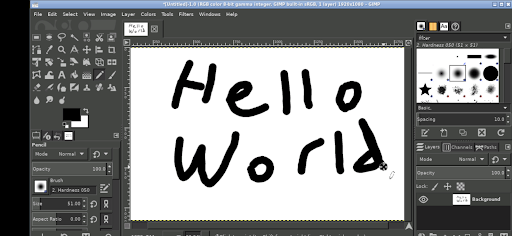
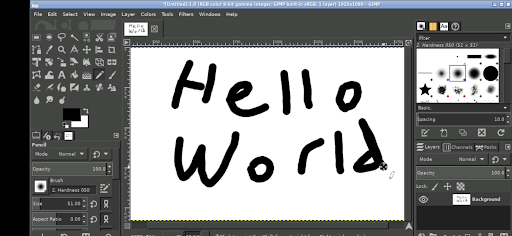
Running GIMP on an Android device introduces some unique considerations. The app is designed to work just like its desktop counterpart, with intuitive touch controls. Here are some key tips for navigating GIMP on your smartphone or tablet:
Android Interface Tips
- Tap with one finger to perform a left click.
- Slide with one finger to move your cursor across the workspace.
- Pinch to zoom in or out of your image.
- Press and hold then slide with one finger to pan around zoomed-in areas.
- Use a two-finger slide to scroll through your project.
- To invoke the keyboard, tap the screen to display icons, then select the keyboard icon.
- For right-click equivalent, tap with two fingers.
- Adjust desktop scaling via Android notifications settings, but note that changes require restarting the app.
While these controls are easier on tablets, smartphones and stylus-compatible devices still provide a viable editing experience. Accessing files from your Android device's storage is straightforward—no importing or exporting needed, as GIMP links directly to your shared directories like Documents and Pictures.
Open-Source and Community-Driven Development
GIMP is released under the GPLv3 license, emphasizing its commitment to free and open-source software. The application's source code is available on GitHub, inviting developers worldwide to improve and customize it. The iconic mascot, Wilber, originates from a vector SVG image shared under Creative Commons BY-SA 3.0.
It's worth noting that this version of GIMP for Android is not developed by the main GIMP team but is an adaptation designed specifically to enable Linux-based GIMP to run on Android devices using platforms like UserLAnd. This flexibility highlights GIMP's broad compatibility and the vibrant contributions from its community.
Why Choose GIMP? Benefits for All Users
Whether you're a beginners looking to explore basic photo editing or a professional artist creating complex digital illustrations, GIMP caters to all levels of expertise. Its free nature ensures accessibility for everyone, eliminating the costs associated with high-end editing software. The comprehensive set of features, combined with an active user community and extensive tutorials, makes learning GIMP both accessible and rewarding.
Despite a slight learning curve for new users, the effort invested pays off by unlocking creative possibilities that are limited only by your imagination. From simple touch-ups to intricate compositions, GIMP provides the tools to produce stunning visuals without any financial investment.
Pros
- Free and open-source software
- Supports various file formats
- Highly customizable interface
- Extensive plugin support
- Active community for support
Cons
- Steep learning curve
- Occasional bugs and crashes
- Interface can be overwhelming
- Limited support for CMYK color
- Not as polished as Photoshop