
Introduction to All Screen Receiver
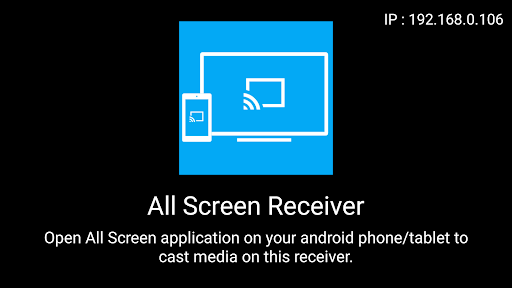
The All Screen Receiver app serves as a vital component of the popular All Screen ecosystem, providing users with a seamless media casting experience on Android-based TV devices and set-top boxes. Designed to work in tandem with the All Screen Sender app, this receiver application enables effortless streaming of photos, videos, and music directly onto your large screen. Whether you want to showcase holiday photos, stream your favorite videos, or share music, All Screen Receiver makes it simple, reliable, and efficient.
It's important to note that All Screen Receiver is specifically built for Android TV, Android-based boxes, and similar devices. If you're using a mobile phone, you should install the All Screen Sender app, which is available for download here. This setup ensures smooth media transmission between your phone and TV, transforming your entertainment experience.
Key Features of All Screen Receiver
Seamless Connectivity and Easy Setup
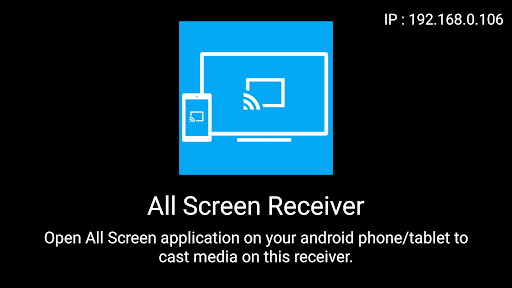
One of the standout qualities of All Screen Receiver is its user-friendly setup process. Unlike many complex casting tools, this app offers a hassle-free experience. You simply install the app on your Android TV or compatible device, follow the straightforward on-screen instructions, and you're ready to begin streaming. The simplicity of the setup appeals to both tech-savvy users and newcomers alike.
Wide Device Compatibility
All Screen Receiver supports a broad range of devices, making it versatile enough for users regardless of whether they are Team Android or Team iOS. With this wide compatibility, you can connect various smartphones, tablets, and PCs to your Android TV or box without compatibility issues.
Robust Media Streaming Capabilities
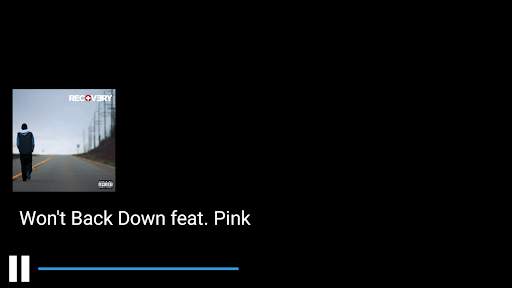
The app excels in media playback, allowing you to stream videos, display photos, and play music effortlessly. Its support for multiple formats such as MP4, MKV, and AAC ensures that you can enjoy your media collection without worrying about format restrictions. Whether it's high-definition videos or high-quality audio, All Screen Receiver handles it all smoothly.
Intuitive User Interface
The app features a clean and intuitive interface, making navigation effortless. There's no clutter or confusing menus—just a straightforward design that helps you access your media quickly and easily. This focus on usability encourages more frequent use and enhances the overall experience.
Stable Performance and Reliability
During testing, All Screen Receiver demonstrated consistent and reliable performance with minimal lag or buffering. Its stable connection ensures that your streaming sessions, whether for movie nights or sharing vacation videos, proceed smoothly without interruptions. This dependability is essential for a positive casting experience and keeps frustration at bay.
Why Choose All Screen Receiver?
If you're in search of an efficient, easy-to-use casting application, All Screen Receiver should be at the top of your list. It delivers on its promise of seamless connectivity and user-friendly operation. Its quick setup process, broad device support, and reliable performance make it an excellent choice for anyone looking to enhance their media sharing capabilities.
Using this app transforms your TV into a hub of entertainment, allowing you to effortlessly display photos, stream videos, and share music from your mobile device or computer. Whether you're hosting a movie night or sharing memories with friends and family, All Screen Receiver is designed to make screen casting straightforward and enjoyable.
Next time you want to enjoy your favorite content on a bigger screen without complicated cables or connectivity issues, remember that All Screen Receiver offers a practical, reliable, and versatile solution. Turn your Android TV into a personal media center and experience the magic of wireless streaming with ease.
Pros
- Allows seamless screen sharing.
- Supports multiple file formats.
- User-friendly interface.
- Fast connection setup.
- Compatible with various devices.
Cons
- Occasional connection drops.
- Limited features in the free version.
- Requires a stable internet connection.
- Displays ads in the free version.
- Some UI elements may be confusing.











