


Introducing the IPTV App: Your Gateway to Seamless Live TV Streaming
Are you tired of flipping through channels with nothing worth watching? Look no further! The IPTV app revolutionizes the way you enjoy television by allowing you to stream live TV channels and your favorite shows directly from your Internet service provider or any other online source. Whether you're a casual viewer or an avid TV enthusiast, this versatile application offers an exceptional experience that brings the cinema and television to the comfort of your device.
Key Features that Elevate Your Viewing Experience
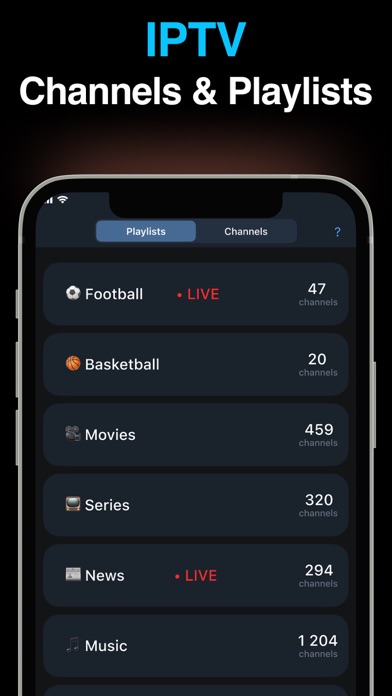
One of the standout aspects of the IPTV app is its broad spectrum of features designed to enhance usability and entertainment quality. It supports M3U and XSPF playlists, enabling users to load their personal or curated channel lists effortlessly. The app also keeps a playlist history, allowing easy access to recently watched content, and supports playing multicast streams using a UDP proxy in your local network for optimal streaming performance.
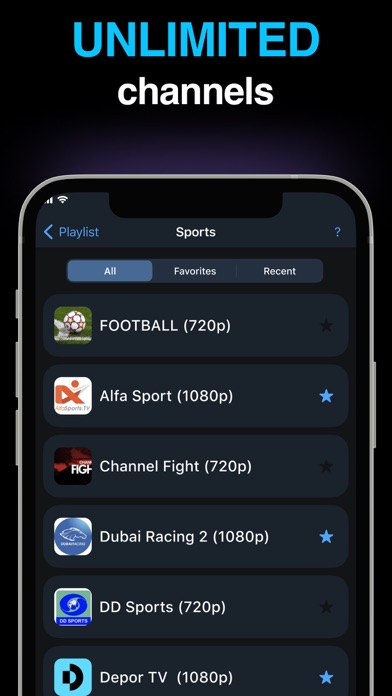
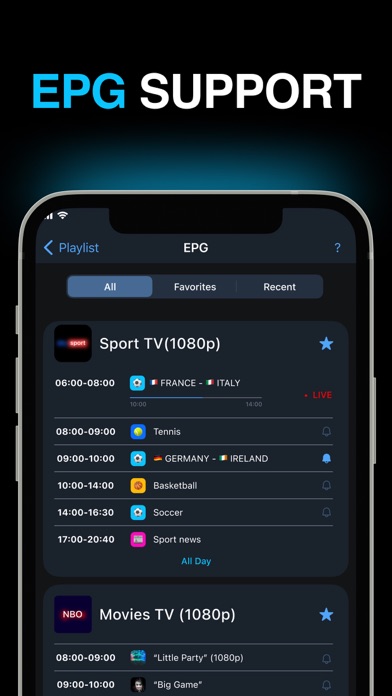
Navigation through channels is highly customizable with options like grid, list, or tile view, ensuring you find your preferred layout. For enhanced programming guides, the EPG support includes XMLTV and JTV formats. The app provides both internal and external video players so you can choose the most suitable playback method. Additionally, parental controls ensure a safe viewing environment for families.
Pro Version: Additional Benefits
Upgrade to the Pro version for a more streamlined experience, free from advertisements. Features include an auto-start on device boot, perfect for set-top boxes, an auto-play last channel function that resumes your favorite content, and an extended playlists history for more flexibility and convenience.
Getting Started with IPTV
The IPTV app does not contain any built-in channels; you need to have your own playlist containing TV channels to access content. For multicast streams, it is highly recommended to set up a UDP proxy in your LAN. For example, Windows users can download the UDP-to-HTTP proxy from the official site, or install udpxy on Linux systems—an optimal setup is installing udpxy directly on your WLAN router, compatible with DD-WRT and OpenWRT firmware.
Customizing and enhancing the app's international reach is possible through community contributions. You can join the translations project at Crowdin to help add new languages or improve existing translations.
Why Choose IPTV? The Ultimate Television Companion
If you often find yourself aimlessly flipping through channels, IPTV changes the game by providing instant access to an extensive library of live TV channels, on demand content, and more. Its seamless streaming ensures high-quality playback, whether you’re on Wi-Fi or mobile data. The app adapts intelligently to your internet connection, delivering buffer-free viewing that feels like having a personal cinema in your pocket.
The vast content library spans genres from drama, action, documentaries, to kid-friendly programs. Regular updates keep your entertainment options fresh and diverse. Navigating through channels and genres is made simple thanks to a user-friendly interface with organized categories and an efficient search feature that helps you find exactly what you want in seconds.
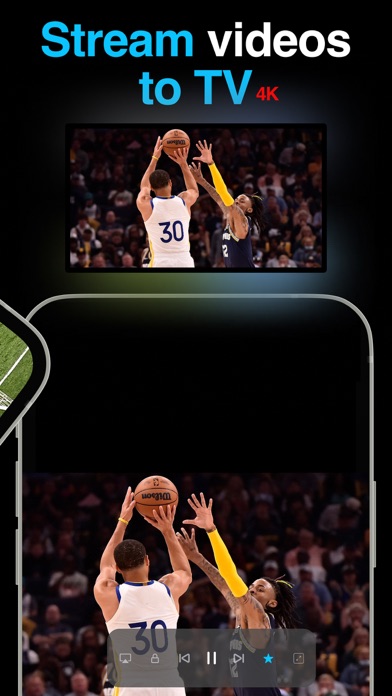
Moreover, the app is compatible with smartphones, tablets, smart TVs, and even PCs. This broad accessibility ensures you can enjoy your favorite shows wherever you go. The inclusion of features like subtitles and audio descriptions caters to a diverse audience, making IPTV a comprehensive entertainment solution for everyone.
Conclusion: Transform Your TV Experience with IPTV
In summary, IPTV is more than just an application—it’s a revolutionary way to experience television. Offering a vast library, seamless streaming, and an intuitive interface, it serves a wide range of entertainment needs. If you’re ready to break free from traditional TV limitations and customize your viewing experience, give IPTV a try. With its powerful features and flexibility, you’ll soon wonder how you ever watched TV without it.
Pros
- Wide selection of available channels
- Streaming options of high quality
- Intuitive and user-friendly interface
- Affordable subscription pricing plans
- Allows use on multiple devices
Cons
- Requires a stable internet connection
- Some channels may experience buffering
- Limited content available for offline viewing
- Contains advertisements in the free version
- May experience issues when using VPNs











