

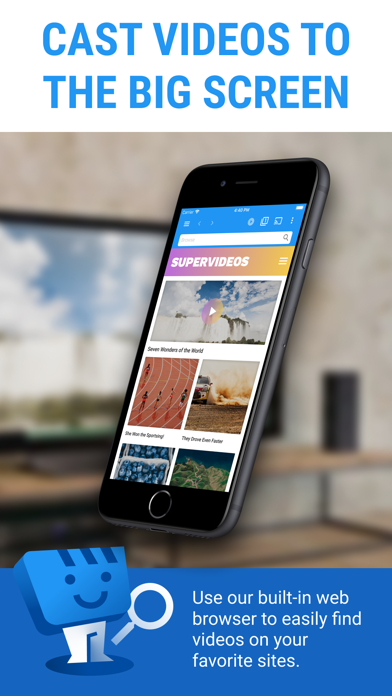
Discover the Ultimate Web Video Casting Experience with Web Video Cast | Browser to TV
Are you tired of squinting at tiny screens or dealing with endless buffering when trying to enjoy your favorite videos on your TV? Say goodbye to these frustrations with Web Video Cast | Browser to TV, a powerful app designed to seamlessly cast videos, music, photos, and live streams from your mobile device directly onto your television. Whether you're streaming movies, catching live sports, or sharing photos with family, this app simplifies the process and enhances your viewing experience.
What is Web Video Cast?
Imagine browsing on your smartphone and stumbling upon a hilarious clip or a stunning photo that you want to share on the big screen. With Web Video Cast, you can effortlessly stream content from your device’s browser or local storage straight to your TV. No more fiddling with wires or HDMI adapters, and no more compatibility headaches. The app offers a smooth, user-friendly interface that makes casting a straightforward process, whether you're using Chromecast, Roku, Fire TV, or even Smart TVs like LG, Samsung, or Sony.
Features That Make Web Video Cast Stand Out
Universal Compatibility and Support for Various Devices
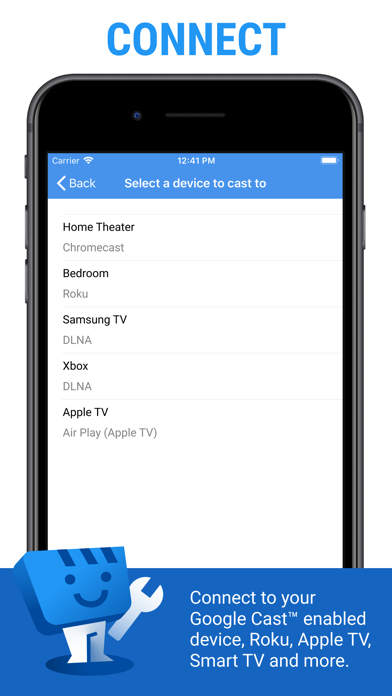
This app supports a wide range of streaming devices, including popular options like Chromecast, Roku, DLNA receivers, Amazon Fire TV and Fire TV Stick, as well as numerous Smart TVs such as LG Netcast and WebOS, Samsung, and Sony models. Additionally, you can cast videos via your browser using http://cast2tv.app on web browsers or game consoles like PlayStation 4.
Rich Media Support
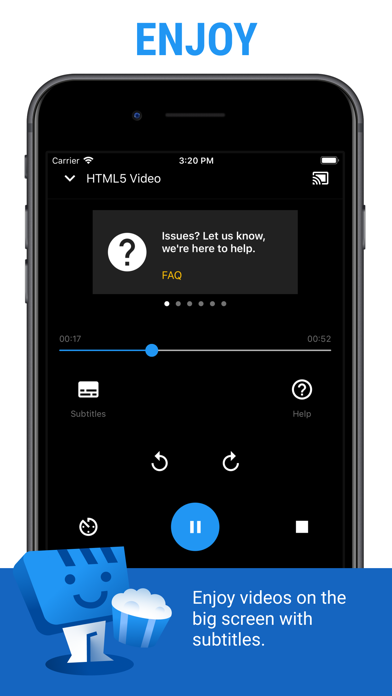
Web Video Cast supports a comprehensive range of media formats to ensure that all your favorite content is accessible. This includes HLS live streams in M3U8 format, movies, TV shows, MP4 videos, live news and sports, and HTML5 videos. Plus, you can cast photos and audio files like your music collection. Remember, your device must be capable of decoding the content for smooth playback.
Easy Steps to Start Streaming
Getting started with Web Video Cast is quick and simple:
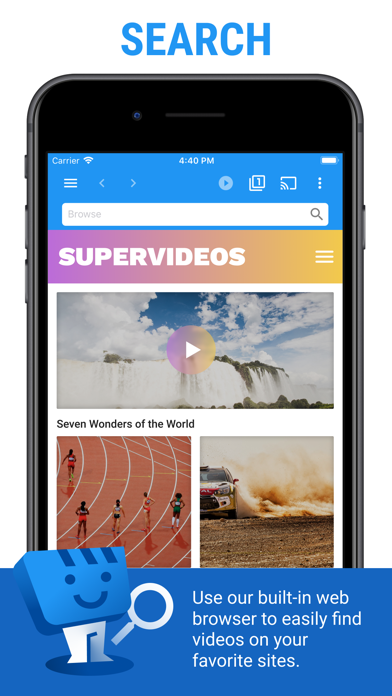
- Browse the web or use your local file explorer to find the video, audio, or photo you wish to cast.
- If streaming from a website, play the video within the browser. For photos, a long press will allow you to cast it directly.
- Connect your device to your preferred streaming receiver and enjoy your content on the big screen.
Premium Features for an Enhanced Streaming Experience
Upgrade to the premium version to unlock features like an ad-free experience, bookmarks, customized homepage settings, video history, queue management, homescreen shortcuts, and access to your most visited sites. Note that some features might vary depending on your streaming device.
Important Limitations & Disclosures
While Web Video Cast offers robust functionality, it has some limitations:
- We are not affiliated with any media providers, and content playback depends on the streaming source.
- The app does not support casting tabs like the Chromecast extension on PC browsers.
- Playback issues arising from server-side problems or heavy network traffic are out of our control.
- Refunds are available within 24 hours of purchase upon providing the order number.
Required Permissions for Seamless Operation
To provide a smooth streaming experience, Web Video Cast requests certain permissions, including access to Wi-Fi information for device communication, media storage for local files, phone state to pause videos on calls, and location data when necessary for browsing tailored content. These permissions ensure you can cast effectively and enjoy uninterrupted playback.
Why Web Video Cast | Browser to TV is a Must-Have Streaming App
Ever encounter frustrating buffering or device incompatibility issues when trying to cast videos from your phone? Web Video Cast | Browser to TV is your solution. It converts your smartphone into a portable media hub that effortlessly streams content onto your TV, making it perfect for binge-watching movies, catching up on live sports, or sharing memories through photos. Its broad compatibility with numerous devices and formats makes it a versatile choice for anyone looking to upgrade their multimedia experience.
Embrace Effortless Casting and Enhance Your Viewing
Designed for both casual viewers and tech enthusiasts, Web Video Cast simplifies casting with its intuitive interface and reliable streaming quality. Whether you're using an Android or iOS device, setup is quick—just connect both devices to the same Wi-Fi and start casting. Its support for a gamut of media types and devices ensures that you’ll always have your favorite content at your fingertips, ready to be cast on the big screen instantly.
Pros
- Easily integrates with a variety of TV brands.
- Supports multiple video formats.
- Intuitive and user-friendly interface.
- Enables fast streaming speeds.
- Does not require additional hardware.
Cons
- Includes advertisements within the app.
- Dependent on a stable internet connection.
- Offers limited features for free.
- May experience occasional streaming interruptions.
- Lacks offline viewing capabilities.











