

Introduction to Easy Voice Recorder
Easy Voice Recorder is your everyday companion for capturing important moments with ease. Whether you're recording meetings, personal notes, classes, musical ideas, or other sounds, this app provides a reliable and user-friendly solution without any time restrictions. Designed to serve students, professionals, musicians, and casual users alike, it combines high-quality audio recording capabilities with a simple interface to make sound recording accessible and efficient for all.
Key Features and Benefits
Intuitive Design and User-Friendly Interface
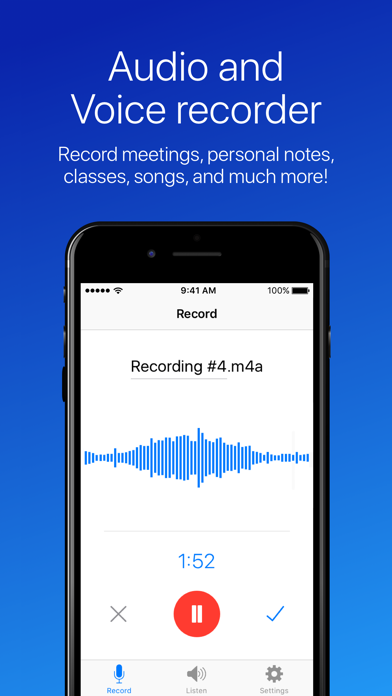
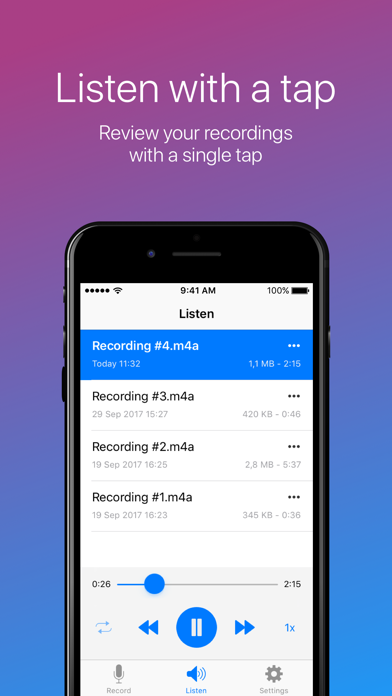
Upon launching Easy Voice Recorder, users are greeted with a clean and straightforward interface. The app's design emphasizes simplicity, making it easy for anyone to start recording immediately. A prominently placed large red button serves as the core control to start capturing audio, eliminating the need for complex menus or settings. Navigating through your recordings is equally effortless, allowing users to quickly review, organize, and manage their sound files with minimal effort. Whether you're a beginner or a seasoned user, managing recordings feels seamless and hassle-free.
Superior Audio Quality and Customization
One of the standout qualities of Easy Voice Recorder is its ability to produce crystal-clear audio recordings. You can choose from multiple formats such as PCM and MP4 for high fidelity, or opt for compressed formats like AMR to save storage space. The app also includes noise reduction features, significantly improving audio clarity in noisy environments. Customizable settings allow you to select quality levels and formats tailored to your needs, whether for professional purposes or casual voice memos. This flexibility makes Easy Voice Recorder suitable for a wide range of recording scenarios.
Enhanced Recording Experience with Additional Features
What makes Easy Voice Recorder particularly appealing is its array of features designed to streamline your recording process. You can quickly start recordings using home screen widgets or shortcuts, even in the background. Share your recordings effortlessly via email or messaging apps, or set them as ringtones directly from the app. For users with Wear OS devices, recording from a smartwatch is supported, enabling on-the-go capture with just a tap on your watch tile. The app also allows you to organize recordings using folders, tag them with colors, or add labels for easy retrieval. Plus, you can trim unwanted sections or enhance audio volume as needed, making edits simple and effective.
Versatility for Different Users
Whether you're a student recording lectures, a business professional capturing meetings, or a musician jotting down melodies, Easy Voice Recorder adapts seamlessly to your needs. The app enables you to switch effortlessly between different modes, such as voice notes, music, and raw sound recordings, using user-friendly presets. Speed control features allow you to listen at comfortable paces, aiding in study or review sessions. The app's support for various formats and cloud integrations (via the paid Pro version) further enhances its utility, making it suitable for professional workflows and creative projects alike.
Additional Features in the Pro Version
The Pro version of Easy Voice Recorder unlocks advanced functionalities, including:
- Automatic upload to popular cloud services like Google Drive, Dropbox, or Microsoft OneDrive
- Support for formats such as MP3, FLAC, and AAC
- Recording via Bluetooth microphones
- Advanced editing tools like trimming and removing silence
- Organizing recordings within folders for better management
- Remote control features via notifications bar
- Additional audio options including stereo recording, volume boosting, and custom bitrates
Note: Easy Voice Recorder does not support call recording on most phones, so it is limited to voice memos and general audio capture.
Conclusion
In summary, Easy Voice Recorder is an easy-to-use and reliable sound recorder that combines quality, versatility, and convenience. Its simple interface, customizable features, and wide compatibility make it an ideal choice for a broad spectrum of users—from students and professionals to musicians and everyday voice note takers. Whether you need quick recordings on the go or detailed editing and organization capabilities, this app adapts to your needs, making sound recording effortless and enjoyable.
If you're looking for a versatile voice recording app that performs well without complicated settings, Easy Voice Recorder is definitely worth trying. Experience how easy and fun capturing your sounds can be with this powerful, yet simple, audio recording solution.
Pros
- High-quality audio recording
- User-friendly interface
- Supports multiple formats
- Unlimited recording duration
- Background recording feature
Cons
- Limited editing options
- Ads in free version
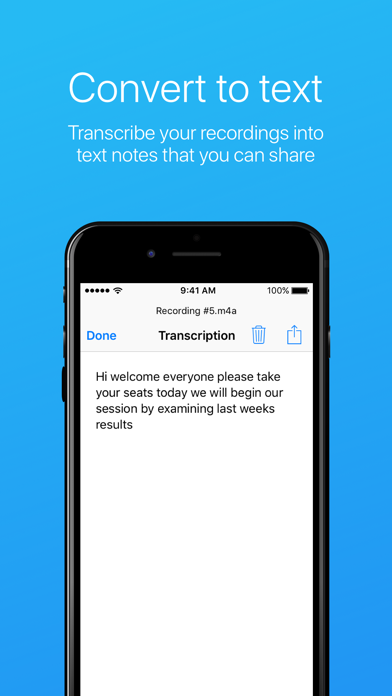
- No transcription feature
- Limited cloud sync options
- Paid features can be costly











