




Microsoft Teams: The Ultimate Collaboration and Communication Tool
Are you seeking a powerful platform to connect with your community, coordinate team projects, or simply stay organized? Microsoft Teams is designed to bring people together, facilitating seamless communication and collaboration in both personal and professional settings. Whether you're managing a community event, working on a project with colleagues, or staying in touch with family and friends, Teams offers a comprehensive solution that consolidates chats, meetings, file storage, tasks, and more—all in one easy-to-use application.
Why Choose Microsoft Teams?
Microsoft Teams stands out as a versatile communication app that integrates with your existing Microsoft 365 environment. It is built to support diverse collaboration needs, making it ideal for remote teams, educational groups, or community organizations. The app combines communities, events, chats, channels, meetings, storage, tasks, and calendars—all in a single platform. This integration ensures that you can easily connect, share, and manage access to information without bouncing between multiple apps or tools.
Stay Connected with Anyone
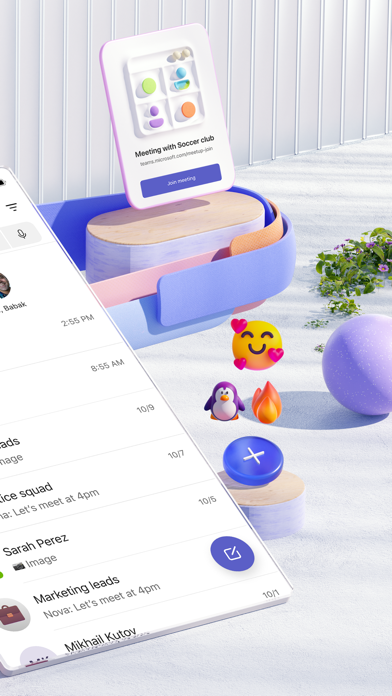
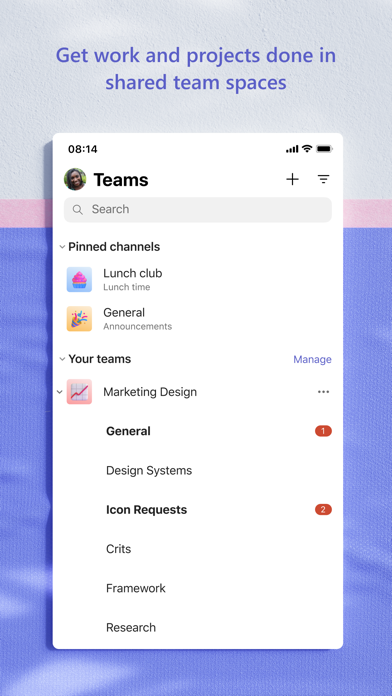
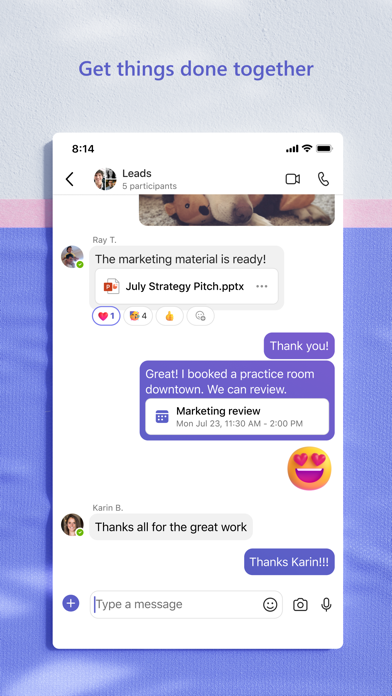
With Microsoft Teams, connecting with others has never been easier. The platform seamlessly incorporates Skype, allowing you to continue your chats, calls, and contacts without interruption. You can quickly set up secure meetings within seconds by sharing a link or calendar invite, making scheduling effortless. Whether it's a one-on-one chat, group discussions, or a community-wide conversation, Teams enables you to @mention people directly to grab their attention. You can create specialized communities for specific topics or projects, and organize conversations within dedicated channels for clarity and focus.
Engage Through Video and Audio Calls
Teams makes virtual face-to-face communication simple and reliable. You can initiate video or audio calls directly within the app or instantly convert a group chat into a call. Features like screen sharing, digital whiteboards, and breakout rooms further enhance your virtual meetings, making collaboration more interactive and productive. Plus, expressive tools like GIFs, emojis, and message animations help convey emotions and ideas when words aren't enough.
Enhance Collaboration and Productivity
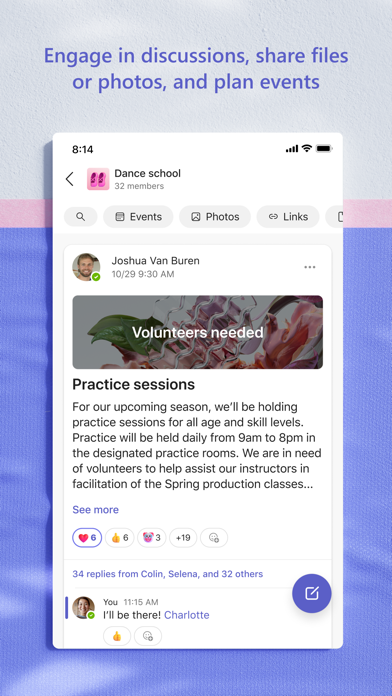
Sharing photos, videos, and files in chats enables quick dissemination of important moments and information. The built-in cloud storage ensures you can access shared content—from documents to photos—anywhere and anytime, streamlining workflows and reducing search time. Organize your community’s or team’s resources—such as upcoming events, links, or shared files—to keep everything neatly arranged.
Manage Tasks and Projects Efficiently
Keep projects on track with task lists. Assign responsibilities, set due dates, and mark tasks as complete to ensure everyone stays aligned. Accessing and updating shared files in real-time boosts productivity and avoids conflicts or version issues. Whether managing a small project or large enterprise initiatives, Teams provides the tools needed to stay organized and meet deadlines with ease.
Security and Compliance You Can Trust
Security is paramount in any collaboration platform. Microsoft Teams offers enterprise-level security and compliance features, including end-to-end encryption and community moderation tools. Community owners have control over content and membership, enabling them to remove inappropriate content or members when necessary. Rest assured, your data remains protected, and your privacy preserved—whether you're sharing personal updates or sensitive business information.
Getting Started with Microsoft Teams
Launching into Teams is straightforward. Simply download the app from the App Store or Google Play, sign in with your Microsoft account, and you're ready to connect. The interface is user-friendly, with organized channels and tabs that make navigation intuitive—even for those new to collaboration tools. Integrations with Microsoft Office apps allow you to create, edit, and collaborate on Word documents, Excel sheets, and PowerPoint presentations without leaving the platform—enhancing your productivity and streamlining workflows.
Conclusion
In an era where remote work, virtual events, and digital collaboration are more important than ever, Microsoft Teams proves to be a comprehensive, secure, and flexible solution. Whether you're managing a community, planning a family event, or coordinating a corporate project, Teams simplifies teamwork and boosts productivity. Its rich features facilitate real-time communication, file sharing, task management, and secure meetings—all from a single, easy-to-navigate interface. If you're looking to enhance your collaboration experience, Microsoft Teams is undoubtedly the tool to boost your efficiency and keep everyone connected. Give it a try today—you might be surprised how much more you can accomplish when everyone is on the same page!
Pros
- Seamless integration with Office 365 suite.
- High-quality video and audio calls.
- Customizable team channels.
- Strong security and compliance features.
- Real-time collaboration on documents.
Cons
- Complex setup for non-technical users.
- Occasional notification delays.
- Limited customization options for UI.
- Requires a stable internet connection.
- Storage limitations on the free plan.










