

Key Attestation Demo
Curious about the security mechanisms safeguarding your Android applications? The Key Attestation Demo is an innovative app designed to give users an inside look into the digital security features embedded within their devices. Whether you are a developer, a cybersecurity enthusiast, or simply an interested smartphone user, this app offers a comprehensive and user-friendly way to understand how Android's key attestation works to verify the authenticity and integrity of cryptographic keys, ensuring your data remains protected.
What is the Key Attestation Demo?
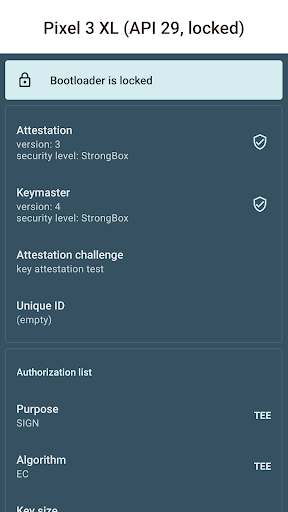
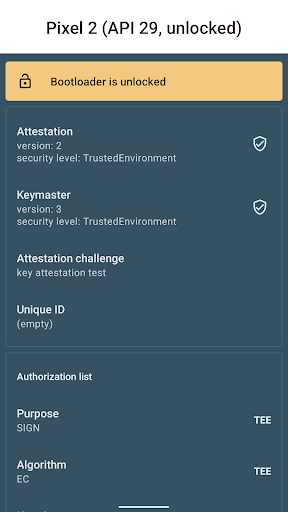
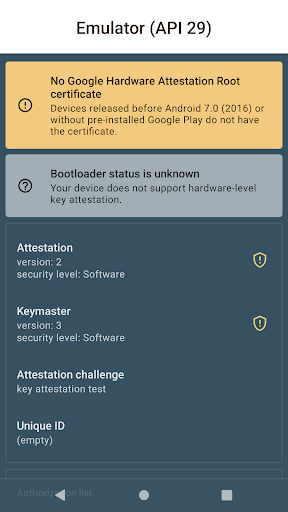
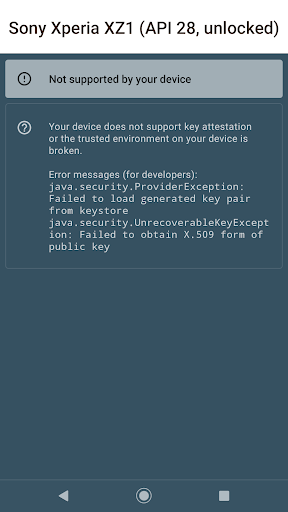
The Key Attestation Demo functions as an educational and practical tool that illustrates the process behind Android's key attestation technology. Essentially, it helps verify that cryptographic keys stored on your device are genuine, unaltered, and securely generated. While the concept may sound technical, the app simplifies these processes with clear explanations and visual aids, making the complex world of mobile security accessible to a broad audience. For those eager to delve deeper, official documentation on key attestation can be found at Android's developer training and source documentation. The app's source code is openly available on GitHub.
Explore the Features
Upon launching the Key Attestation Demo, you are greeted with a clean, intuitive interface that prioritizes user experience. The app’s design avoids overwhelming technical jargon, guiding you step-by-step through key generation, storage, and validation processes. One standout feature is its visual representation of the attestation process, which acts like a miniature cybersecurity workshop right on your device. This visual approach demystifies the intricate steps involved in verifying device security, making it easier to grasp how your cryptographic keys are protected.
User Experience and Usability
The app is thoughtfully designed to be accessible, even for users without a deep technical background. It requires no special permissions, reducing concerns about data privacy. Performance-wise, it is lightweight and runs smoothly without crashes or bugs, reflecting solid development practices. Its straightforward navigation allows users to explore various functions without hassle, making it an excellent tool for learning and testing mobile security concepts firsthand.
Why Should You Try It?
If you are interested in understanding how Android protects your sensitive information through technologies like key attestation, this app is an invaluable resource. It bridges the gap between theoretical knowledge and practical application, allowing users—whether developers, security professionals, or technology enthusiasts—to experience the intricacies of mobile security in action. Gaining insight into how cryptographic keys are vetted and attested can deepen your appreciation for the built-in protections that keep your personal data secure. Additionally, this app serves as a hands-on demonstration of what’s happening under the hood of your device, making complex security processes approachable and engaging.
In an era where digital trust is paramount, understanding these security features can empower you to make informed decisions about app development, data encryption, and device management. The Key Attestation Demo isn’t just an educational tool—it’s a window into the sophisticated security landscape of modern Android devices, showcasing cutting-edge practices in mobile security and cryptography.
Pros
- Enhances the security of the application significantly.
- Supports a wide range of Android versions.
- Simplifies integration with existing applications.
- Generates comprehensive attestation reports.
- Builds greater user trust and confidence.
Cons
- Applicable only to newer Android devices.
- Requires internet connection for complete functionality.
- Setup process can be complex for beginners.
- Limited availability of documentation.
- Not compatible with all types of applications.











