

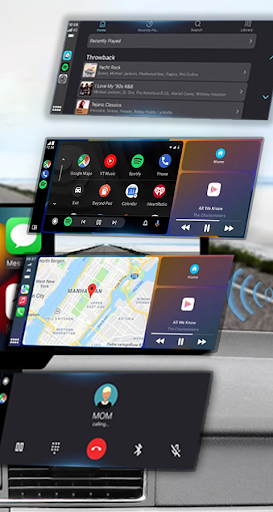
Discover the Features of Mirror Link App
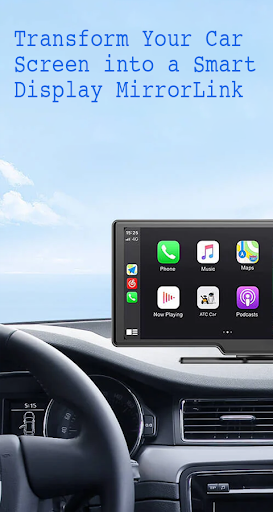
Are you looking to elevate your driving experience with seamless smartphone integration? Mirror Link is an innovative app designed to connect your mobile device effortlessly to your car's infotainment system. Whether you prefer a wireless or USB connection, this powerful application helps you mirror your phone's screen onto your car’s display, making navigation, entertainment, and communication safer and more convenient. Let’s explore what makes Mirror Link a must-have tool for modern drivers.
Key Features of Mirror Link
Static Screen Sharing allows you to share your smartphone's display with your vehicle’s screen quickly and reliably, ensuring you stay connected without hassle. With WIRELESS AND USB CONNECTION options, you can choose the most convenient method—eliminating the clutter of cables or utilizing a simple USB link for a stable connection.
This app offers effortless Screen Sharing and Communication—one-click connections facilitate quick access to your phone’s apps. Enjoy multimedia on the go—listen to music, watch videos, send texts, make calls, and view maps directly on your car’s display, enhancing both entertainment and navigation capabilities.
Automation features add to the driving convenience, enabling your device to play and pause music automatically when connecting to the car, creating a smoother experience. With Full Mirror Link, you can enjoy a comprehensive mirror of your phone on your car screen, while Smart Mirror Link ensures compatibility with both older and newer vehicles—making it versatile across different car models.
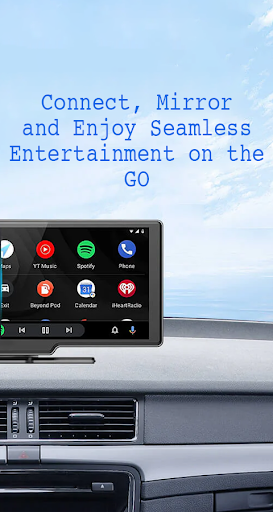
Designed for Universal Compatibility, Mirror Link works seamlessly with all car brands and devices equipped with a built-in web browser. It also integrates effortlessly with popular systems like Mirrorlink Car Play and Android Auto, transforming your vehicle into a smart, connected control panel. You’ll be able to access apps, stream music from platforms like YouTube, and enjoy hands-free calling and navigation, all through your car’s touchscreen.
How to Use Mirror Link
Getting started is simple:
- Ensure both your phone and car support Miracast or wireless display features.
- Activate the Miracast function on your vehicle’s dashboard.
- Open the Mirror Link app, select “Connect Car”, and wait for the device to be detected.
- Create a connection to mirror your phone’s screen onto your car’s display.
This straightforward setup makes Mirror Link an accessible solution for almost any driver wanting to enjoy web video streaming, photo sharing, audio playback, and automation—all via their vehicle’s screen.
The Benefits of Using Mirror Link
Imagine effortlessly projecting your smartphone onto your car’s infotainment system—eliminating messy cables and creating a clutter-free environment. Mirror Link not only simplifies screen sharing but also enhances your safety by reducing distractions. Large, intuitive icons and a user-friendly interface mean you can control your apps with minimal effort, allowing you to keep your focus on the road.
Navigation becomes more intuitive; you can display Google Maps, Waze, or other navigation apps directly on your dashboard, with real-time updates to help you reach your destination efficiently. Plus, music lovers will appreciate seamless control over their playlists from Spotify, Apple Music, or other streaming platforms, with high-quality audio output.
Safety is further prioritized through features like voice commands, enabling hands-free operation of calls and directions. When connected, your phone can automatically play or pause media, creating a hands-free, distraction-free environment that adheres to safety regulations.
Final Thoughts
If you spend a lot of time on the road and seek a more integrated driving experience, Mirror Link is definitely worth exploring. It bridges the gap between your smartphone and your vehicle’s display, making entertainment, navigation, and communication more accessible and safer. Compatibility varies among vehicle models—be sure to verify support before installing—but once set up, you’ll enjoy a connected, intuitive interface that transforms your driving journey.
Enjoy streaming videos, viewing photos, listening to music, and using navigation apps—all on your car’s screen—while maintaining a focus on safety. Mirror Link offers a perfect blend of convenience, entertainment, and safety, making it an excellent choice for tech-savvy drivers looking to optimize their in-car experience.
Pros
- Smooth screen mirroring from phone to car
- Compatible with leading car brands
- Simple setup process and intuitive interface
- Supports a variety of media formats
- Improves safety with hands-free operation
Cons
- Limited application compatibility
- Needs a reliable internet connection
- Potential latency problems
- Not supported on all smartphone models
- Can quickly deplete phone battery











