

Discover Galaxy Widgets: One UI
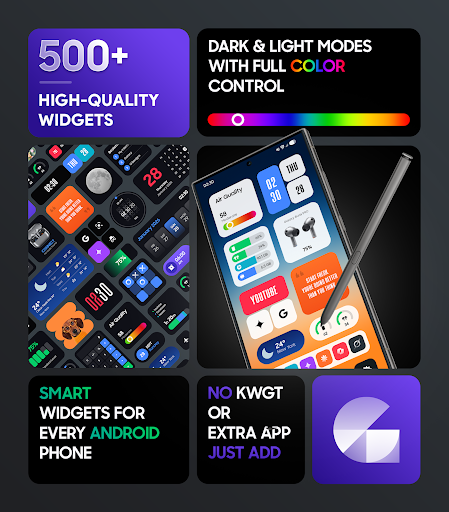
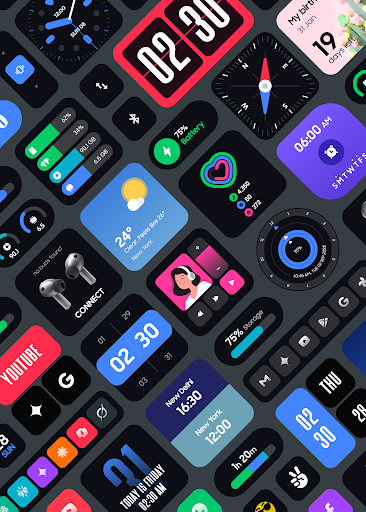
Experience a stunning transformation of your Android device's home screen with Galaxy Widgets: One UI. Offering over 500+ meticulously crafted, modern, and customizable widgets, this app enables you to create a clean, elegant, and highly functional interface similar to the acclaimed One UI design language from Samsung. Designed for simplicity and everyday usability, Galaxy Widgets seamlessly blend beauty with performance, helping you personalize your device effortlessly.
Key Features of Galaxy Widgets: One UI
Elegant and Modern Widget Collection
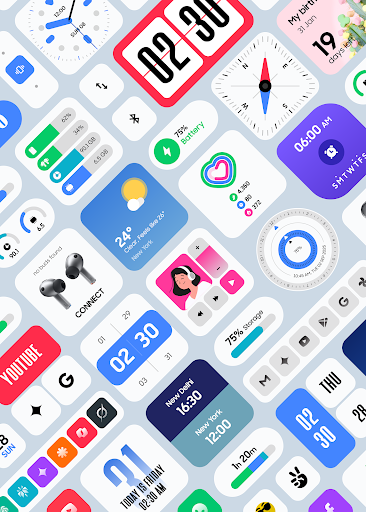
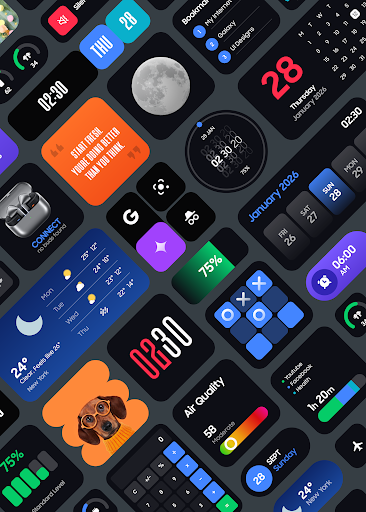
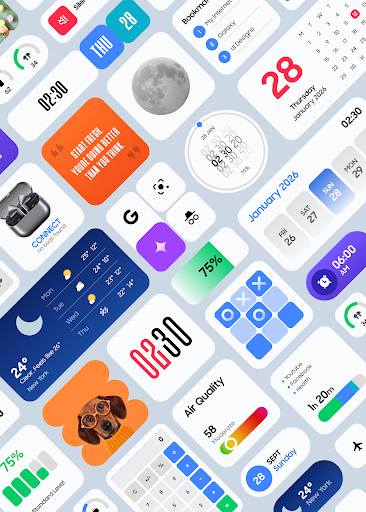
With a repertoire of over 500 One UI-style widgets, users can enhance their home screen with features like Clock, Weather, Calendar, Battery Info, Fitness tools, Quotes, Music, Notes, and much more. The widgets are carefully designed to reflect the clean and modern aesthetics of One UI, making your device look sleek and organized.
Easy Setup and No Extra Apps Needed
The app works without KWGT, meaning you don’t need to install any third-party launcher or widget creator. Simply install Galaxy Widgets: One UI and start customizing instantly, thanks to its straightforward setup process.
Fully Customizable
Adjust colors, sizes, and other visual elements to match your unique style. Whether you prefer vibrant, subtle, or monochrome themes, the customizable options allow your home screen to reflect your personality perfectly.
Optimized for Performance and Battery Life
Built with efficiency in mind, these widgets are optimized for smooth performance and low battery consumption, ensuring a long-lasting experience without draining your device’s power.
Regular Updates and New Content
The developers actively add new widgets and improvements, keeping your home screen fresh and feature-rich over time.
Performance-Driven Design
Widgets are specifically designed to deliver a polished appearance and performance tailored for everyday use. From quick access buttons to informative displays, these widgets are built to enhance usability and productivity.
Versatile Widget Categories
Includes a comprehensive range of widget types such as world clocks, weather updates, calendars, media controls, quick shortcuts, fitness tracking, quotes, game widgets, and much more. Whatever your needs, Galaxy Widgets: One UI provides the right tools.
Why Choose Galaxy Widgets: One UI?
- One UI–Inspired Design Language: Achieve a cohesive look similar to Samsung’s popular interface.
- Over 500 Ready-to-Use Widgets: Extensive collection to customize your home screen.
- No Third-Party Dependencies: Works independently without additional launcher apps.
- Clean, Modern & Consistent UI: Aesthetic harmony across all widgets and screens.
- Highly Customizable: Personalize colors, sizes, and arrangements easily.
- Optimized for Speed & Battery Efficiency: Minimal resource usage, maximum performance.
- Simple Setup & User-Friendly Interface: Designed for quick customization with minimal fuss.
Behind the Technology
The app employs a foreground service to ensure real-time widget updates, keeping your home screen information current and responsive throughout the day. To guarantee precise and timely updates for widgets such as weather, photos, calendar, and screen time, the app uses the USE_EXACT_ALARM permission. This ensures scheduled updates are accurate, preventing delays or inconsistencies and providing a smooth user experience.
Customer Support and Refund Policy
If you're unsatisfied, a hassle-free refund is available via Google Play’s official policy. Requests within 48 hours can be processed directly, while support after this period can be obtained by contacting [email protected]. The app team is dedicated to ensuring users can enjoy a seamless, customizable home screen experience with minimal hassle.
Connect With Us
- X (Twitter): https://x.com/AppsLab_Co
- Telegram: https://t.me/AppsLab_Co
- Support Email: [email protected]
Conclusion
Galaxies Widgets: One UI offers an exceptional way to customize your Android device with modern, clean, and highly functional widgets inspired by the popular One UI style. Whether you want quick access to your calendar, weather updates, media controls, or motivational quotes, this app provides a comprehensive and effortless solution. With its focus on performance, aesthetics, and ease of use, Galaxy Widgets: One UI is the ideal choice for users who desire a personalized, clutter-free, and elegant home screen experience on their Android devices.
Pros
- User-friendly interface making navigation easy
- Extensive library of features and tools
- Highly customizable to fit user preferences
- Regular updates ensure improved performance and security
- Supports multiple devices and platforms
Cons
- Some features require a premium subscription
- Initial setup can be complex for new users
- Occasional bugs affecting usability
- Limited offline functionality without internet connection
- Customer support response times could be improved











