





Introducing EasyRecover: The Ultimate Data Recovery Solution
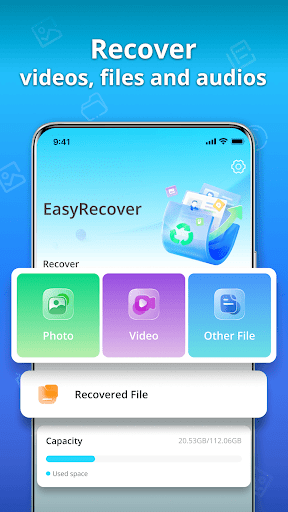
In today's digital age, data privacy and security are paramount. EasyRecover - Restore All offers a comprehensive data recovery tool designed to help users retrieve lost or accidentally deleted files effortlessly. Whether you're dealing with accidental deletion, formatting issues, or hardware failures, EasyRecover provides a reliable solution to restore your valuable data quickly and efficiently.
Key Features of EasyRecover
• Data Recovery: Simpler, Faster, Smarter
EasyRecover’s advanced algorithms support recovery of various file types including documents, photos, videos, and emails. Its user-friendly interface ensures that even users with minimal technical expertise can navigate the recovery process with ease. Simply select the drive or folder, and the software will scan for recoverable files, presenting you with a clear preview before restoring.
• Deep Scan Technology
Using intelligent deep scanning techniques, EasyRecover can locate files that are usually hidden or fragmented, increasing success rates with complex data loss scenarios. This feature is especially beneficial for recovering files from corrupted or formatted drives.
• Partition Recovery
If your partition has been accidentally deleted or damaged, EasyRecover can help restore entire partitions without requiring technical assistance. It ensures that all data within the partition is recovered intact and ready for use.
• Preview Before Recovery
Before restoring files, users can preview content to verify the recovered data. This minimizes the risk of restoring wrong files and guarantees that you recover exactly what you need.
• Secure and Safe Recovery
EasyRecover values your privacy, ensuring all recovery processes are secure. It doesn’t modify or overwrite existing files, maintaining data integrity throughout the process.
• Compatibility and Support
The software is compatible with Windows and Mac systems, supporting a wide range of storage devices including external drives, SD cards, and USB flash drives. Additionally, technical support is available to help troubleshoot complex data recovery challenges.
Why Choose EasyRecover - Restore All?
- User-Friendly: Designed for everyone, from beginners to tech experts.
- Versatile: Supports multiple files and storage devices, catering to various recovery needs.
- Fast Performance: Minimizes downtime with quick and efficient scanning and recovery processes.
- Affordable: Offers free recovery options with premium plans for advanced features.
- Reliable: Proven track record of successful data restorations across diverse scenarios.
Conclusion
Data loss can be stressful, but with EasyRecover - Restore All, you get a dependable, easy-to-use solution that helps you recover your important files with just a few simple steps. Its powerful features, compatibility, and safety assurances make it the ideal choice for individuals and professionals alike seeking a robust data recovery tool. Don't let accidental deletions or drive failures jeopardize your valuable data—trust EasyRecover to bring your files back to life efficiently.
Pros
- Offers a seamless user experience with intuitive navigation.
- Provides a wide range of features to meet diverse needs.
- Regular updates ensure the app stays current with new functionalities.
- Reliable performance with minimal crashes or bugs.
- Supports multiple devices and platforms for flexibility.
Cons
- Some features require in-app purchases, which may be costly.
- Limited customization options in the free version.
- Occasional slow loading times under high traffic.
- Requires significant storage space on the device.
- Customer support response times can be slow.











