
Document Reader-PDF Launcher Overview
The Document Reader-PDF Launcher is a versatile and user-friendly mobile application designed to enhance your document management experience. Whether you're a student, professional, or casual user, this app provides efficient tools to access, view, and organize PDF documents seamlessly. Its intuitive interface ensures that users can quickly navigate through various features without a steep learning curve, making it an ideal choice for both beginners and advanced users.
Key Features of the Document Reader-PDF Launcher
Easy PDF Access and Viewing
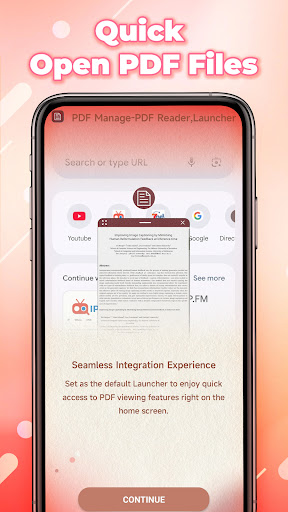
One of the primary strengths of the Document Reader-PDF Launcher is its ability to quickly locate and open PDF files stored on your device or cloud services. The app supports high-quality rendering, allowing for smooth scrolling and zooming, which ensures a comfortable reading experience. The streamlined design minimizes clutter, enabling users to focus solely on their documents.
Organizational Tools
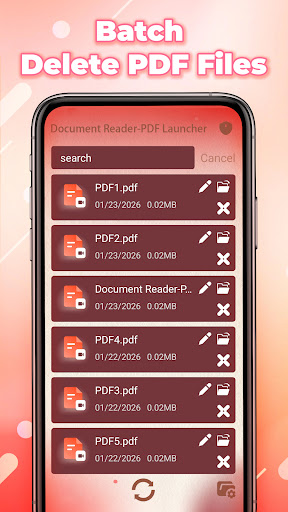
Managing multiple PDFs is effortless with features like folders, tagging, and search functionalities. Tagging allows users to categorize documents for easy retrieval, while the powerful search engine helps find specific content within files instantly—saving valuable time during research or work-related tasks.
Annotation and Editing Options
The Document Reader-PDF Launcher offers built-in tools for highlighting, underlining, adding comments, and drawing directly on PDF pages. These features streamline the review process, making it simple to mark up important sections and collaborate with colleagues or classmates effectively.
Compatibility and Sharing
This app supports a wide range of PDF formats, ensuring compatibility with documents from various sources. Additionally, users can easily share files via email, messaging apps, or cloud storage services directly from within the app, facilitating quick collaboration and information exchange.
Additional Functionalities
File Conversion and Export
The Document Reader-PDF Launcher includes tools to convert PDFs to other formats like Word or images, enabling further editing or presentation. Export options are flexible, allowing users to save annotated versions or share processed documents conveniently.
Secure Reading Environment
Security is a priority; the app incorporates features such as password protection and encrypted files to safeguard sensitive information. Users can confidently open confidential documents without worry, knowing their data remains protected.
Why Choose the Document Reader-PDF Launcher
This app stands out due to its versatility and intuitive design, making PDF management simple and efficient. Its robust organizational tools, combined with powerful annotation features, cater to diverse user needs—from students reviewing academic papers to professionals preparing reports. Moreover, the app's compatibility with various file formats and seamless sharing capabilities make it a comprehensive solution for all your document access needs.
Conclusion
The Document Reader-PDF Launcher is more than just a PDF viewer; it's a complete document management system packed with features to help you read, organize, annotate, and share your PDFs effortlessly. Its user-focused approach ensures a smooth experience, making it an essential tool for anyone needing quick and reliable access to digital documents. Enhance your productivity and document organization today with this powerful and reliable PDF launcher.
Pros
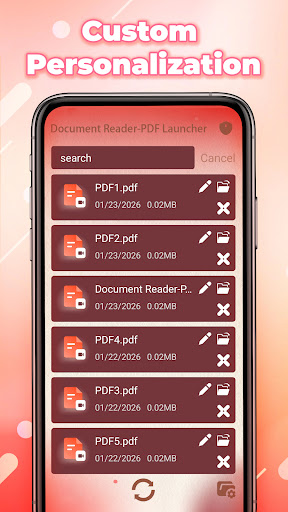
- Offers great flexibility in terms of features and customization options.
- Provides a user-friendly interface that enhances usability.
- Supports multiple integrations with popular tools and platforms.
- Regular updates and improvements ensure ongoing reliability.
Cons
- Initial setup can be complex and may require technical knowledge.
- Some features are only available in premium versions, which may be costly.
- Performance may vary depending on system compatibility and usage.
- Limited customer support options could affect troubleshooting efficiency.











