
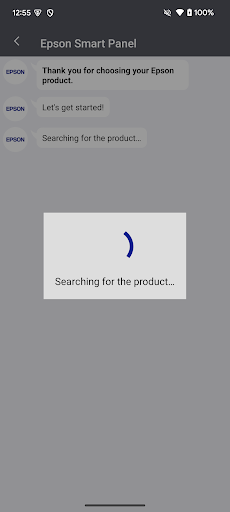
Overview of the Epson Smart Panel App
The Epson Smart Panel app is a high-performance, user-friendly mobile command center designed to enhance your experience with Epson wireless printers and scanners. This innovative tool allows seamless control and monitoring of your Epson devices directly from your smartphone or tablet, making device management more convenient than ever.
Supported Devices and Compatibility
To ensure smooth operation, it is essential to verify if your Epson product is supported by the Epson Smart Panel app. You can do this by visiting the official support website. If your printer or scanner is not listed, it's recommended to use Epson iPrint for printers or Document Scan for scanners instead.
Note: The Epson Smart Panel app will only connect to supported devices listed on the website.
Key Features of the Epson Smart Panel App
Easy Setup and Wi-Fi Configuration
One of the standout features of the Epson Smart Panel app is its ability to simplify the setup process. With just a few taps, users can easily configure their Epson wireless printers and scanners on their Wi-Fi network, eliminating complicated procedures and saving valuable time.
Intuitive Action Tiles
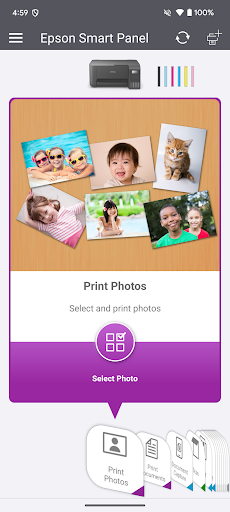
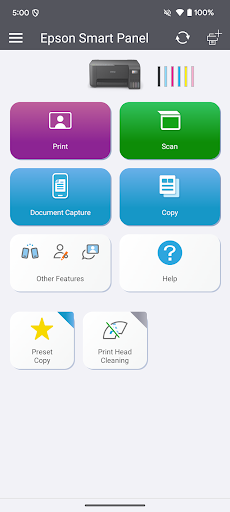
The app’s innovative action tiles make device operation straightforward and quick. These visual shortcuts guide users to commonly used functions, enhancing overall usability and making device management more accessible for both novices and experienced users.
Personalized Experience through Auto-Configuration
The app is designed to fit like a glove, offering auto-configuration and customization features. This ensures that the interface adapts to your specific device, providing tailored options that streamline your workflow and improve efficiency.
Comprehensive Support and Supplies Management
With the Epson Smart Panel app, users can register their devices, order supplies, or access help—all within a single, convenient interface. This centralized approach simplifies device maintenance and support, making it easier to keep your Epson products running smoothly.
Unified Interface for Printers and Scanners
The app provides a unified experience across all supported devices, automatically adjusting its functions based on whether you are managing a printer or a scanner. This cohesive design reduces confusion and enhances ease of use.
Additional Information and Usage Notes
To use the Epson Smart Panel app, you need to download it onto a compatible smart device. Keep in mind that data usage fees may apply. For more details, support, and updates, visit www.epson.com.
Remember, for devices not supported by the Epson Smart Panel, alternative apps such as Epson iPrint or Document Scan should be used for respective functionalities. This ensures you always have the best tools tailored for your specific device, providing reliable performance and enhanced productivity.
Pros
- User-friendly interface simplifies navigation and operation.
- Rich feature set enhances functionality and user experience.
- Regular updates improve stability and introduce new features.
- Strong community support offers extensive resources and assistance.
- Compatibility with multiple devices broadens accessibility.
Cons
- Learning curve may be steep for new users.
- Occasional bugs can affect performance and reliability.
- Some advanced features require additional training or expertise.
- Limited customization options for certain UI elements.
- Dependence on internet connectivity may hinder offline usage.











