

Introduction to OneUI Widgets
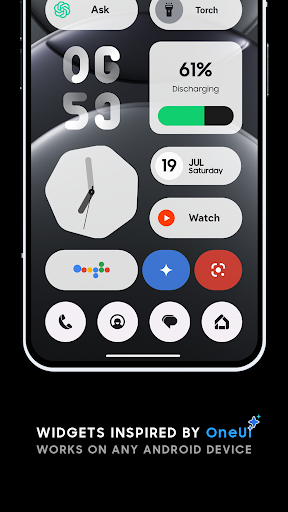
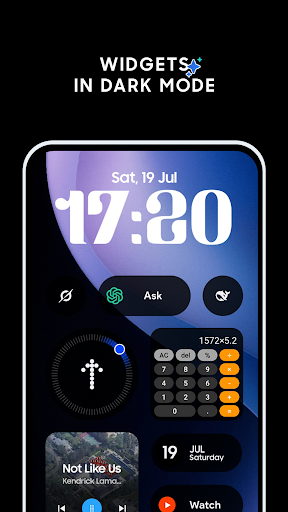
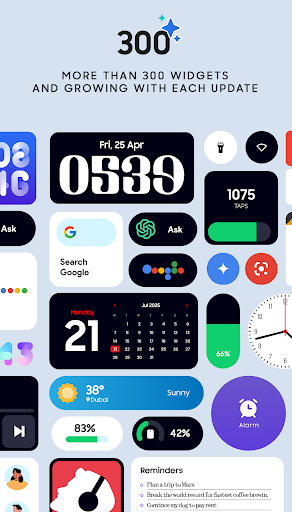
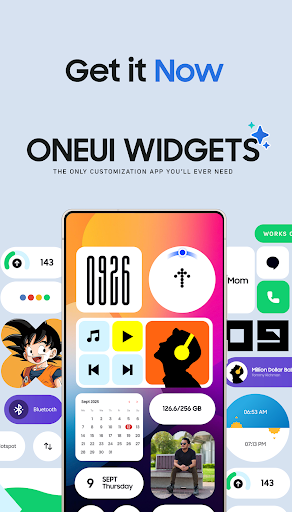
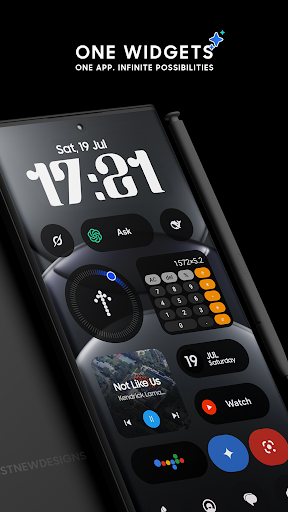
Discover the One UI Widgets Pack, a comprehensive collection designed to elevate your Android home screen experience. Inspired by the sleek and modern aesthetic of the One UI operating system, this widget pack offers over 300 stunning widgets that blend style and functionality seamlessly. Whether you're a fan of Samsung devices or simply appreciate beautiful design, One UI Widgets allows you to personalize your device with ease, making your home screen not just more attractive but also more useful.
Main Features of OneUI Widgets Pack
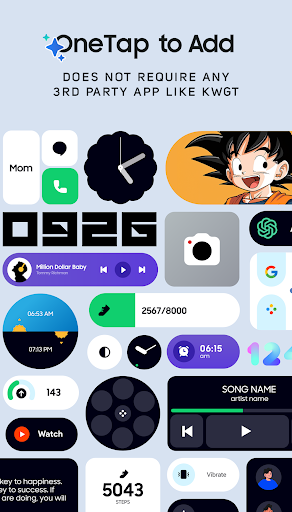
No Extra Apps Needed – Just Tap & Add!
Unlike other widget packs that require third-party apps like KWGT, OneUI Widget Pack operates natively on your device. This means you can select a widget from the app, tap to add it to your home screen, and customize instantly—no complicated setups required. With over 300 widgets initially available and more on the way, this intuitive approach ensures quick and hassle-free customization, allowing you to craft a unique and functional home interface effortlessly.
Fully Resizable & Responsive Widgets
Flexibility is at the core of One UI Widgets. Most widgets are fully resizable, giving you control over their size—from small icons to large informational displays. This responsiveness guarantees your home screen looks perfect across all device sizes and orientations, enabling you to tailor your layout precisely to your preferences.
Extensive Widget Collection
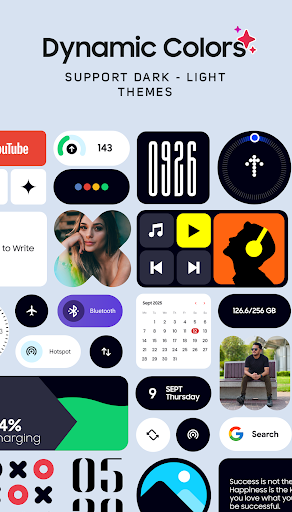
The pack features a diverse range of widgets to enhance every aspect of your device usage:
- Clock & Calendar Widgets – Elegant digital and analog clocks alongside stylish calendar displays
- Battery Widgets – Monitor your device’s battery health with minimalist indicators
- Weather Widgets – Access current weather, forecasts, moon phases, and sunrise/sunset times
- Quick Settings Widgets – Toggle WiFi, Bluetooth, dark mode, flashlight, and more with a single tap
- Contact Widgets – Instantly connect with your favorite contacts, inspired by Nothing OS design
- Photo Widgets – Showcase your memories directly on your home screen
- Google Widgets – Unique widgets for Google apps like Gmail, Drive, and more
- Utility Widgets – Tools such as compass and calculator for quick access
- Productivity Widgets – To-do lists, notes, quotes, and other tools to boost your workflow
- Pedometer Widget – Displays steps using your phone’s motion sensors (excluding health data storage)
- Quote & Game Widgets – Get inspired daily and play fun mini-games like Snake, with more games arriving in future updates
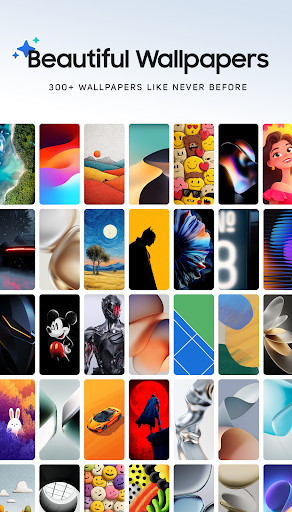
Matching Wallpapers
Complete your home screen makeover with an impressive library of over 300 matching wallpapers, including exclusive designs that complement your widgets perfectly, creating a cohesive and stylish look.
Continuous Updates and Improvements
The development team is committed to quality over quantity, regularly updating the widget collection to include new features and innovative designs. Their goal is to reach 350+ widgets by the year's end, ensuring that users always have fresh content to explore and customize.
Customer Satisfaction and Support
If you're unsure whether One UI Widgets is right for you, rest assured with their 100% refund guarantee. Designed especially for Samsung device fans, this widget pack transforms your home screen into a sleek, organized, and highly functional space. Support is available via Twitter at x.com/JustNewDesigns and email at [email protected]. Share your widget ideas and help shape future updates to suit your needs.
Why Choose OneUI Widgets for Your Android Device?
With One UI Widgets, your Android device becomes more than just a calling and messaging tool; it turns into a personalized showcase of style and efficiency. The integration of Google widgets and productivity tools ensures that your home screen is not only visually appealing but also highly functional. The intuitive native operation means no additional apps or complex setup processes—just quick, seamless customization that modern users demand.
Whether you want a minimalist look, a vibrant display, or a productivity hub, this widget pack has what you need. It’s the perfect solution for fans of the sleek Samsung OS aesthetic, offering immense flexibility with a simple tap to customize. Elevate your Android experience today with One UI Widgets and make your device truly yours.
Pros
- Offers a user-friendly interface for easy navigation
- Provides a variety of features to enhance user experience
- Ensures quick loading times and smooth performance
- Is regularly updated with new functionalities
Cons
- Limited customization options for advanced users
- Some features require a subscription or additional payment
- Occasional bugs reported by users
- Lacks comprehensive tutorials for beginners











