

Introduction to Flivio Video Player All Format
Meet Flivio Video Player, the comprehensive video player designed to elevate your multimedia experience. With support for all video formats and a focus on smooth HD and 4K playback, Flivio is your go-to app for effortless viewing on your Android device. Whether you're a casual viewer or a multimedia enthusiast, this video player combines speed, clarity, and a user-friendly interface to deliver an immersive entertainment experience. No need for converters or additional plugins—just pure, reliable playback power.
Main Features of Flivio Video Player
Support for Any Video Format
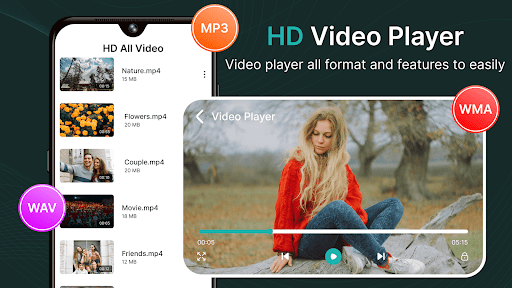
Flivio seamlessly plays a wide range of formats like MP4, MKV, AVI, MOV, FLV, WMV, 3GP, and many others. This extensive compatibility ensures you can enjoy your videos without hassle, regardless of their source or format.
Ultra-Smooth HD & 4K Playback
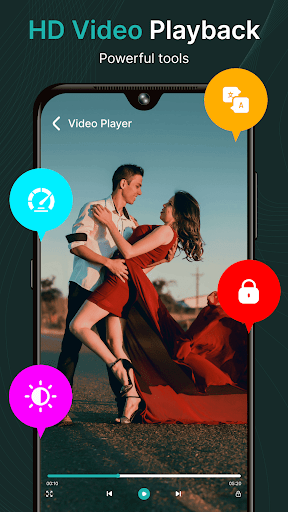
Experience stunning visuals with crisp clarity and fluid frame rates. Flivio optimizes decoding processes to deliver a cinematic quality directly on your device, making your viewing sessions more enjoyable and engaging.
Mini Player & Multitasking Capabilities
The innovative mini player allows you to watch videos in a floating window while browsing other apps, chatting, or performing multitasking activities. This feature offers ultimate convenience and flexibility for on-the-go entertainment and productivity.
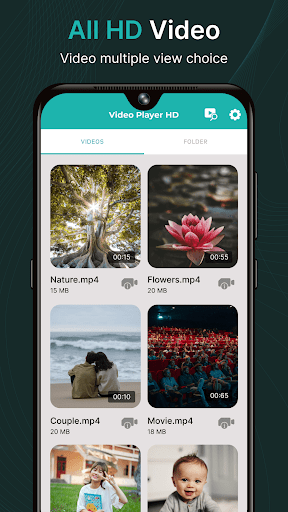
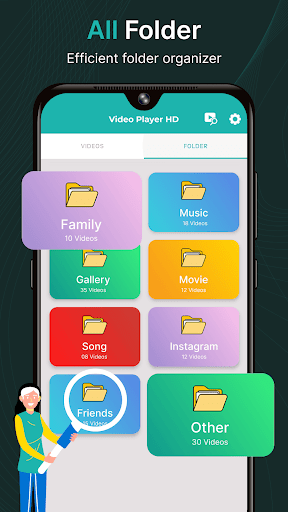
Smart Video Detection & Organization
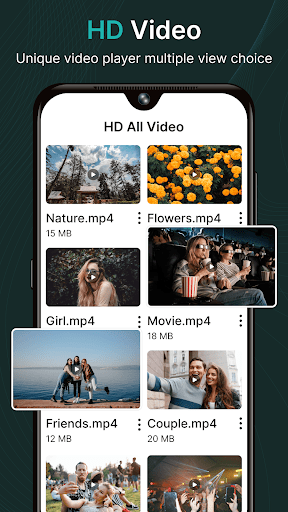
Flivio intelligently scans your device to detect all stored videos and neatly organizes them into a clean library. This smart feature makes finding and accessing your videos faster and easier, ensuring a clutter-free viewing experience.
Easy & Quick Controls
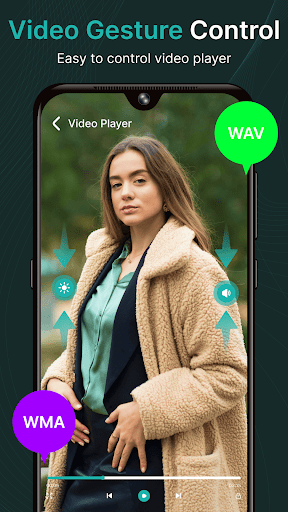
Easily adjust the volume and playback speed with simple, intuitive controls. Whether you want to skip forward, rewind, or change the viewing speed, Flivio puts total control at your fingertips.
Lightweight & Fast Performance
Designed to run smoothly on all Android devices, Flivio offers a lightweight and fast interface that consumes minimal battery and system resources, preventing lag and ensuring a seamless viewing experience.
Modern, Minimal User Interface
The app features a modern and minimalistic UI, making navigation straightforward and comfortable on the eyes. Its sleek design ensures users can find their content quickly without distraction.
Why Should You Choose Flivio Video Player?
The core advantage of Flivio Video Player lies in its focus on what matters most for users: speed, clarity, and ease of use. Whether you're watching movies, clips, or videos stored on your SD card, Flivio guarantees a smooth and enjoyable playback every time. Its ability to handle all formats combined with smart organizing features makes it a versatile tool suitable for various multimedia needs. Moreover, its lightweight design ensures it performs efficiently without draining your device’s resources.
Perfect for casual viewers and multimedia enthusiasts alike, Flivio Video Player enhances your entertainment experience by providing powerful playback, smart features, and an attractive, user-friendly interface. Say goodbye to the frustration of incompatible video players and hello to a seamless viewing journey with Flivio.
Conclusion
In summary, Flivio Video Player is a versatile, high-performance multimedia app tailored to meet the demands of everyday video playback. Its support for all formats, stunning HD and 4K quality, convenience features like mini window multitasking, and an elegant, minimal design make it a top choice for Android users seeking a reliable and powerful video player. Download Flivio today to enjoy effortless, high-quality video playback wherever you go!
Pros
- User-friendly interface that simplifies navigation and operation.
- Rich feature set that caters to a wide range of user needs.
- Regular updates and improvements based on user feedback.
- Strong customer support offering prompt assistance.
- High performance and reliability during usage.
Cons
- Some features may have a steep learning curve for new users.
- Occasional bugs or glitches that require fixes through updates.
- Limited customization options compared to competitors.
- Free version has restrictions on certain functionalities.
- Premium plans can be relatively expensive for some users.











