
Introducing the DYMO Connect App: Simplified Label Printing on Your Mobile Devices
The DYMO Connect app revolutionizes how you create, customize, and print labels directly from your smartphone or tablet. Designed with user-friendliness in mind, this intuitive application offers a seamless experience that caters to both personal and professional labeling needs. Whether you're preparing address labels, barcode tags, or colorful custom labels, DYMO Connect makes the process quick and effortless.
Wide Compatibility with Android Devices
One of the standout features of DYMO Connect is its compatibility with Android™ smartphones and tablets. This ensures a broad user base can enjoy the convenience of mobile label creation. The app's interface is optimized for touchscreens, making label design and editing straightforward, whether you're at your desk or on the go.
Intuitive Design and Customization Tools
Using DYMO Connect is simple thanks to its intuitive layout. Users can design labels with a variety of features that cater to different needs, such as:
- Adding borders and styles to make labels visually appealing
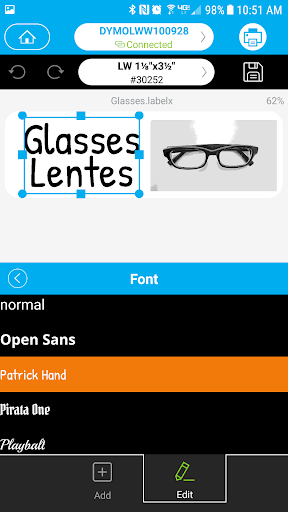
- Choosing from Google® fonts for stylish and professional text
- Incorporating images from your device's Image Gallery for personalized labels
Error Reduction and Time-Saving Features
To enhance efficiency, DYMO Connect includes helpful features such as spellcheck, reducing common typing errors during label creation. Additionally, the app leverages innovative technology like voice-to-text to make input faster and easier, especially when managing large batches or frequent updates.
Speed and Ease of Printing
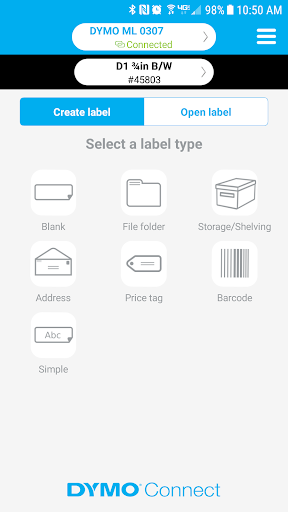
Printing labels with DYMO Connect is streamlined through pre-formatted label types and templates. This saves time by allowing you to quickly select the format that suits your project without starting from scratch. From shipping labels to organizational tags, printing has never been more efficient.
Advanced Label Creation Features
DYMO Connect offers specialized tools to simplify complex tasks:
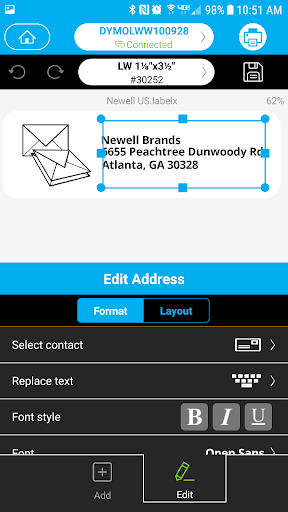
- Creating address labels directly from your contacts using the new Address object
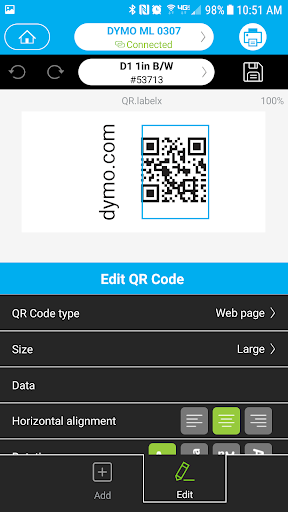
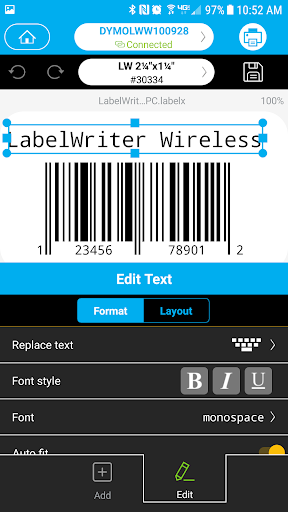
- Generating barcode labels effortlessly with new Barcode and QR Code objects
Why Choose DYMO Connect?
The DYMO Connect app combines powerful functionality with ease of use, enabling users to produce high-quality labels from their mobile devices quickly. Its extensive customization options, error-reducing features, and compatibility with Android technology make it a top choice for anyone seeking a mobile labelling solution. Whether for home, office, or retail environments, DYMO Connect transforms label creation into a fast, intuitive, and enjoyable process.
Pros
- Offers a user-friendly interface that simplifies navigation and usage.
- Provides a variety of features that enhance productivity and user experience.
- Regular updates and improvements ensure the app stays current and reliable.
- Strong customer support helps resolve issues promptly.
Cons
- Some features may require a learning curve for new users.
- Occasional bugs or glitches can affect performance.
- Limited customization options for advanced users.
- The free version includes ads, which can be distracting.











