
PDF Reader – PDF Viewer: The Ultimate Lightweight PDF Solution
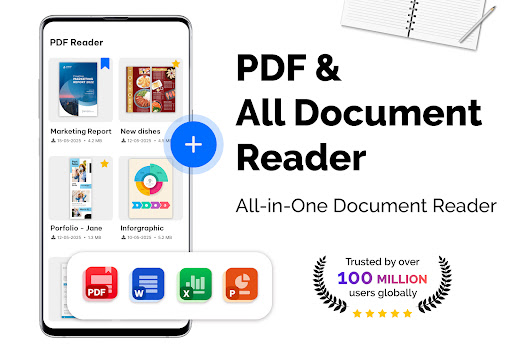
Discover the PDF Reader – PDF Viewer, a versatile and lightweight office app designed for seamless document and PDF management. Whether you need to read, convert, or scan documents, this app provides a comprehensive suite of features to enhance your productivity. It is especially valuable for users who frequently handle large PDF files, offering rapid loading and smooth navigation for files exceeding 300MB in size.
Key Features of PDF Reader – PDF Viewer
Efficient PDF Reading and Display
The PDF Reader – PDF Viewer employs advanced technology to ensure quick display of all PDF files, including those with password protection. Its speedy loading capabilities make it ideal for users who need to access large documents swiftly. The app supports various display modes such as single page, two page, book mode, and full-screen reading. This flexibility allows you to tailor your reading experience to your preferences. Additionally, both vertical and horizontal views are available, providing the most comfortable viewing options for different types of content.
Intuitive Navigation and Customization
Navigate through your PDF files effortlessly with features like quick page moving, which enables jumping to a specific page number or quickly returning to a previous point. The app also offers bookmarks, allowing you to mark important sections for easier access later. For visual comfort, users can customize themes by choosing between dark and light themes, making reading more pleasant in various lighting conditions.
Additional Tools: PDF Converter & Scanner
Convert Images to PDFs and More
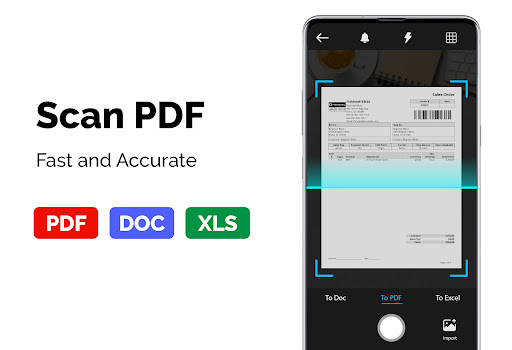
The PDF Reader – PDF Viewer isn't just for reading; it also includes powerful converting and scanning utilities. Use the Image to PDF feature to turn photos, receipts, notes, and other images into high-quality PDFs. The PDF to JPG function allows you to convert PDFs into images with annotations for enhanced sharing. Moreover, you can create PDF files from multiple images, supporting formats like PNG, JPG, TIFF, and GIF, making it easy to compile visual content into single documents.
Speed and Ease of Use
Designed with simplicity and efficiency in mind, PDF Reader – PDF Viewer provides a fast and user-friendly experience. It excels at handling even very large PDF files, making it an indispensable tool for students, professionals, and casual users alike. With straightforward management features, you can organize, view, and convert PDFs effortlessly, ensuring that all your document needs are covered in one app.
Enjoy a comprehensive and intuitive PDF solution that combines speed, functionality, and user customization—making document viewing and management easier than ever before.
Pros
- User-friendly interface making navigation easy
- High-quality features enhancing user experience
- Regular updates and improvements to the app
- Excellent customer support service
Cons
- Occasional bugs affecting functionality
- Battery consumption may be high during use
- Limited customization options
- Requires frequent internet connection for optimal performance











