


AR Trace Sketch: Enhance Your Drawing Skills with Augmented Reality
The AR Trace Sketch app is an innovative tool designed to elevate your drawing practice through the power of augmented reality (AR). Ideal for both beginners and experienced artists, this app combines modern technology with traditional sketching techniques to offer a seamless and engaging learning experience. Whether you're looking to improve your anatomy drawings, enhance proportions, or simply enjoy sketching with guided assistance, AR Trace Sketch provides a comprehensive platform for structured art practice.
How Does AR Trace Sketch Work?
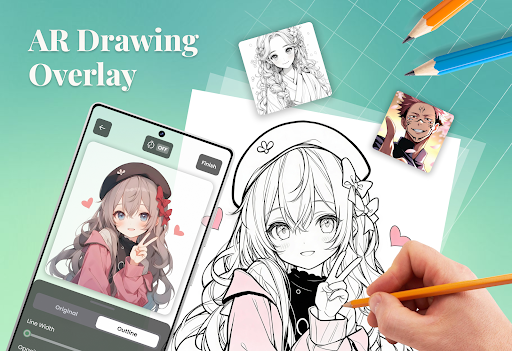
At its core, AR Trace Sketch allows users to convert photos into precise outline overlays that can be viewed through the device’s camera in real-time. This augmented reality overlay acts as a visual guide, helping you follow the structure of a selected image effortlessly. To begin, you select an image from your gallery or capture a new photo within the app. Once the outline is generated, it appears as an overlay on your drawing surface when viewed through your device's camera, providing a steady guide as you trace and sketch.
Key Features for an Improved Drawing Experience
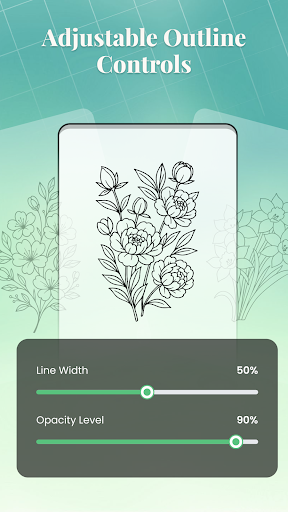
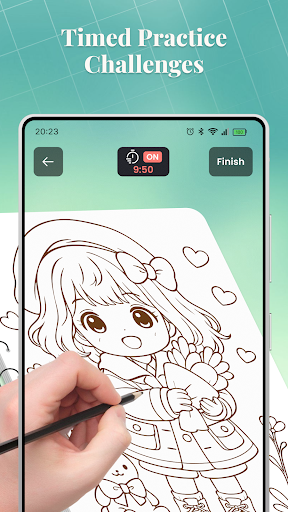
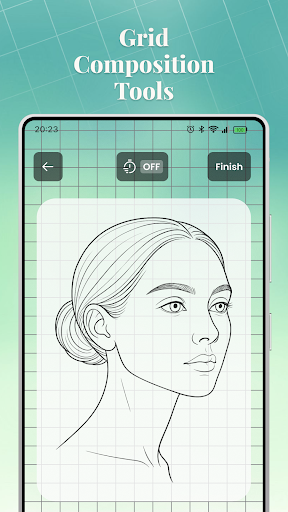
AR Tracing Mode: Select or capture an image, and the app creates an outline displayed in your camera view. This feature aids in practicing form, proportion, and line placement—making it easier to replicate specific scenes, objects, or characters.Overlay Controls: Customize your overlay with tools to switch between photo and outline modes, adjust opacity and line thickness, enable optional grid lines for alignment, and use the flash in low-light environments to enhance visibility.Crop Tools: Before generating the overlay, you can crop your image using preset aspect ratios. This ensures that your reference fits perfectly within your workspace, helping you focus on specific sections or compositions.Guided Lessons: The app hosts organized lessons by theme and difficulty level. Each lesson provides a preview and detailed description to guide your practice sessions. All completed lessons are stored for future review, supporting ongoing learning.Image Selection Options: Besides choosing photos from your device, you have the option to take new photos directly within the app, preview them, and then generate outlines with ease.Drawing Challenges: To motivate consistency, the app offers timed drawing challenges — 10, 30, or 60-minute sessions — that can be paused and resumed, helping you integrate focused practice sessions into your routine.Home Overview: The home screen is your dashboard to access recent sketches, featured lessons, and categorized content, making navigation straightforward and encouraging regular practice.
Why Choose AR Trace Sketch?
Incorporating augmented reality into your drawing routine, AR Trace Sketch provides a dynamic environment geared toward skill development. Its user-friendly workflow allows artists to focus on honing their drawing skills at their own pace, with visual overlays that serve as effective guides. Whether you're working on portraiture, landscape, or figure drawing, this app's flexible features support a variety of artistic pursuits.
Perfect for All Skill Levels
From beginners who need structured guidance to seasoned artists seeking to refine their proportions, AR Trace Sketch adapts to individual learning needs. The combination of organized lessons and customizable overlays makes it a versatile tool that promotes consistent practice and steady improvement. Plus, its ease of use encourages regular engagement, helping users build confidence in their drawing abilities.
Boost Your Artistic Potential
With AR Trace Sketch, artists can more accurately capture the structure, proportions, and forms of their subjects, ultimately leading to more realistic and refined sketches. The integration of AR technology ensures that your practice sessions are not only productive but also innovative and enjoyable. Whether you're a hobbyist or aspiring professional, this app supports your artistic journey through interactive features, guided lessons, and flexible challenges.
Pros
- Offers a user-friendly interface that is easy to navigate.
- Provides a wide range of features to enhance user experience.
- Regularly updated with new content and improvements.
- Offers good value for the price paid.
- Supports multiple languages for broader accessibility.
Cons
- Occasional bugs that may affect usability.
- Some features require a steep learning curve.
- Limited customization options for advanced users.
- Requires a stable internet connection for full functionality.
- Customer support response times can be slow at times.











