Delete apps - Easy Uninstall: An Efficient Solution to Manage Your Android Apps
Are you tired of cluttered storage on your Android device? Delete apps - Easy Uninstall offers a straightforward and effective way to remove unwanted applications with just a few taps. Designed as a powerful Android app uninstaller, it helps you clean up storage space and optimize your device's performance effortlessly. Whether you want to uninstall multiple apps at once or target specific applications, this tool provides a user-friendly experience suitable for all types of Android devices.
Key Features of Delete apps - Easy Uninstall
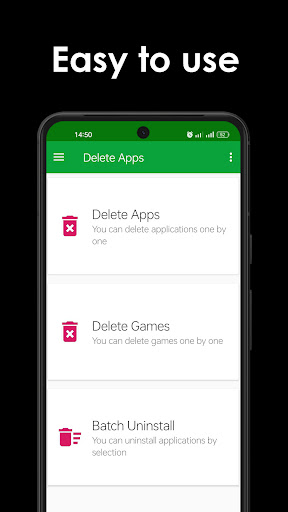
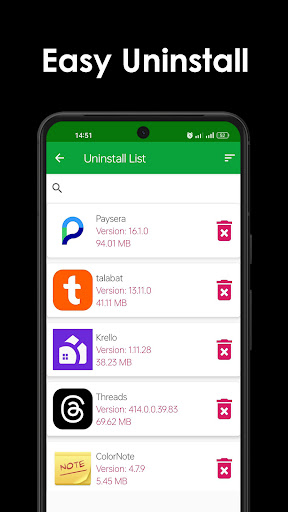
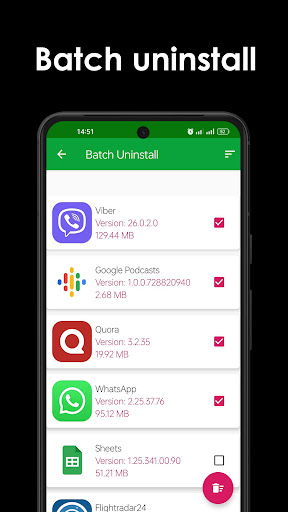
This app stands out with its versatile features, including the ability to display all installed applications and uninstall them in two modes: single uninstall and batch uninstall. Its handy search function allows users to quickly find specific applications by typing keywords, making the uninstallation process faster and more convenient. Additionally, users can sort applications in various orders to streamline their app management process. Note that the app does not support the removal of pre-loaded or system apps unless your device is rooted.
Description of Delete apps - Easy Uninstall
Delete Apps is a simple yet powerful Android app remover that makes uninstalling applications an effortless task. With an intuitive interface, users can select multiple applications simultaneously and tap the "Delete" button to uninstall them. The app supports comprehensive search and sorting options—just type in relevant keywords to locate specific apps for removal, or organize your list by different sorting criteria for quicker access.
However, it's important to note that Delete Apps cannot uninstall pre-installed or system apps due to limitations imposed by Android's system security. For those seeking to remove such apps, rooting your device may be necessary, allowing the use of advanced tools or methods like "root uninstall" available through various online resources.
Frequently Asked Questions about Delete apps - Easy Uninstall
How do I remove apps from Android?
Simply select the applications you wish to uninstall from the list and tap the uninstall button to remove them from your device.
Why can't the app list pre-loaded apps?
Pre-installed applications are embedded into the system, and due to Android’s security mechanisms, they cannot be uninstalled without rooting your device. If you need to remove such apps, consider rooting your device and then searching for "root uninstall" solutions online.
Conclusion
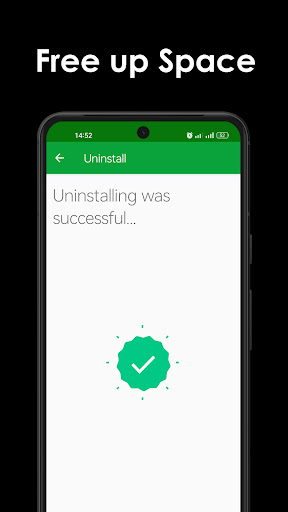
Delete apps - Easy Uninstall is an essential tool for Android users looking to free up space and manage apps efficiently. Its simple interface, combined with features like batch uninstall, search, and sorting, provides a comprehensive solution for app management. While it cannot remove pre-loaded apps without rooting, it remains an invaluable tool for regular app cleanup on all compatible Android devices, helping you maintain optimal device performance.
Pros
- User-friendly interface that simplifies navigation
- Offers a wide range of features to enhance experience
- Regular updates ensure improved performance and new functionalities
- Strong community support provides help and shared resources
Cons
- Occasional stability issues leading to crashes
- Some features require in-app purchases
- Limited customization options for advanced users
- Battery consumption can be high during intensive use