

Overview of the SMS Backup & Restore App
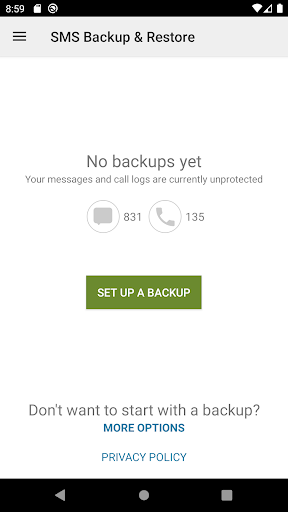
The SMS Backup & Restore application is a comprehensive tool designed to safeguard your crucial messaging and call log data. Whether you want to create a backup of your SMS (text messages), MMS (multimedia messages), or call logs, this app provides an efficient and user-friendly solution. It also facilitates restoring these backups to the same or a new device, ensuring that your important information remains accessible even after device resets or migrations. This app is especially valuable for users who prioritize data security and seamless transition between devices.
Core Features and Capabilities
Flexible Backup Options
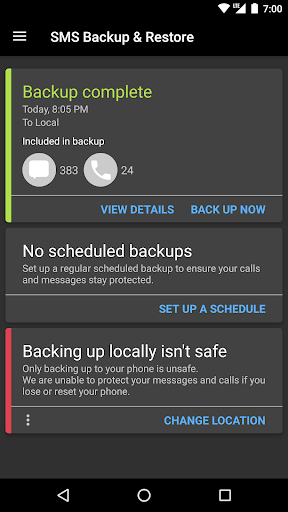
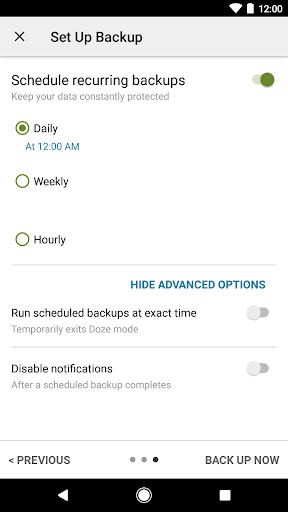
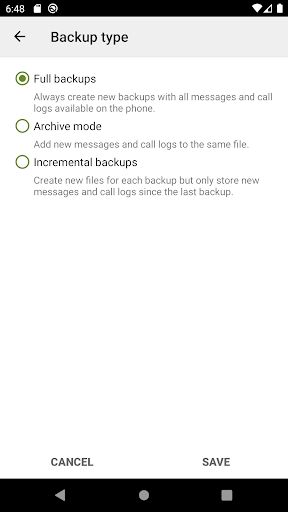
The app allows you to back up your SMS messages, MMS, and call logs in an XML format, with the unique advantage of independent compatibility across Android versions. You can perform local backups stored directly on your device and set up automatic backups at scheduled intervals. This ensures your data is regularly saved without manual intervention, minimizing the risk of data loss.
Cloud Integration & Storage Management
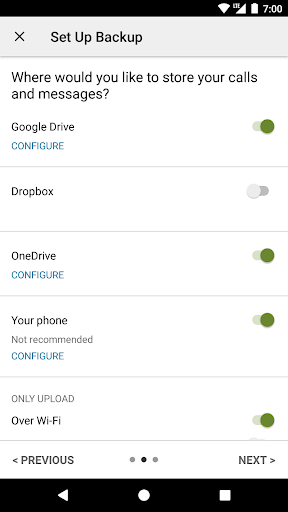
To enhance convenience and safety, SMS Backup & Restore offers options to automatically upload backups to popular cloud storage services like Google Drive, Dropbox, and OneDrive. Users can also choose to email backup files directly, providing multiple layers of data security and easy access from any device. The backups are viewable online via an accessible viewer, which allows you to drill down and verify backup contents effortlessly.
Selective Backup & Restoration
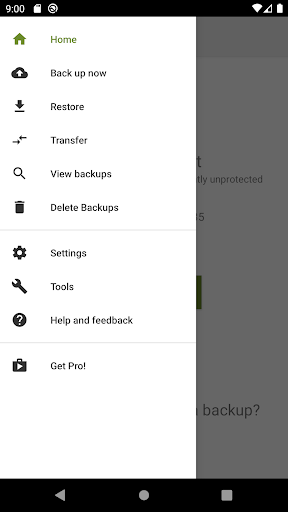
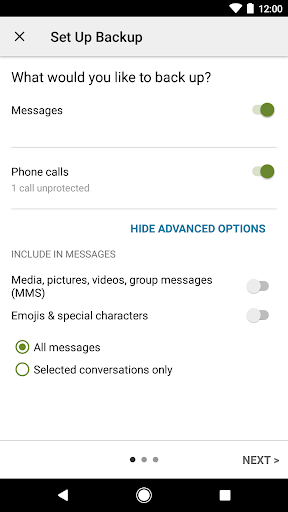
This app provides the ability to select specific conversations for backup or restore, giving you control over your data. Whether you want to back up or restore individual threads or entire logs, the app caters to your preferences. Restoring messages and call logs to another device is simplified with the restoration feature, ensuring smooth migration regardless of your device’s Android version.
Fast & Wireless Data Transfer
Using WiFi direct technology, the app supports fast, peer-to-peer transfer of backups between two phones. This feature is particularly useful for quick device upgrades or backups without the need for cables or internet access. Additionally, users can delete unwanted messages or logs to free up storage space, helping optimize device performance.
Additional Functionalities
Beyond backup and restore, the application enables users to:
- Free up space on their device by deleting SMS messages or call logs
- View XML backup files on a computer via an online viewer
- Ensure data safety before performing factory resets by maintaining an external backup
Compatibility and Technical Details
The SMS Backup & Restore app has been tested on devices running Android 5.0 and higher, supporting a wide range of modern smartphones. It only restores backups created specifically through this app, guaranteeing data integrity. All backup files are created locally by default, with optional cloud uploads, and the app never sends files directly to the developer, preserving user privacy.
Permissions and Security Considerations
To operate seamlessly, the app requests access to various device functionalities, including:
- Messages and call logs for backup and restore
- Storage access to save backup files on external or internal storage
- Network permissions to connect to WiFi for backup and transfer operations
- Account access for cloud authentication with Google Drive and Gmail
- Location permissions are only used during WiFi direct transfers for security reasons
Additional Resources & Support
Users can view backup contents through online backup viewer. For answers to common questions or troubleshooting issues, the FAQ is available at SMS FAQs. It is highly recommended to keep a copy of backup files off your device before performing device resets to avoid data loss.
Pros
- Provides a seamless user experience with intuitive navigation
- Offers a wide range of features to meet diverse needs
- Regular updates improve functionality and security
- Supports multiple devices and platforms for convenience
- Highly customizable to suit individual preferences
Cons
- Initial setup may be complex for new users
- Some features require additional purchases or subscriptions
- Occasional bugs or glitches can impact performance
- Requires consistent internet connection for optimal use
- Limited customer support options available
You May Like

Files by Google
Tools
4.5
QR & Barcode Scanner
Tools
4.8
Turbo VPN - Secure VPN Proxy
Tools
4.7
JumpJumpVPN: Fast & Secure
Tools
4.5
AT&T ActiveArmor®
Tools
4.3
Malwarebytes Mobile Security
Tools
4.5
Amazon Fire TV
Tools
4.6
Calculator: Simple Calculator
Tools
4.3
Phone Cleaner - AI Cleaner
Tools
4.8
OneLocator: GPS family safety
Tools
4.3
TP-Link Tether
Tools
4.7
Canon PRINT
Tools
4.5