

Introduction to the Settings App
The Settings app is an essential tool for managing your Android device efficiently. It provides a centralized location to control various system features and preferences, ensuring a personalized and optimized user experience. Whether you want to connect to a WiFi network, enable Bluetooth, or customize display options, the Settings app is your go-to resource. Its intuitive interface allows users to quickly access key functions and make adjustments without any hassle, making it a crucial app for everyday device management.
Key Features of the Settings App
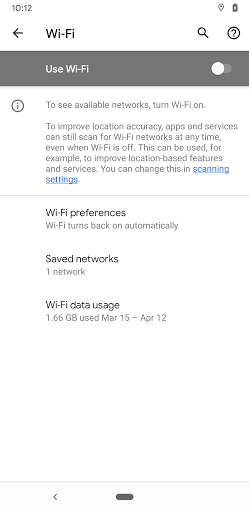
One of the standout features of the Settings application is its ability to offer quick shortcuts to commonly used configurations. With just a few taps, users can navigate directly to important sections such as WiFi connectivity, Bluetooth settings, and other vital system preferences. This streamlined access is designed to save time and improve usability, especially for users who frequently toggle network connections or adjust device settings.
Quick Access to Network & Connectivity Settings
The Settings app simplifies the process of managing network connections. Whether you're looking to connect to a new WiFi network, enable Bluetooth for pairing with accessories, or configure mobile data options, the app provides direct shortcuts that make these tasks effortless. This feature is particularly useful for users who need to switch between different networks frequently or troubleshoot connectivity issues quickly.
Customization and Personalization Options
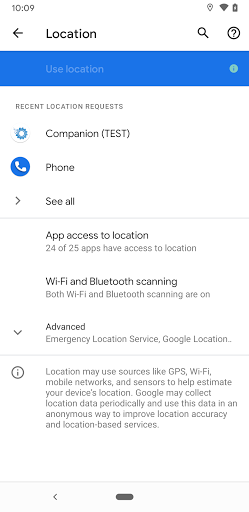
Beyond network management, the Settings app also allows users to customize their device’s display, sound, notifications, and privacy settings. The ability to tailor your Android experience helps improve usability and ensures the device works according to your preferences. Access to these customization options is just a few taps away, thanks to the app’s user-friendly design.
Why Use the Settings App for Shortcuts?
Utilizing shortcuts within the Settings app is an efficient way to enhance your device management experience. It minimizes the steps required to reach specific configurations, thereby saving time and reducing frustration. Whether you need to frequently toggle WiFi or change Bluetooth settings, this feature empowers users to perform these actions swiftly and effectively, making device management smoother and more convenient.
Conclusion
The Settings app plays a vital role in managing your Android device with ease and efficiency. By offering handy shortcuts to core system settings such as WiFi and Bluetooth, it enhances user convenience and accelerates routine tasks. Whether you are adjusting connectivity options or personalizing your device, this app provides a seamless experience designed to meet the diverse needs of Android users. With its intuitive navigation and quick access features, the Settings app remains an indispensable component for optimizing your smartphone or tablet.
Pros
- User-friendly interface, easy to navigate and understand
- Fast performance with quick load times
- Reliable and stable functioning during use
- Provides a wide range of features to meet user needs
- Regular updates improve functionality and security
Cons
- Limited customization options for advanced users
- Occasional bugs that may affect user experience
- Requires a stable internet connection for optimal performance
- Some features may be hidden or difficult to discover
- Free version has restricted features compared to premium