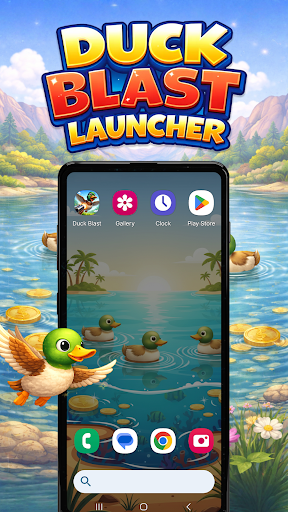
Discover the Fun and Flexibility of Duck Blast Launcher
Are you looking to give your Android device a fresh new look and enhance its functionality? Duck Blast Launcher is the perfect solution. This innovative Android launcher app transforms your device’s appearance and layout, offering a seamless way to personalize your smartphone or tablet to match your unique style and preferences.
With a wide array of customization options, Duck Blast Launcher provides everything from themed wallpapers to gesture controls, making your device truly your own. Whether you’re a casual user or a tech-savvy enthusiast, this launcher makes it easy to craft a personalized experience that stands out from the default Android interface.
Note: When you set Duck Blast Launcher as your default home app, it completely replaces your standard Android home screen layout. But don’t worry—at any point, you can easily revert back to your previous launcher, ensuring flexibility without any hassle.
Main Features of Duck Blast Launcher
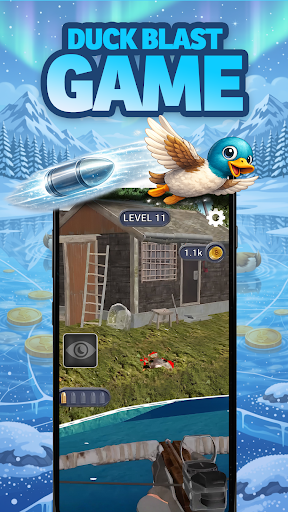
🎮 Built-in Game – Duck Blast
The launcher uniquely integrates a mini-game right on your home screen. Duck Blast is an engaging game where you hunt ducks, upgrade your weapons, and improve your abilities to progress through various stages. This game adds an interactive twist to your launcher, keeping entertainment just a tap away while you customize your device experience.
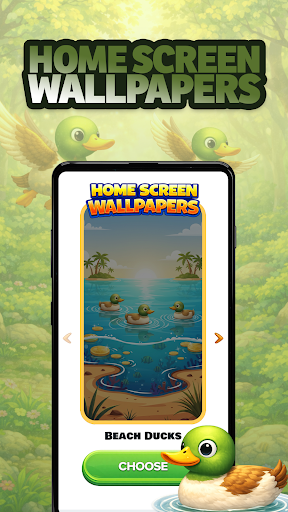
🎨 Home Screen Wallpapers
Personalize your device further by selecting from 10 original wallpapers inspired by the Duck Blast game. These wallpapers are easily accessible through the Home Settings menu or by long-pressing an empty space on your home screen. Refresh your device’s look and make your home screen uniquely yours with these vibrant backgrounds.
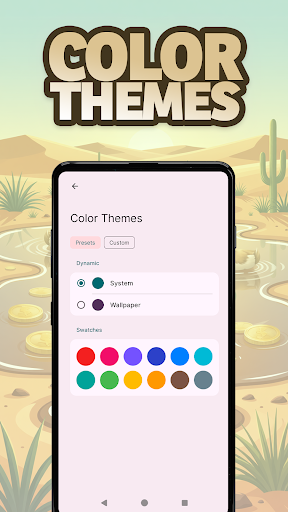
🎨 Color Themes
Adjust the overall color scheme of your launcher with the Color Themes feature. Choose from a broad palette of color options to craft a theme that complements your style. Similar to wallpaper customization, this feature can also be launched by long-pressing an empty space on your home screen, providing quick and easy access to personalization tools.
🔷 Icon Shape Customization
Express your individual taste by customizing the shape of your home screen icons. The Icon Shape setting allows you to select different styles, contributing to a cohesive and personalized visual theme for your device.
🖐️ Gesture Controls
Navigate your device effortlessly with gesture controls. Using swipe or tap gestures, you can quickly open apps, access settings, or open the app drawer. These intuitive controls enhance your user experience, making device interaction faster and more convenient.
Enjoy using Duck Blast Launcher and explore all the ways it can enhance your Android device’s look and usability!
Pros
- User-friendly interface that is easy to navigate
- Offers a wide range of features suitable for various needs
- High performance and reliability during operation
- Regular updates and improvements based on user feedback
- Strong customer support with helpful resources
Cons
- Limited customization options compared to competitors
- Some features may have a steep learning curve for new users
- Pricing might be high for individual users or small businesses
- Occasional bugs that can affect user experience
- Requires a consistent internet connection for optimal performance