
Introducing Cleaner Guard: Your Ultimate Device Management Tool
Key Features of Cleaner Guard
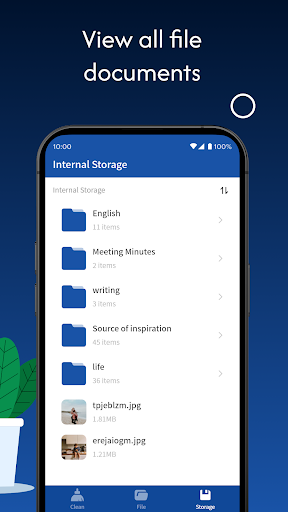
Manage Files and Folders
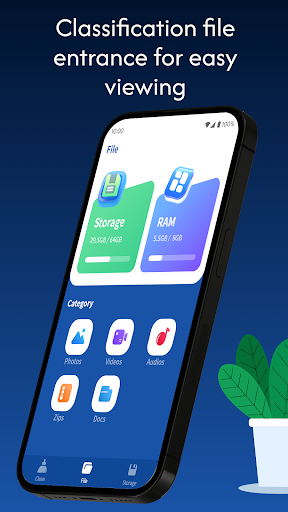
Using a user-friendly interface, Cleaner Guard allows you to easily browse your device's storage, making file management straightforward. You can quickly move, copy, rename, or delete files and folders with just a few taps. This feature helps you keep your data organized, locate important files more efficiently, and maintain a clutter-free device environment.
Junk File Cleaner
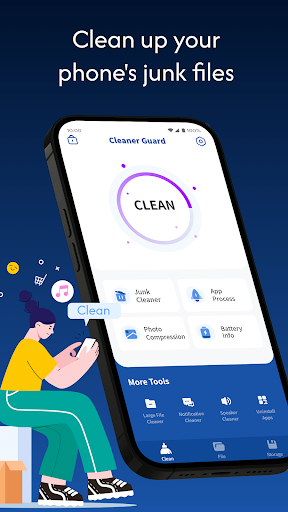
Over time, your device accumulates useless junk files that take up valuable storage space and can slow down performance. The Junk File Cleaner feature scans your device for these unnecessary files and provides an easy solution to remove them with a single click. This process helps free up space, enhance device responsiveness, and improve overall efficiency.
Large File Cleaner
If you find your device running out of storage unexpectedly, it might be due to large files that are unnecessary or seldom used. Cleaner Guard can quickly identify these large files and present a detailed list for your review. You can manually select which files to delete, enabling precise control over your device’s storage management and helping you recover valuable space.
Compress Photos
Photos often consume significant storage, especially high-resolution images. The Compress Photos feature allows you to reduce the size of images without compromising their original clarity too much. This helps you save storage space while still enjoying high-quality visuals, making it perfect for users who want to keep their memories safe and space-efficient.
Speaker Cleaner
Dust and debris can clog your device’s speakers, impacting sound quality. Cleaner Guard uses sound waves and vibrations to gently clean dust from your device’s speaker components. This innovative approach restores clear sound and ensures your device sounds as good as new.
Battery Information View
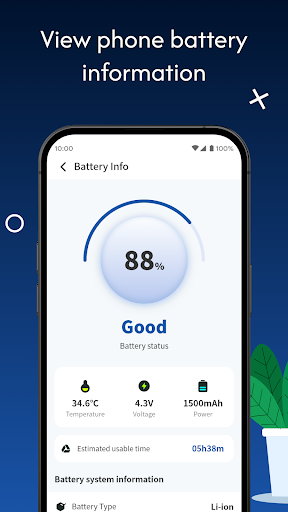
Monitoring your device’s battery health is essential for optimal performance. With the Battery Information View, you can access important data such as the current charge level, temperature, voltage, and power status. This feature helps you analyze your battery’s condition, plan for replacements if necessary, and extend your device’s battery life.
How to Get Started with Cleaner Guard
Pros
- Offers a user-friendly interface that simplifies navigation.
- Provides a wide range of features to meet diverse user needs.
- Ensures reliable performance with minimal downtime.
- Includes comprehensive support and customer service.
Cons
- May have a steep learning curve for new users.
- Some features could be complex for casual users.
- Limited customization options available.
- Pricing may be higher compared to similar alternatives.