Phone to TV HDMI USB‑C MHL – Your Complete Guide to Wired Screen Mirroring
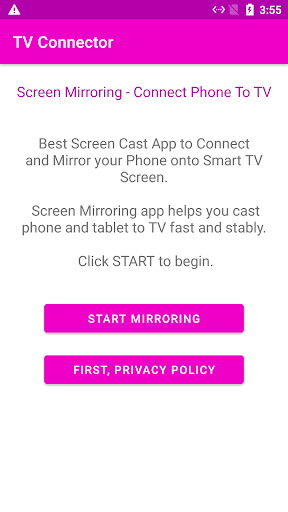
If you’ve ever found yourself squinting at your phone screen, trying to enjoy your favourite movie or deliver a presentation on‑the‑go, you’ve probably thought, “There must be a better way!” Meet Phone to TV HDMI USB‑C MHL – the app that turns your phone into a big‑screen powerhouse. This wired mirroring tool checks your device’s compatibility, provides step‑by‑step setup guides, and lets you connect your phone to any TV using an HDMI cable, USB‑C adapter, or MHL connector – no WiFi required. Whether you’re a gamer, a presenter, or a binge‑watcher, this app makes screen mirroring instant and reliable.
Why Wired Screen Mirroring?
Wireless casting tools like Chromecast and Miracast are convenient, but a wired HDMI connection offers unmatched performance. With zero lag, you get smooth gaming, stutter‑free video calls, and live presentations that never buffer. No WiFi needed means you can mirror your screen in hotels, conference rooms, or remote locations without relying on a router. The direct signal delivers full HD with no compression, and you’ll never suffer from buffering or disconnects. For anyone who values consistency, a wired connection is the gold standard.
Key Features at a Glance
The app packs powerful tools to ensure you connect your phone to TV effortlessly:
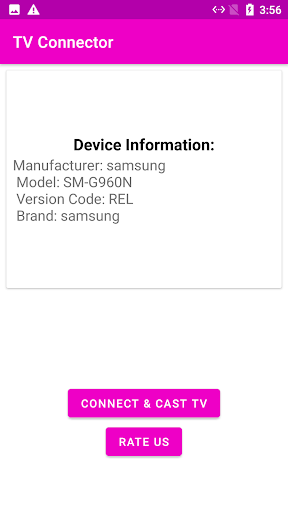
HDMI Compatibility Checker – Instantly checks if your phone supports HDMI output via USB‑C (DisplayPort Alt Mode) or MHL before you buy any cable.
MHL Checker – Verifies MHL support with one tap, so you know exactly which adapters work with your device.
USB‑C to HDMI Guide – Step‑by‑step instructions for connecting your Android phone to TV using a USB Type‑C to HDMI cable or adapter.
MHL Connection Guide – Explains how to connect phone to TV using an MHL cable and which adapters are compatible.
OTG Support Check – Tests if your phone supports USB OTG connections for extra wired functionality.
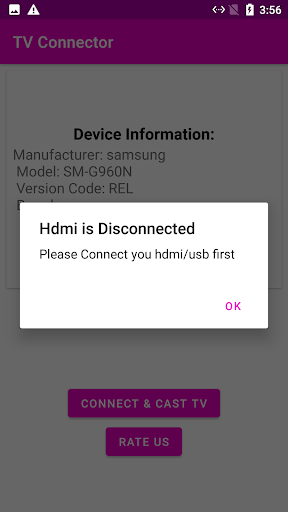
HDMI Troubleshooting – Fixes common issues like “No Signal”, black screen, unsupported device, or HDMI not detected.
Cable & Adapter Recommendations – Suggests the right USB‑C to HDMI adapter, MHL cable, or HDMI connector for your specific phone model.
No WiFi Needed – Everything works over a wired HDMI cable, no internet, no router, no wireless setup.
HDMI Compatibility Checker – Instantly checks if your phone supports HDMI output via USB‑C (DisplayPort Alt Mode) or MHL before you buy any cable.
MHL Checker – Verifies MHL support with one tap, so you know exactly which adapters work with your device.
USB‑C to HDMI Guide – Step‑by‑step instructions for connecting your Android phone to TV using a USB Type‑C to HDMI cable or adapter.
MHL Connection Guide – Explains how to connect phone to TV using an MHL cable and which adapters are compatible.
OTG Support Check – Tests if your phone supports USB OTG connections for extra wired functionality.
HDMI Troubleshooting – Fixes common issues like “No Signal”, black screen, unsupported device, or HDMI not detected.
Cable & Adapter Recommendations – Suggests the right USB‑C to HDMI adapter, MHL cable, or HDMI connector for your specific phone model.
No WiFi Needed – Everything works over a wired HDMI cable, no internet, no router, no wireless setup.
How to Connect Your Phone to TV via HDMI
Getting started is incredibly simple. Just follow these steps:
1. Open the app and run the HDMI/MHL compatibility check to confirm your phone supports wired output.
2. Based on the result, get the recommended cable – a USB‑C to HDMI adapter or an MHL cable.
3. Plug the HDMI cable into your phone and the other end into your TV’s HDMI port.
4. Switch your TV to the correct HDMI input source.
5. Your phone screen mirrors instantly – enjoy movies, games, presentations, and more on the big screen!
The whole process takes less than two minutes, and the app’s guides ensure you never get stuck.
1. Open the app and run the HDMI/MHL compatibility check to confirm your phone supports wired output.
2. Based on the result, get the recommended cable – a USB‑C to HDMI adapter or an MHL cable.
3. Plug the HDMI cable into your phone and the other end into your TV’s HDMI port.
4. Switch your TV to the correct HDMI input source.
5. Your phone screen mirrors instantly – enjoy movies, games, presentations, and more on the big screen!
The whole process takes less than two minutes, and the app’s guides ensure you never get stuck.
What If Your Phone Doesn’t Support HDMI?
Not every phone has HDMI output capability. If the checker reveals your device isn’t compatible, the app doesn’t leave you stranded. It provides alternative methods such as wireless options like Miracast and Chromecast, so you can still connect your phone to your TV without a cable. That way, you’re never left without a solution.
Perfect for Every Occasion
The app shines in countless scenarios. Watch movies and shows on the big screen with no buffering. Play mobile games on your TV with zero lag thanks to the wired connection. Give professional presentations by connecting your phone to a projector via HDMI. Share vacation photos and videos with family on the television. Even make video calls on the big screen using Zoom or Teams. With Phone to TV HDMI USB‑C MHL, every moment becomes more immersive.
User Testimonials
Don’t just take our word for it – here’s what users say:
“Saved me from buying a cable that wouldn’t work!” – ★★★★★
“Best HDMI checker app, told me right away my phone supports MHL” – ★★★★★
“Connected my phone to TV in 2 minutes with the guide” – ★★★★★
“Saved me from buying a cable that wouldn’t work!” – ★★★★★
“Best HDMI checker app, told me right away my phone supports MHL” – ★★★★★
“Connected my phone to TV in 2 minutes with the guide” – ★★★★★
Device Compatibility
The app works with all major TV brands that feature an HDMI input port: Samsung TV, LG TV, Sony Bravia, TCL, Hisense, Philips, Vizio, Sharp, Toshiba, Panasonic – and many more. No matter the brand, if it has an HDMI port, you’re covered.
Final Thoughts
Phone to TV HDMI USB‑C MHL is the ultimate companion for anyone who wants a fast, reliable, and hassle‑free way to mirror their phone screen on a TV. Whether you’re at home, in a hotel, or in a conference room, this app delivers a seamless wired experience. Download it now and discover the easiest way to go big without WiFi.
```
Pros
- Seamless connection between devices.
- Supports high-definition streaming.
- Compatible with multiple devices.
- Easy setup process.
- Affordable pricing.
Cons
- Limited to USB-C ports.
- May require additional adapters.
- Not all apps are supported.
- Occasional lag in video streaming.
- Requires stable internet connection.