
My Library: Your Personal Book Management Companion
In today’s fast-paced digital world, keeping track of your ever-growing book collection can be a daunting task. Whether you’re an avid reader, a student, or a researcher, managing your personal library efficiently is essential. Enter My Library—a free, ad-free app designed to simplify how you catalog, organize, and explore your books. With a sleek interface and powerful features, My Library transforms your device into a comprehensive book management hub.
Effortless Book Cataloging
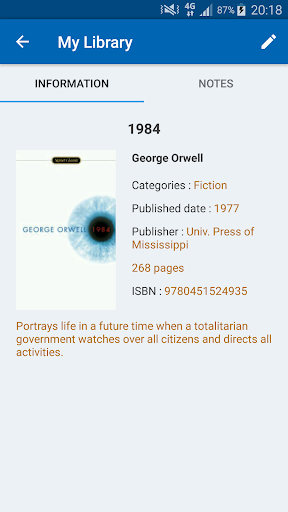
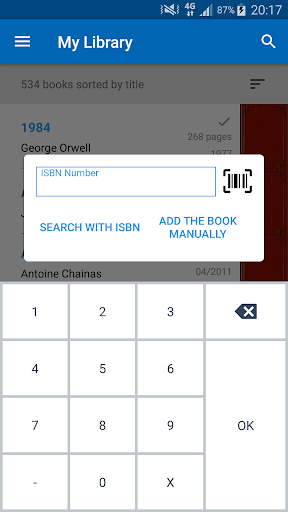
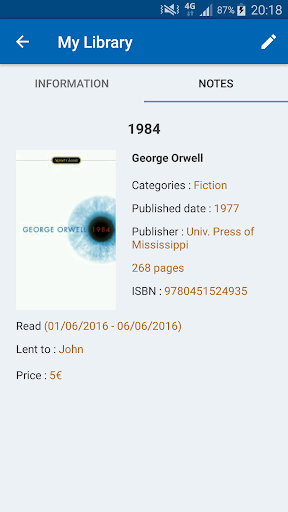
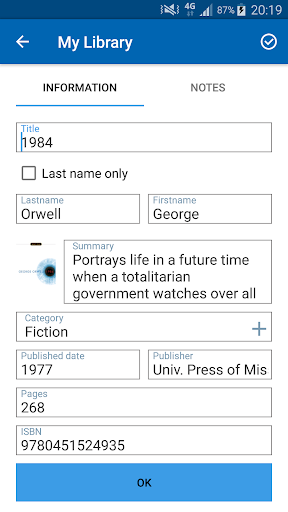
The core strength of My Library lies in its versatile methods for adding books to your collection. Gone are the days of manual data entry. You can simply scan the barcode of any book to instantly pull up its details, including title, author, cover art, summary, publication date, and publisher. If you don’t have the physical book on hand, no problem—you can search by ISBN number or even by keyword to find and add titles effortlessly. For those rare or obscure editions, a fully manual entry mode allows you to input every detail yourself, ensuring no book is left out of your digital shelf.
Organize, Sort, and Discover
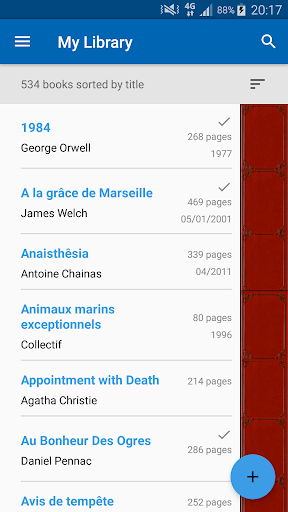
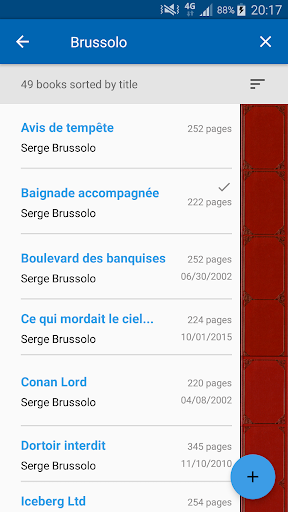
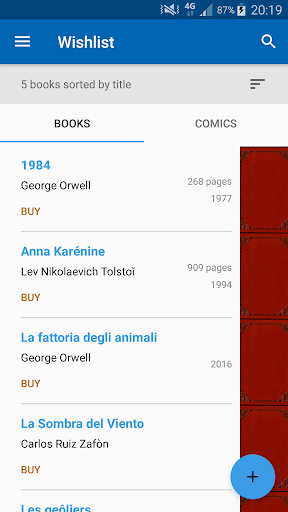
Once your collection is built, the app’s robust organizational tools take over. My Library lets you sort your books by titles, author names, categories, or even by read/unread status. This makes it a breeze to locate a specific book or to browse through your collection by genre or preference. The built-in quick search function is lightning-fast, allowing you to find any title in seconds, even if your library contains thousands of entries.
Beyond simple organization, My Library also offers statistical insights into your reading habits. Curious about how many books you’ve read this year or which genre dominates your shelf? The stats feature provides a clear, visual breakdown, helping you understand your collection better.
Import, Export, and Wishlist Management
Your data is precious, and My Library respects that. The app allows you to export your entire library as an Excel file, perfect for backup, sharing, or further analysis. Similarly, you can import a previously exported library to restore or transfer your collection across devices seamlessly. Managing your future reading goals is equally simple with the wishlist feature, where you can save titles you plan to acquire later.
Smart Integration and Global Reach
My Library leverages multiple online services, including Google Books and Amazon, to match ISBN numbers and fetch accurate book metadata. This ensures that the information you receive is reliable and up-to-date. While some obscure titles might occasionally not appear due to limited external database entries, the app’s manual entry option guarantees you can always add them yourself.
In terms of visual appeal, the app allows you to add official book covers to your entries. While Google Play screenshot restrictions prevent showing real covers in promotional images, within the app you have full freedom to attach the official cover for each title, making your digital shelf visually stunning and realistic.
A Thank You to Our Community
My Library is proudly built for a global audience, and we owe a huge debt of gratitude to our dedicated users and translators who have helped bring this app to multiple languages. From German and Italian to Russian, Chinese, Arabic, and many more, our community ensures that book lovers everywhere can enjoy the app in their native tongue. Special thanks also go to Rafi from GraphicsFuel for the app icon design.
In a world where every book lover deserves a well-ordered collection, My Library stands out as a reliable, feature-rich solution. Whether you’re cataloging a modest shelf or a sprawling personal archive, this app offers the perfect blend of simplicity and power. Download My Library today and take the hassle out of book management—your collection will thank you.
Pros
- Offers a streamlined method for digitally managing a personal book collection
- Enables cataloging of books by title, author, genre, and other attributes
- Provides an intuitive interface for fast searching and sorting of saved entries
- Facilitates monitoring of reading progress and taking notes for each title
- Ensures data safety through backup and cross-device synchronization
Cons
- Manual entry of book details could be tedious for extensive collections
- Does not connect to online book databases for automatic metadata fetching
- Limited flexibility in tailoring organizational structures beyond standard categories
- May encounter slowdowns when processing extremely large libraries
- Lacks social capabilities for sharing reading lists or getting recommendations