

Discover the Features of PPSSPP - PSP Emulator
Are you a fan of classic PlayStation Portable (PSP) games and want to enjoy them on your mobile device? The PPSSPP - PSP emulator offers an incredible way to relive your favorite PSP gaming moments in high definition right on your Android or iOS device. This powerful emulator is widely regarded as the original and best PSP emulator for Android, providing seamless gameplay and a host of features designed to enhance your gaming experience.
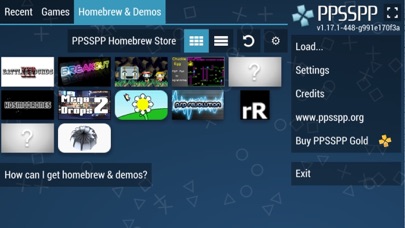
Play Your Own PSP Games and Homebrew Titles
With PPSSPP, you can run your personal collection of PSP games by converting them into .ISO or .CSO files. *• Games:* This emulator does not include games by default — instead, it allows you to use your own backed-up copies. Simply place the game files in the /PSP/GAME folder on your SD card or USB storage. Additionally, you can enjoy a variety of free homebrew games that are available online, giving you access to a broad library of titles. This flexibility makes PPSSPP an essential tool for retro gaming enthusiasts.
Enhanced Gaming Experience with High Definition Graphics
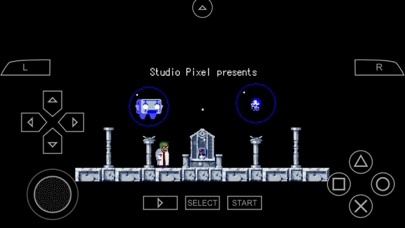
Are you nostalgic about the days when you played PSP games with what were considered cutting-edge graphics? PPSSPP elevates your gaming by allowing you to play in full HD resolution. Experience your favorite titles like God of War: Chains of Olympus or Final Fantasy: Crisis Core with improved visuals that breathe new life into these classics. The emulator's advanced graphics engine offers options to tweak enhancements, making your gameplay more immersive than ever before.
User-Friendly Setup and Customization
Setting up PPSSPP is straightforward and hassle-free. Once downloaded, installation takes just a few taps, and you'll be ready to start gaming in no time. The emulator supports save states, ensuring your progress is preserved even if you need to pause or exit. Customizable on-screen controls allow you to tailor the layout to your preferences, or connect a compatible gamepad for an even more authentic experience—like having a mini PSP in your pocket!
Performance and Compatibility
Performance is where PPSSPP shines. Many users report smooth gameplay without lag, even on hardware that’s not top-of-the-line. Emulated games like God of War or Final Fantasy run seamlessly, delivering a console-like experience. The emulator supports multiple file formats such as ISO, CSO, and homebrew files, ensuring broad compatibility across different game copies and formats. Whether you’re a casual gamer or a dedicated collector, PPSSPP has you covered.
Community Support and Ongoing Updates
The vibrant PPSSPP community provides plenty of resources and forums where users share tips, troubleshooting advice, and game compatibility insights. The developers actively maintain and improve the emulator through updates, fixing bugs and enhancing features to ensure a smoother gaming experience. This commitment to ongoing development helps keep the app relevant and reliable for retro gaming fans worldwide.
Why Choose PPSSPP for PSP Emulation?
If you’re looking to revisit classic PSP games with better graphics, customizable controls, and reliable performance, PPSSPP is the perfect choice. It combines ease of use, robust features, and community-driven support to make sure your gaming experience is as enjoyable as it was on the original handheld console. Whether you're a nostalgic veteran or just discovering PSP titles, this emulator opens the door to a world of portable gaming entertainment.
Pros
- Excellent compatibility with PSP games.
- Customizable controls displayed on-screen.
- Supports save states for easy game progress management.
- Enhanced high-resolution graphics.
- Supports a wide variety of platforms.
Cons
- May need a powerful device for smooth performance.
- Some games might experience audio problems.
- Occasional crashes with certain titles.
- In-app advertisements can be bothersome.
- Setup process may be challenging for new users.











