
Frequently Asked Questions
How do I start a new Mahjong King game?
Open Mahjong King, tap 'Play,' select your preferred difficulty level, then start matching tiles to clear the board.
Can I play Mahjong King on my tablet?
Yes, Mahjong King supports tablet devices; just download the app and enjoy on larger screens for better gameplay.
How do I change the difficulty level?
Go to Settings > Difficulty, then select easy, normal, or hard according to your skill level.
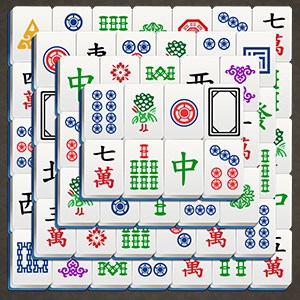
What types of Mahjong tile pictures are available?
The game offers six different Mahjong tile picture types; you can select or switch them in the settings menu.
How do hints and shuffles work in Mahjong King?
Do I need to pay to remove ads or unlock features?
Some features may be available via in-app purchases; check the Shop section for options and prices.
How can I upgrade or subscribe for extra benefits?
Visit Settings > Account > Subscription to view and subscribe to premium plans for extra features.
Is Mahjong King free to download and play?
Yes, the app is free to download and play; optional in-app purchases are available for additional features.
What should I do if the game crashes or freezes?
Are there any time limits in Mahjong King?
No, there are no time limits; you can enjoy the game at your own pace without pressure.
You May Like

Sudoku
for Windows
4.8
Gardenscapes
for Windows
4.8
Simple Mahjong
for Windows
4.8
Mahjong Free !
for Windows
4.8
Microsoft Sudoku
for Windows
4.8
Homescapes
for Windows
4.8
Jigsaw Puzzle Mania
for Windows
4.8
Park Town: Match 3 Game with a story
for Windows
4.8
Mystery Matters
for Windows
4.7
Word Search +
for Windows
4.7
Candy Crush Jelly Saga
for Windows
4.7
Manor Matters
for Windows
4.7