
Frequently Asked Questions
How do I start a new game in Trigger Path?
Open the app, then tap 'Play' on the main menu to begin a new puzzle instantly.
What are the basic controls to move enemies and solve puzzles?
Tap and drag enemies onto trap tiles; use simple click-and-drag gestures for smooth gameplay.
Can I undo my moves if I make a mistake?
Yes, use the 'Undo' button at the top of the screen to revert your last move any number of times.
How do I restart a puzzle without closing the app?
Tap the 'Restart' button during a level to reset the puzzle instantly and try again.
What is the objective of Trigger Path's puzzles?
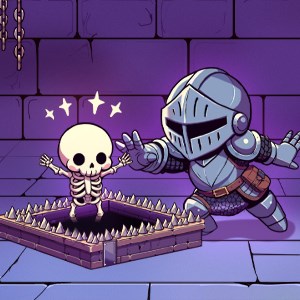
Drag enemies onto trap tiles to activate them, defeating enemies in a strategic way to complete each level.
Are there different difficulty levels or puzzle types in the game?
Levels are designed with varying challenges; all puzzles emphasize smart movement and thoughtful setups.
Is Trigger Path a free app or does it require purchase?
The app is free to download; some additional levels or features may require in-app purchases or subscriptions.
How do I access premium content or subscribe?
Go to Settings > Account > Subscription to view and manage available premium options.
Are there any in-app purchases or ads in Trigger Path?
Yes, you can buy extra levels or remove ads through in-app purchases in Settings > Store.
What should I do if the app crashes or freezes?
Try restarting the app; if issues persist, reinstall or contact support via Settings > Help for assistance.
You May Like

Sudoku
for Windows
4.8
Gardenscapes
for Windows
4.8
Simple Mahjong
for Windows
4.8
Mahjong Free !
for Windows
4.8
Microsoft Sudoku
for Windows
4.8
Homescapes
for Windows
4.8
Jigsaw Puzzle Mania
for Windows
4.8
Park Town: Match 3 Game with a story
for Windows
4.8
Mystery Matters
for Windows
4.7
Word Search +
for Windows
4.7
Candy Crush Jelly Saga
for Windows
4.7
Manor Matters
for Windows
4.7