


- Category Productivity
- Available on PC
- OS Windows 10 version 17763.0 or higher
- Memory 300 MB
- languages Chinese (Simplified), Czech, Dutch, English, English (United Kingdom), French, German, Italian, Polish, Portuguese (Brazil), Russian, Turkish
Introduction: A Seamless Communication Companion for Windows
3CX for Windows stands as a robust, enterprise-grade VoIP softphone designed to streamline business communication. Crafted by 3CX Software DMCC, this application integrates voice calls, instant messaging, and video conferencing within a single platform, all optimized for Windows environments. Its primary aim is to enhance workplace productivity by reducing the need for multiple disparate communication tools, making it an essential asset for modern teams seeking efficiency and clarity in their daily workflows.
Core Features that Boost Your Workflow
Intelligent Call Management and Integration
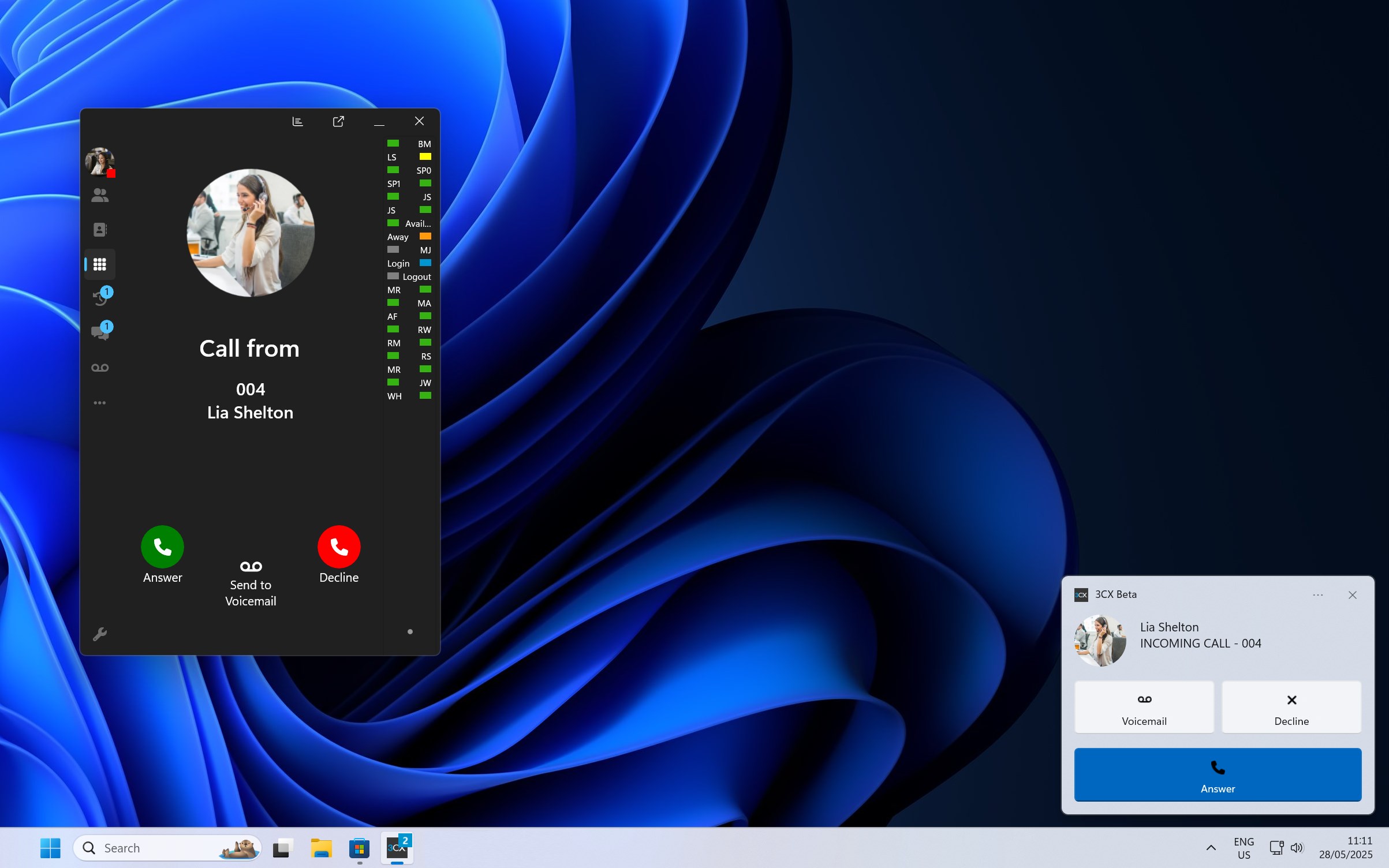
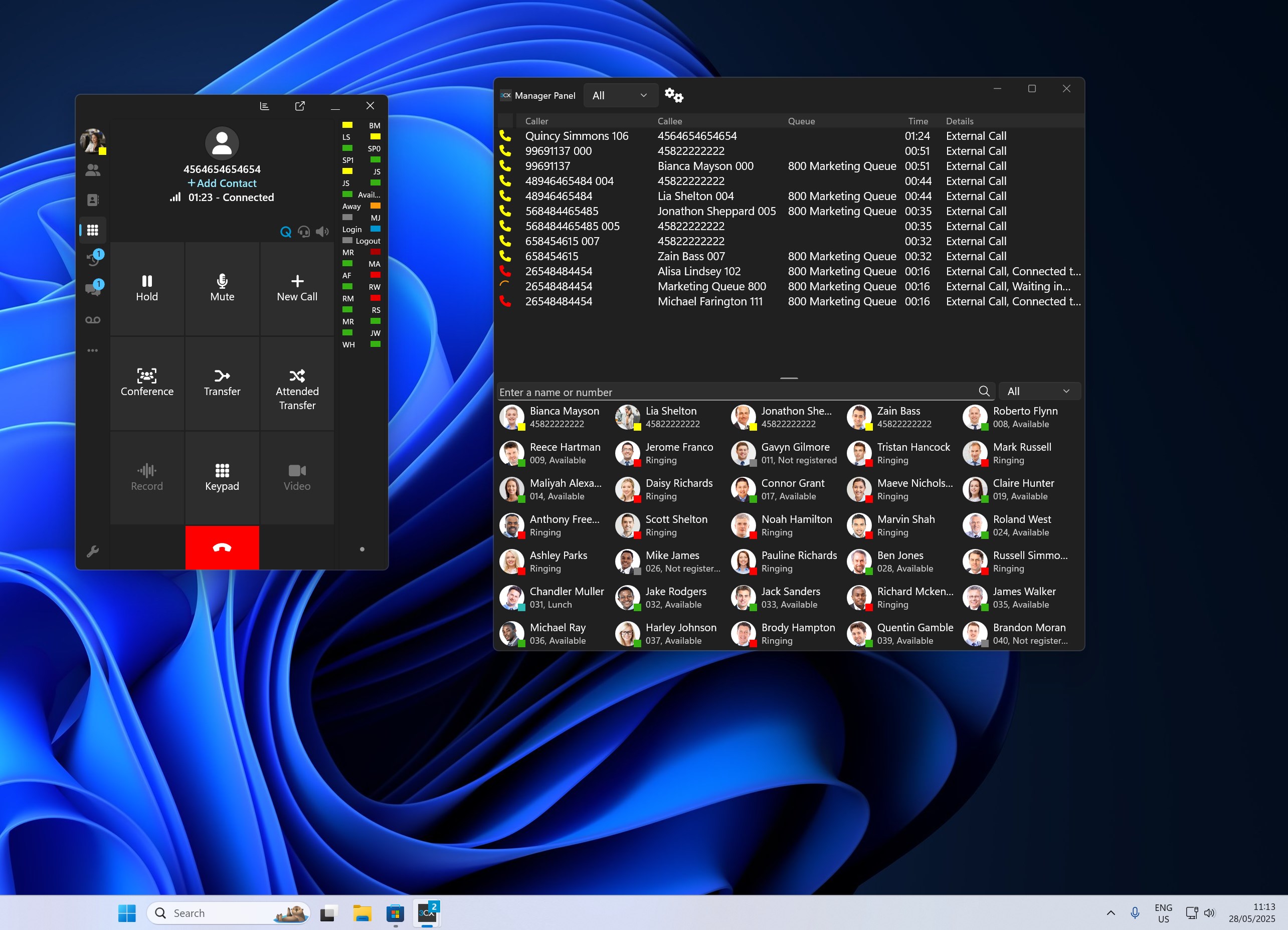
One standout aspect of 3CX for Windows is its deep integration with existing business systems. It effortlessly synchronizes with CRM platforms and Outlook, allowing users to initiate calls directly from their contact lists or email interfaces. The application offers intelligent call routing and queuing, which minimizes missed calls and ensures important conversations are prioritized. Imagine having your office assistant handling call logistics behind the scenes—freeing you to focus solely on what matters most.
Unified Communications in a Single Interface
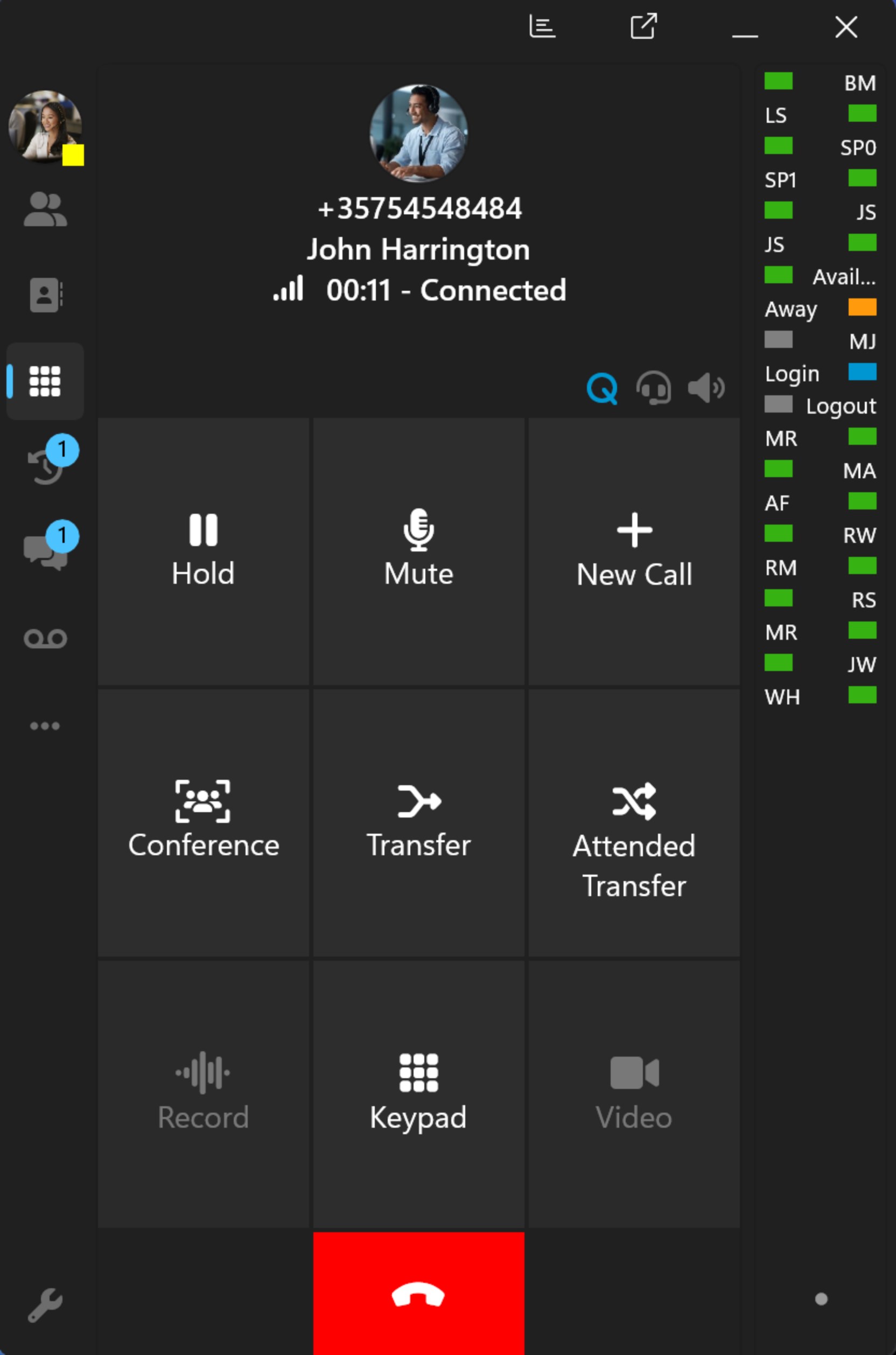
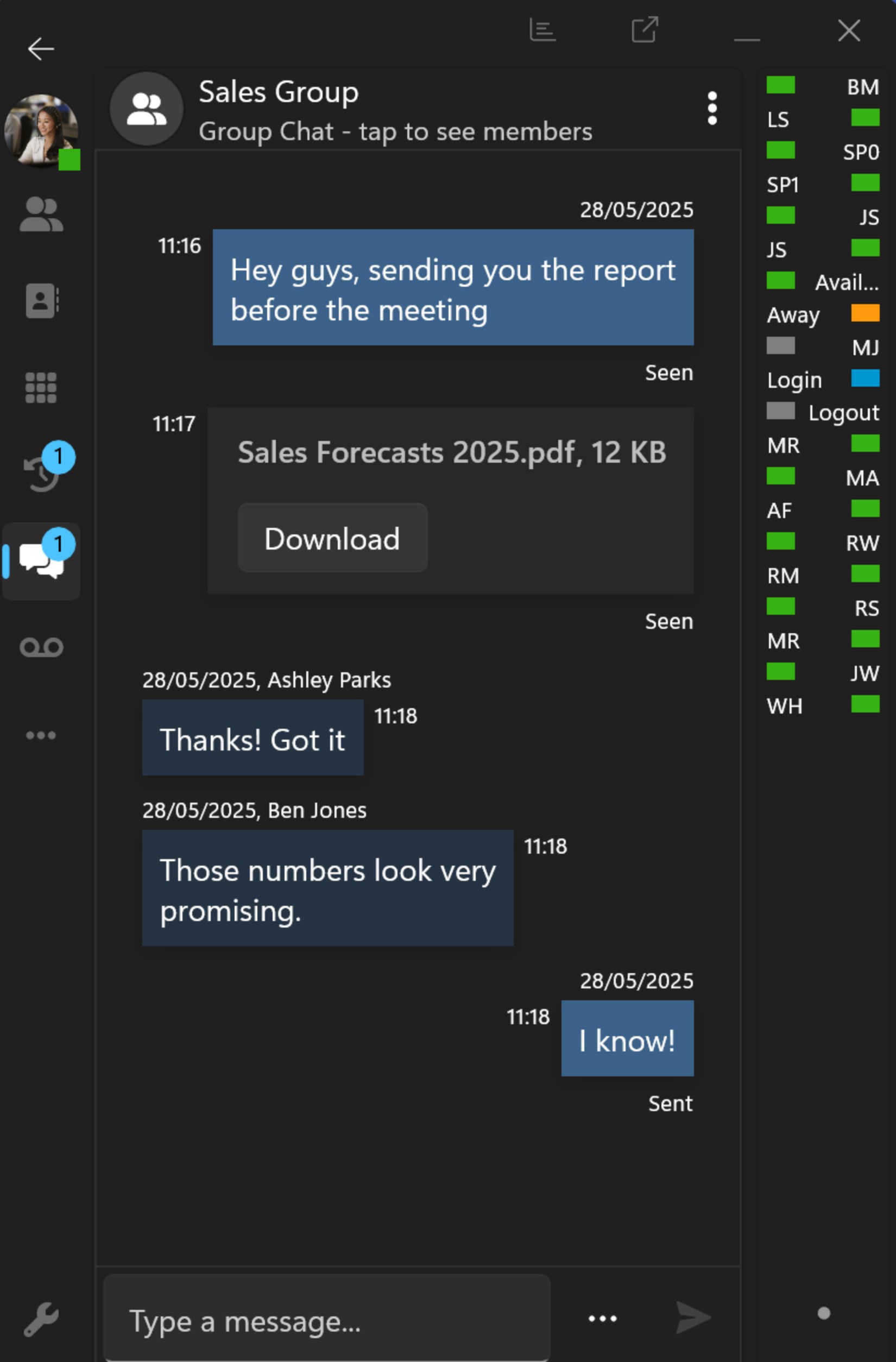
The app consolidates voice, video, and chat functions into an intuitive interface, eliminating the clutter of juggling multiple apps. The sleek, user-friendly layout resembles a well-organized dashboard—think of it as a control center where everything you need is right at your fingertips. Whether initiating a video conference or checking your voicemail, the flow feels natural and responsive, reducing cognitive overload and making communication straightforward even for new users.
Efficient User Experience and Design
The design philosophy behind 3CX for Windows emphasizes clarity and ease of use. The interface employs clean lines, clear icons, and minimalistic menus that guide users intuitively. Transitioning between functions is smooth, with minimal lag—much like shifting gears seamlessly in a well-tuned vehicle. The application demands a modest learning curve; most users find they can get up to speed quickly thanks to contextual prompts and straightforward controls. This focus on user experience ensures teams can adopt and benefit from the app without lengthy onboarding.
What Sets 3CX Apart from Other Productivity Tools?
Compared to other communication apps, 3CX for Windows excels in its workflow integration efficiency. It acts as an extension of your existing business infrastructure, reducing the cognitive load associated with managing multiple communication channels. Unlike platforms that add unnecessary complexity, this app keeps features purposeful and streamlined—prioritizing essential functions over flashy extras. Its ability to effortlessly connect calls with CRM data and Outlook calendars exemplifies a design tuned to reduce mental clutter, allowing users to focus on conversations rather than technical navigation.
Overall Recommendation and Usage Suggestions
For organizations seeking a reliable, easy-to-integrate communication tool, 3CX for Windows deserves serious consideration. Its balance of powerful features with user-centric design makes it suitable for both small teams and large enterprises aiming to optimize their workflow. While it may not feature every bells and whistles found in more complex platforms, its focus on core communication efficiency is what makes it compelling. I recommend deploying this app within professional environments that require seamless voice and video interactions integrated directly into daily workflows—with minimal fuss and maximum clarity.
Pros
- User-Friendly Interface
- Seamless Integration with Teams
- High-Quality Voice Calls
- Robust Security Features
- Comprehensive Call Management
Cons
- Limited Customization Options
- Occasional Connectivity Issues
- Learning Curve for Advanced Features
- Device Compatibility Restrictions
- Limited Offline Functionality











