- Category Business
- Available on PC
- OS Windows 10 version 14316.0 or higher
- languages English (United States)
Introducing Teleprompter Pro for Windows: Your Professional Script Assistant
Teleprompter Pro for Windows is a streamlined application designed to help speakers, presenters, and content creators deliver their messages smoothly and confidently by providing an easy-to-use teleprompter tool. Its intuitive interface and robust features make it an essential companion for anyone looking to enhance their on-camera performance or public speaking experience.
Who Developed It and Key Highlights
Developed by Linnef Studio, a team dedicated to creating practical and user-friendly software solutions, Teleprompter Pro for Windows stands out with its focus on simplicity and functionality. Key features include customizable scrolling speed, adjustable text size and color, and seamless script management, all within a clean, accessible interface. This makes it ideal for professional speakers, educators, and content creators who need reliable prompting support.
The Unique Charm: Making Your Speech Seamless and Collaborative
Effortless Script Control and Customization
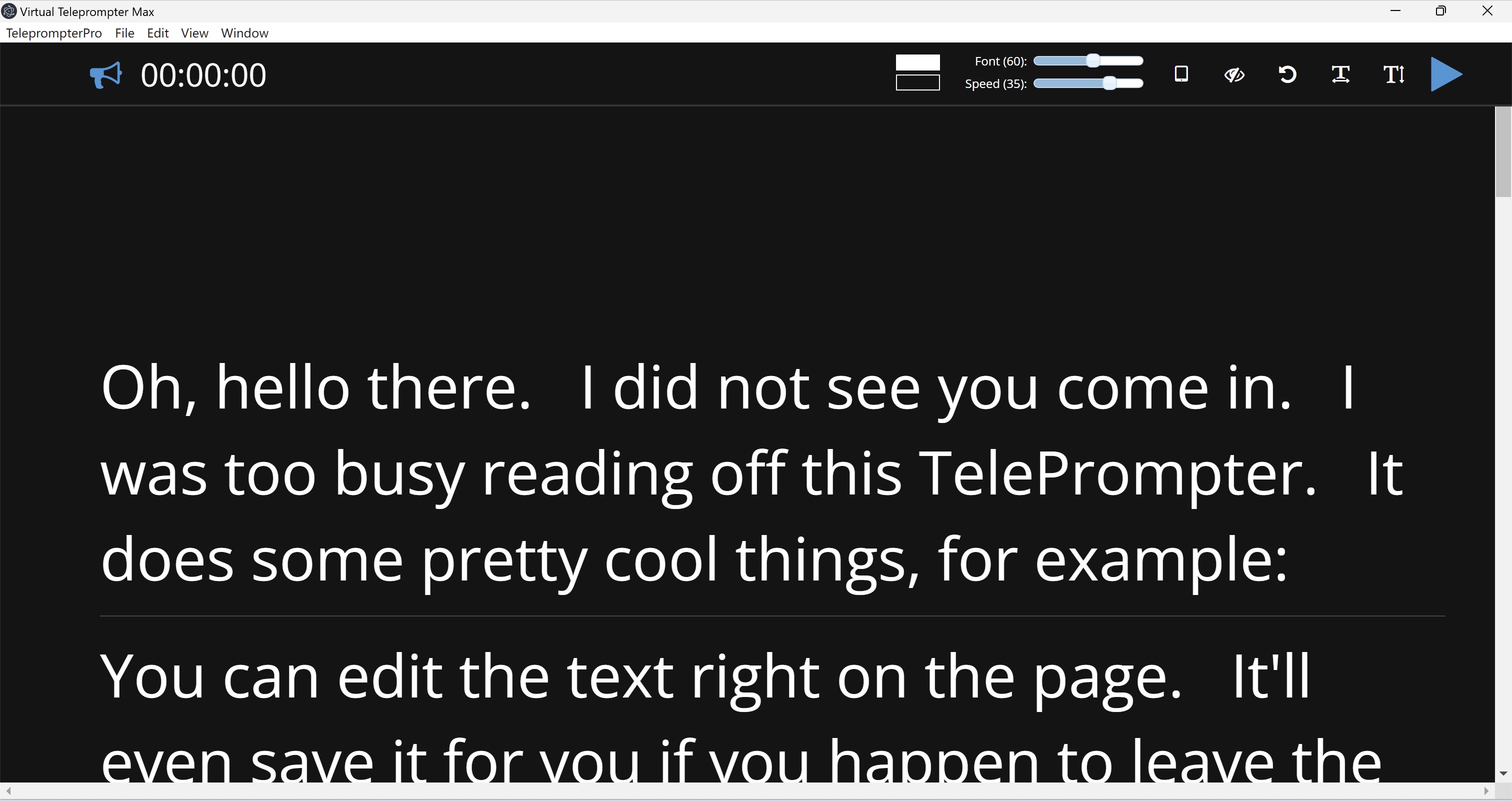
From the moment you launch Teleprompter Pro, it feels like having a personal assistant at your side. The app allows you to load scripts quickly, either by importing files or copying and pasting text directly. You'll appreciate the smooth and adjustable scrolling—think of it as a gentle tide that guides your speech—ensuring you stay in sync without feeling rushed or distracted. The customization options, including text size, color, and background, let you tailor the display to your environment and comfort, reminiscent of adjusting the lighting and backdrop before a stage performance.
Intuitive User Interface and Experience
The app boasts a clean interface that resembles the cockpit of a spaceship—visually uncluttered yet packed with important controls within arm's reach. Transitioning between functions feels seamless, akin to changing gears smoothly in a well-oiled machine. The learning curve is gentle; most users can master basic functions in minutes, freeing you to focus on delivering your message rather than battling with the software. Whether you're a seasoned speaker or a first-time YouTuber, the interface accommodates users of all levels with its logical layout and straightforward controls.
Collaborative and Task Management Edge
One of Teleprompter Pro's standout features compared to other teleprompter apps is its support for collaborative work and task management. Unlike standard prompting tools that operate in isolation, this application facilitates shared script editing and multi-user input—think of it as having a virtual writing desk where team members can contribute to the same script in real-time. This is particularly valuable for editorial teams or content collaborators who need to ensure consistency and accuracy. Moreover, integrated task management features help organize script revisions, set deadlines, and track changes, making the process more transparent and efficient. These features embed the app deeply into team workflows, transforming it from a simple prompting tool into a collaborative productivity hub.
Final Thoughts and Recommendations
Overall, Teleprompter Pro for Windows is a thoughtfully designed, reliable, and flexible tool that deserves a spot on your desktop if your work involves delivering speeches or video content. Its emphasis on ease of use, combined with innovative collaborative features, sets it apart from many traditional teleprompter apps. I would recommend it to professional speakers, educators, video producers, and remote teams looking to streamline their on-camera workflows. While it may not possess all the bells and whistles of high-end broadcast software, its balance of simplicity and collaborative potential makes it a commendable choice for most users seeking a hassle-free prompting experience.
Pros
- Intuitive User Interface
- Customizable Scrolling
- Supports Multiple File Formats
- Remote Control Capability
- Adjustable Text Size and Colors
Cons
- Limited Cloud Storage Integration
- Basic Editing Features
- No Annotation Tools
- Limited Custom Themes
- Occasional Lag with Large Scripts