
- Category Multimedia design
- Developer Adobe
- Available on PC
- OS Windows 10 version 19041.0 or higher
- Memory 4 GB
- Keyboard Not specified
- Mouse Not specified
- languages English (United States)
Adobe Express for Windows: Your Creative Companion at Your Fingertips
Imagine having a versatile design toolkit that's as intuitive to use as sketching on a napkin but powerful enough to craft professional-grade visuals—Adobe Express for Windows aims to be just that for creators and casual users alike. This app blends simplicity with robust features, making graphic design, social media content creation, and quick edits accessible for everyone from students to small business owners.
Developed by Adobe: A Trusted Name in Creative Tools
Crafted by Adobe Inc., a global leader renowned for industry-standard software like Photoshop and Illustrator, this application extends their expertise into a streamlined, user-friendly platform tailored for on-the-fly design needs. Their extensive experience ensures reliability and ongoing support, making Adobe Express a trustworthy choice for digital content creation.
Key Features That Make Adobe Express Stand Out
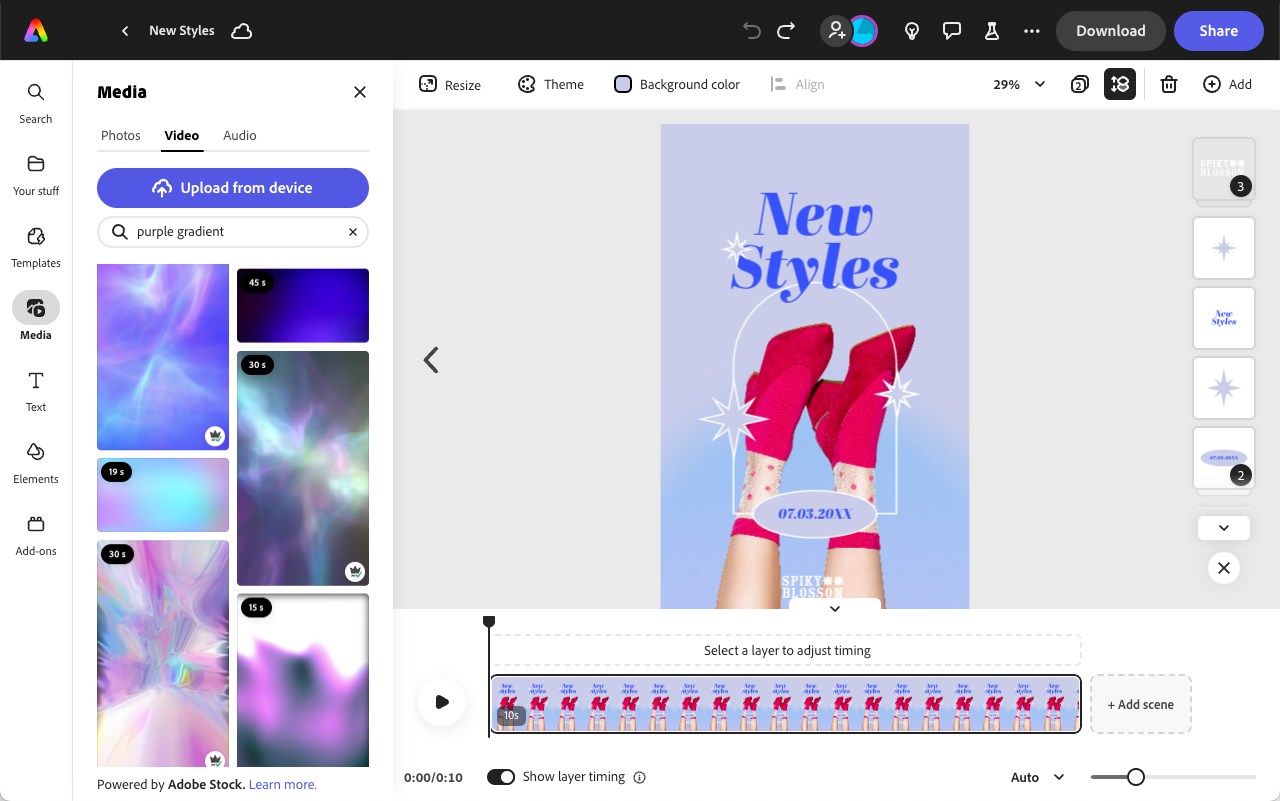
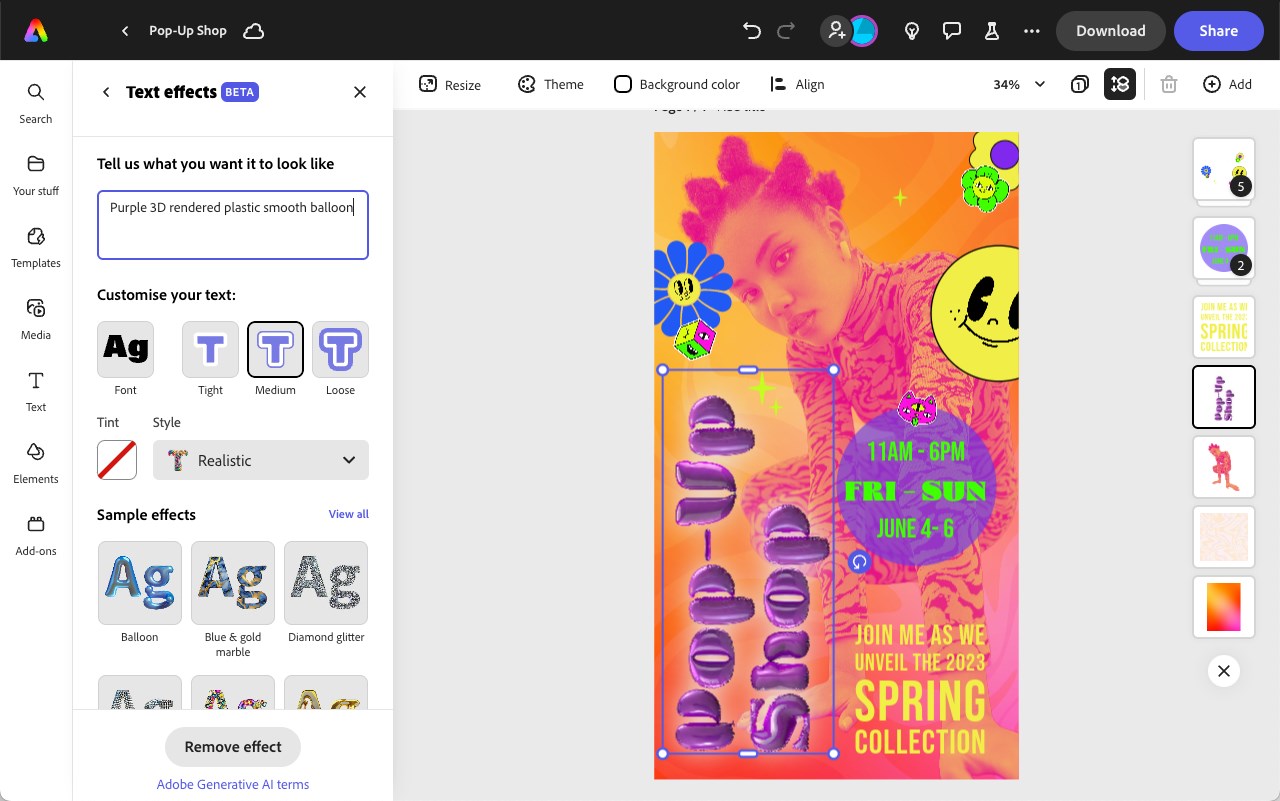
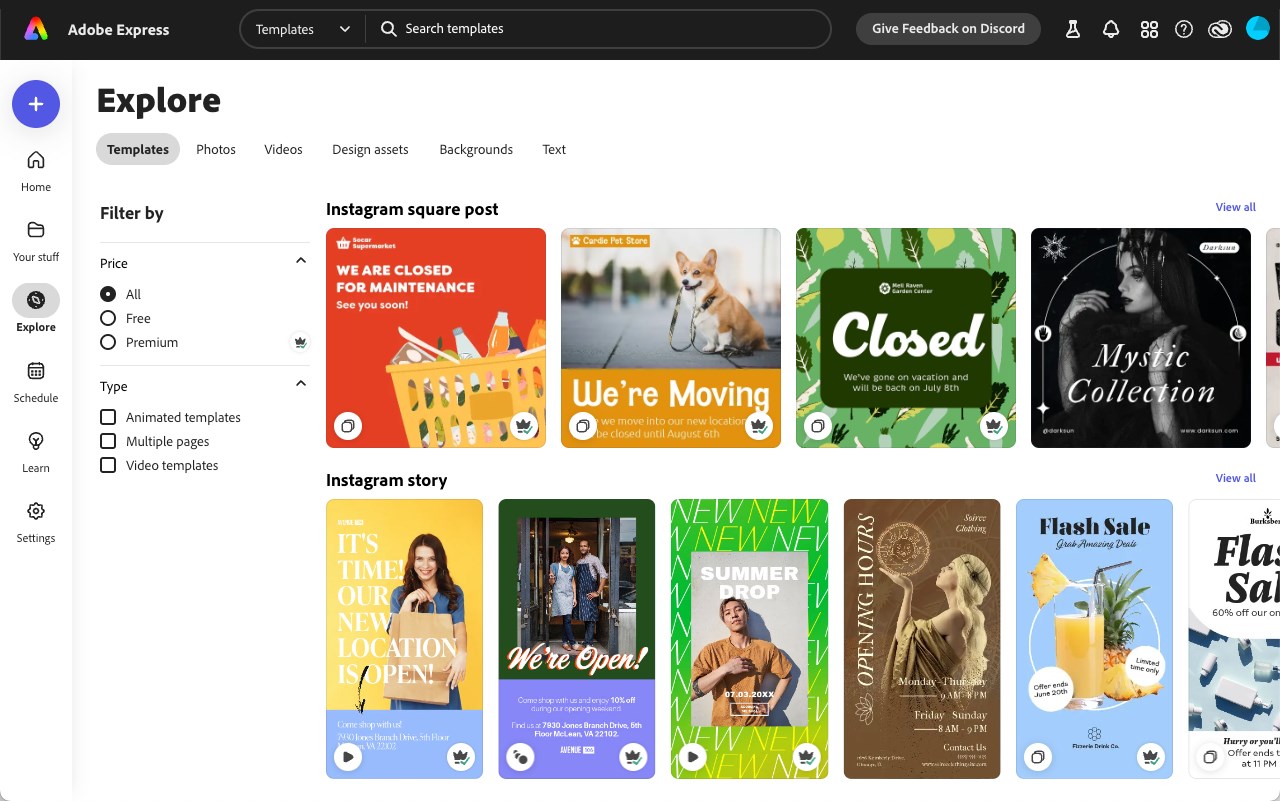
- Intuitive Template Library: Offers a vast collection of professionally designed templates tailored for social media, flyers, posters, and more, enabling quick starts for your projects.
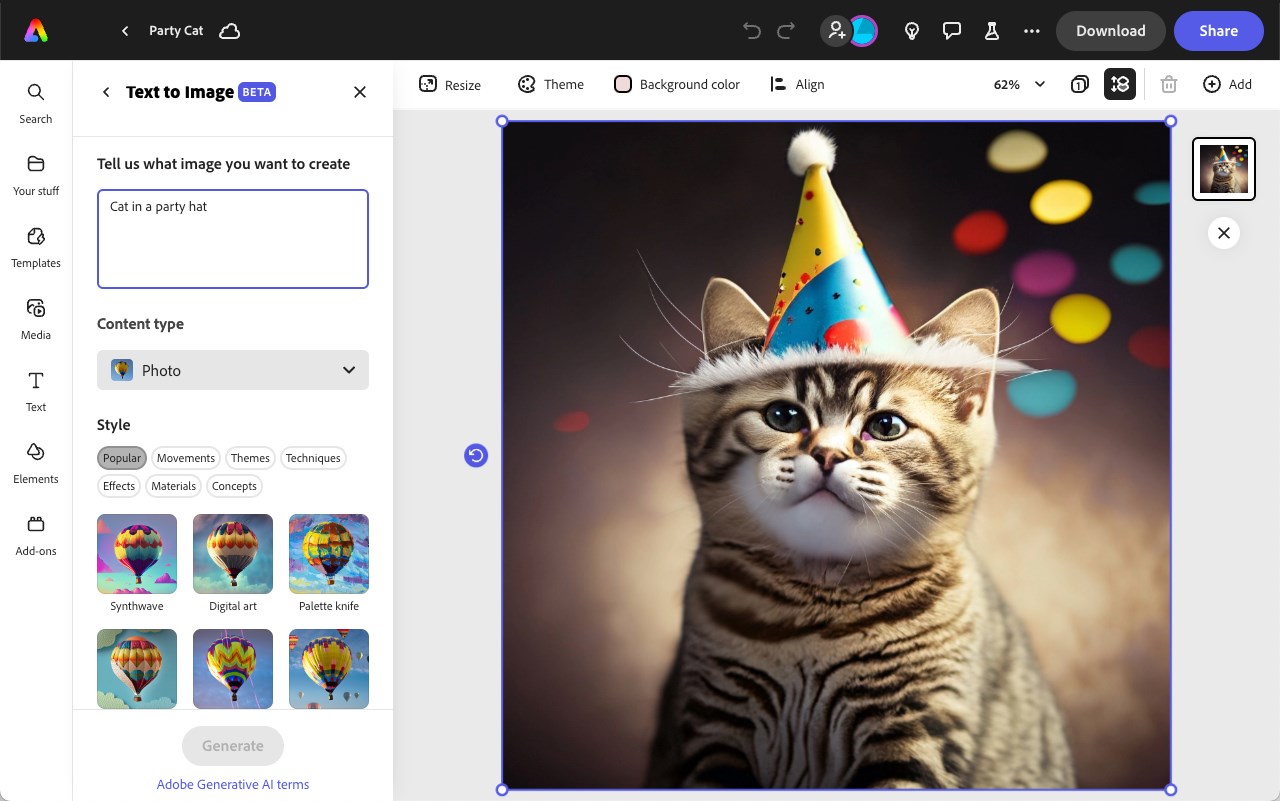
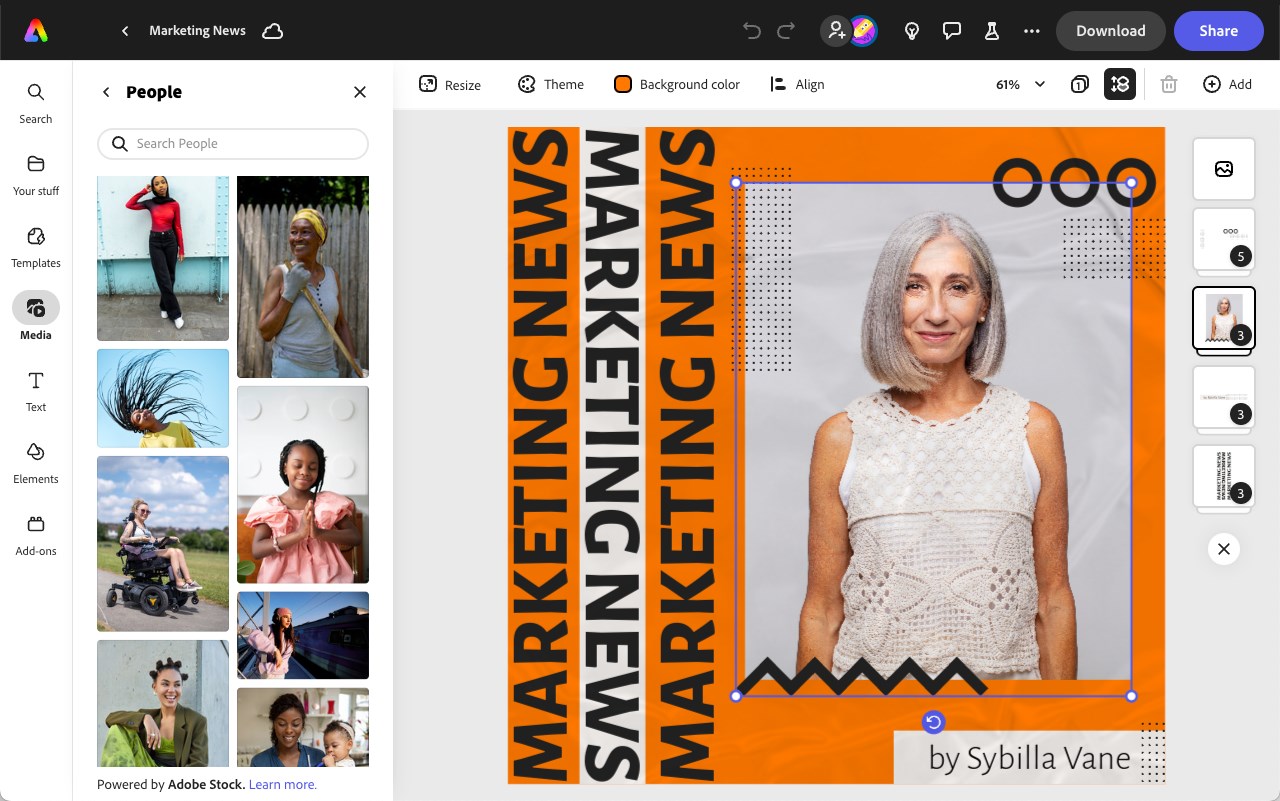
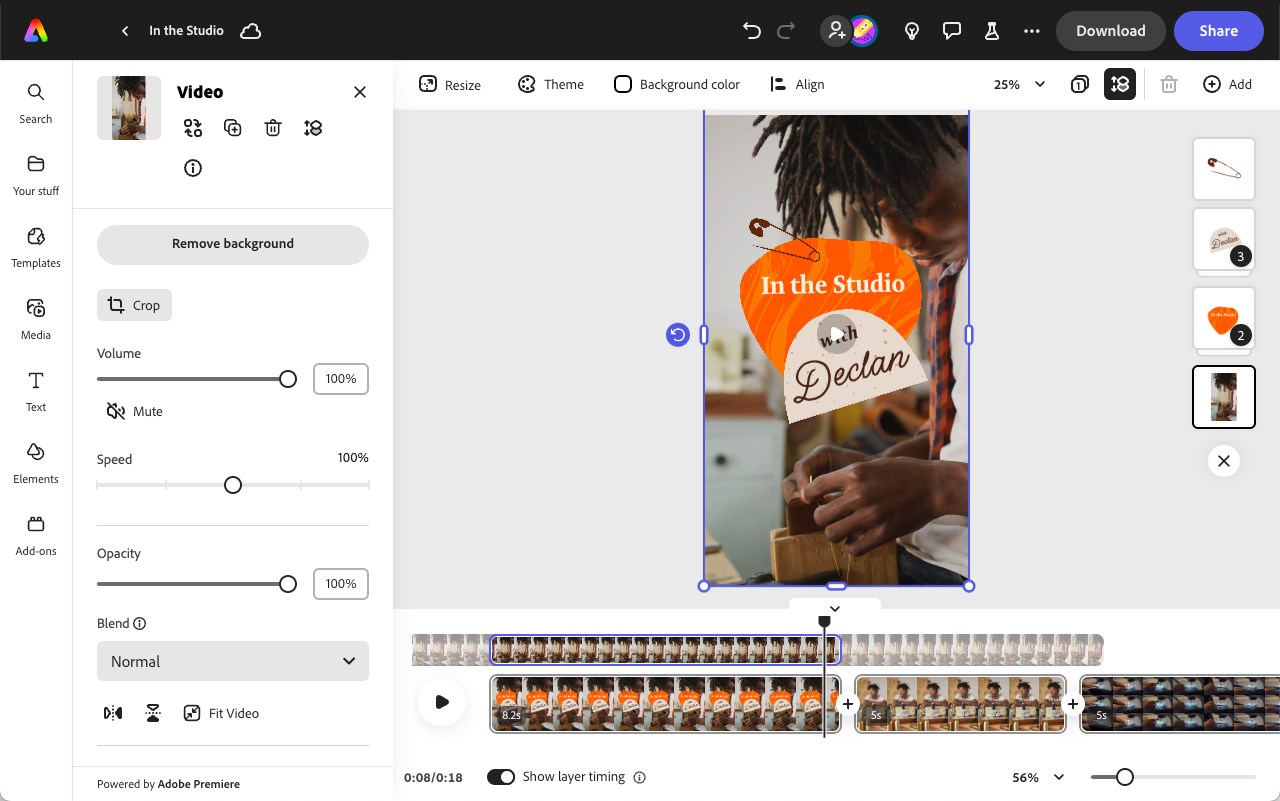
- Powerful Media Editing: Supports seamless integration of photos, videos, and logos, with tools like background removal and filters to enhance your visuals effortlessly.
- Cross-Device Cloud Syncing: Allows you to start a project on your PC and continue editing on other devices, ensuring your workflow remains uninterrupted.
- Easy Sharing and Exporting: Simplifies sharing directly to social platforms or exporting in various formats without additional hassle.
Targeted at hobbyists, educators, small business owners, and social media enthusiasts, this application aims to democratize high-quality design, making professional-looking content achievable without steep learning curves or expensive software.
A Fresh Take on Design: Making Creativity Effortless
Stepping into Adobe Express for Windows feels like opening a well-organized, creative workshop. Its lively interface resembles a friendly workspace, where icons and menus guide you intuitively through your design journey. Whether you're a seasoned designer or a complete novice, the app's approachability feels welcoming, like a trusted friend sharing tips over coffee.
Core Functionality: Templates and Media Editing
Start with the Power of Templates: The heart of Adobe Express is its rich library of customizable templates. They act like springboards, allowing users to craft eye-catching social posts or flyers in minutes. Instead of starting from scratch, users can browse themes, swap images, tweak text, and instantly produce polished visuals. This template-driven approach significantly accelerates the design process, especially for those pressed for time or lacking deep design skills.
Media Editing Made Easy: Beyond templates, the app offers robust editing tools that stand out. Background removal is particularly noteworthy—it's like having a magician's wand that instantly isolates your subject from the background. Coupled with filters, cropping, and retouching options, Adobe Express enables quick image enhancements that elevate the overall aesthetic without requiring expert Photoshop skills.
User Experience: Smooth Sailing and Friendly Learning Curve
The interface is clean and straightforward, featuring drag-and-drop functionality reminiscent of assembling a digital collage. Transitions and animations are smooth, providing a fluid editing experience that keeps users engaged rather than frustrated. The app's design prioritizes ease of use, with contextual tips and accessible menus helping newcomers learn as they go, akin to having a friendly guide at every step.
Performance-wise, Adobe Express operates seamlessly on Windows, leveraging hardware acceleration for faster rendering. The app feels responsive, even with large images or complex projects, making it suitable for on-the-fly edits or more polished creations.
What Sets Adobe Express Apart from Its Peers?
While other multimedia design apps like Canva or PicMonkey are popular, Adobe Express's integration within the Adobe ecosystem is a significant plus, offering consistent branding and possibly better compatibility with Adobe's other tools. Its standout feature is the combination of rapid template-based design with advanced media editing—most notably, the background removal tool, which is intuitive and efficient. This allows users to produce professional-looking composites without complex software or steep learning curves.
Furthermore, the cross-device cloud synchronization ensures your creative flow remains uninterrupted whether you're switching from your desktop to tablet or mobile. This flexibility is especially valuable today's fast-paced content environment, where spontaneity and quick turnaround are often necessary.
Final Verdict: A Highly Recommended Tool for Creative Quick Wins
Adobe Express for Windows is an impressive blend of accessibility and power, perfect for users who want to create high-quality visuals without the hassle of complex applications. Its most unique offerings—the extensive template library combined with advanced media editing features like background removal—make it a standout choice in the crowded field of multimedia design tools.
While it may not replace professional-grade software for intricate projects, it excels at delivering quick, polished results that look professionally crafted. I recommend it to anyone needing a reliable, easy-to-use design helper that won't sacrifice quality. Whether you're crafting social media posts, marketing materials, or just experimenting with your creativity, Adobe Express is poised to be your go-to digital canvas.
Pros
- User-Friendly Interface
- Versatile Templates and Resources
- Cloud Integration
- Free Basic Features
- Cross-Device Compatibility
Cons
- Limited Advanced Editing Tools
- Export Options Could Be Expanded
- Occasional Performance Delays
- Some Templates Are Premium-Only
- Offline Functionality Is Limited











