

- Category Photo & video
- Available on PC, Mobile
- OS Windows 10 version 17763.0 or higher
- Memory 2 GB
- languages Bangla (India), Chinese (Simplified), Chinese (Traditional), Danish, Dutch, English (United States), Filipino, Finnish, French, German, Greek, Hindi, Indonesian, Italian, Japanese, Korean , Malay, Norwegian (Bokmål), Polish , Portuguese (Brazil), Romanian, Spanish (Spain), Swedish, Tamil, Thai, Turkish
Introducing Adobe Express Photos for Windows: Your Creative Companion
Adobe Express Photos (formerly Photoshop Express) for Windows emerges as a streamlined yet powerful photo editing tool, tailored for users who seek quick enhancements without the complexity of full-fledged Adobe Photoshop. With a focus on user-friendly editing and creative flexibility, it aims to serve both casual organizers and budding photographers alike.
Developed by Adobe Inc.: A Trusted Name in Creativity
Created by Adobe Inc., a leader in digital creativity tools, Adobe Express Photos benefits from the company's extensive experience in delivering intuitive yet professional-grade applications. This ensures continuous updates, robust performance, and seamless integration within Adobe's ecosystem of creative apps.
Main Features That Stand Out
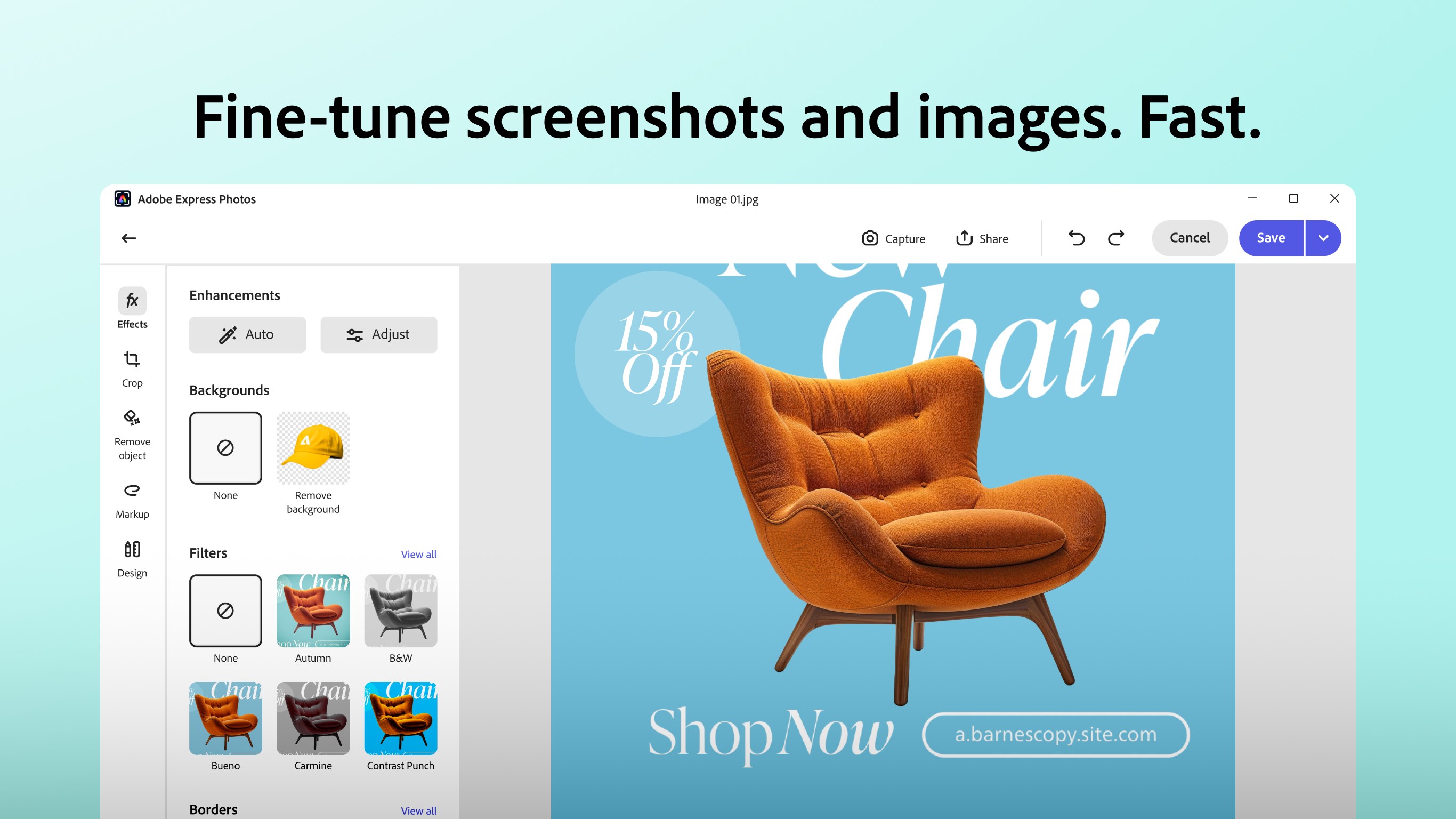
- Smart Auto-Enhance: Instantly elevates your photos with intelligent adjustments, making dull images vivid and lively with a single click.
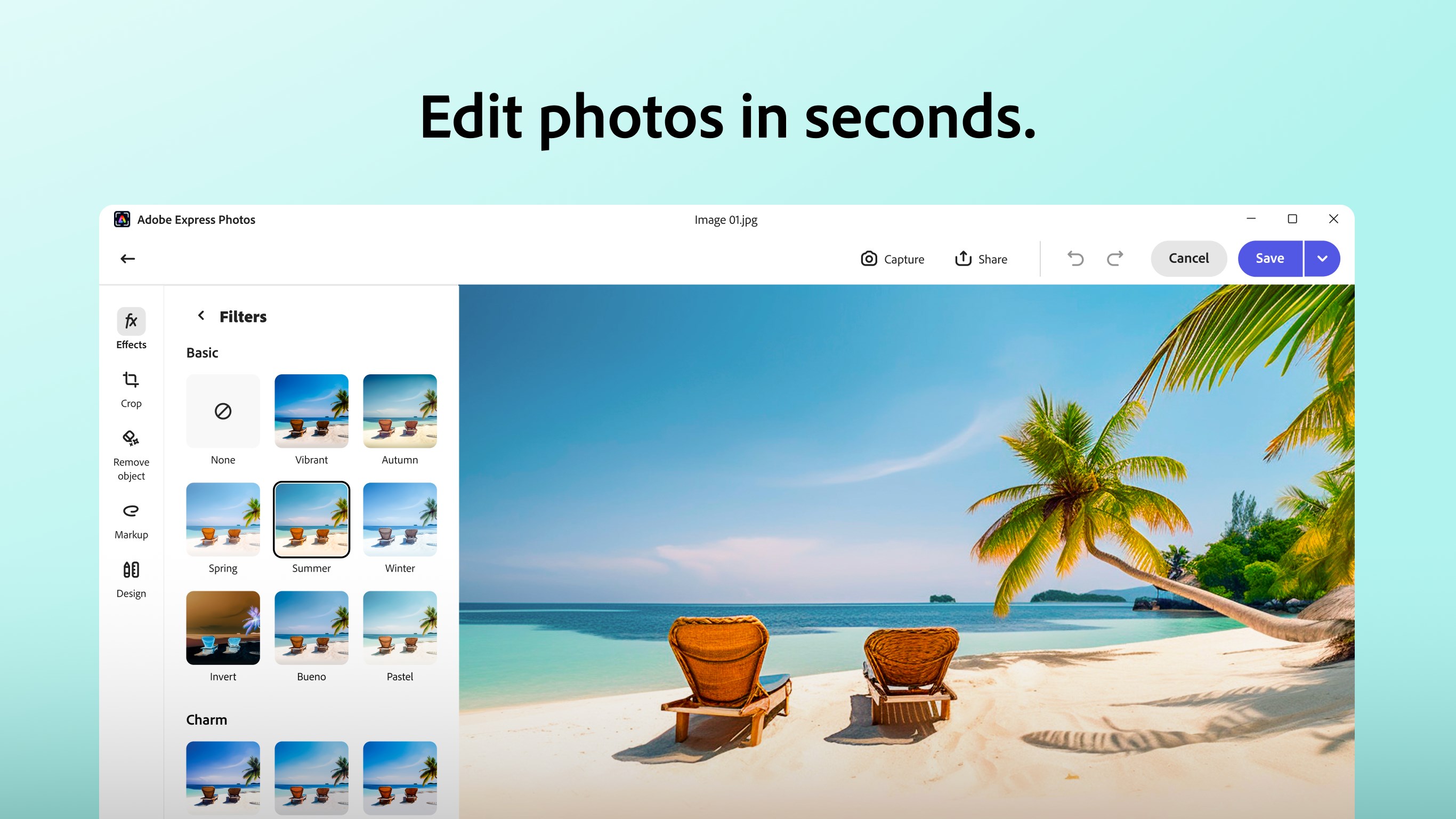
- Rich Filter and Effect Library: Offers a vast collection of filters, overlays, and effects, enabling users to craft unique aesthetics effortlessly.
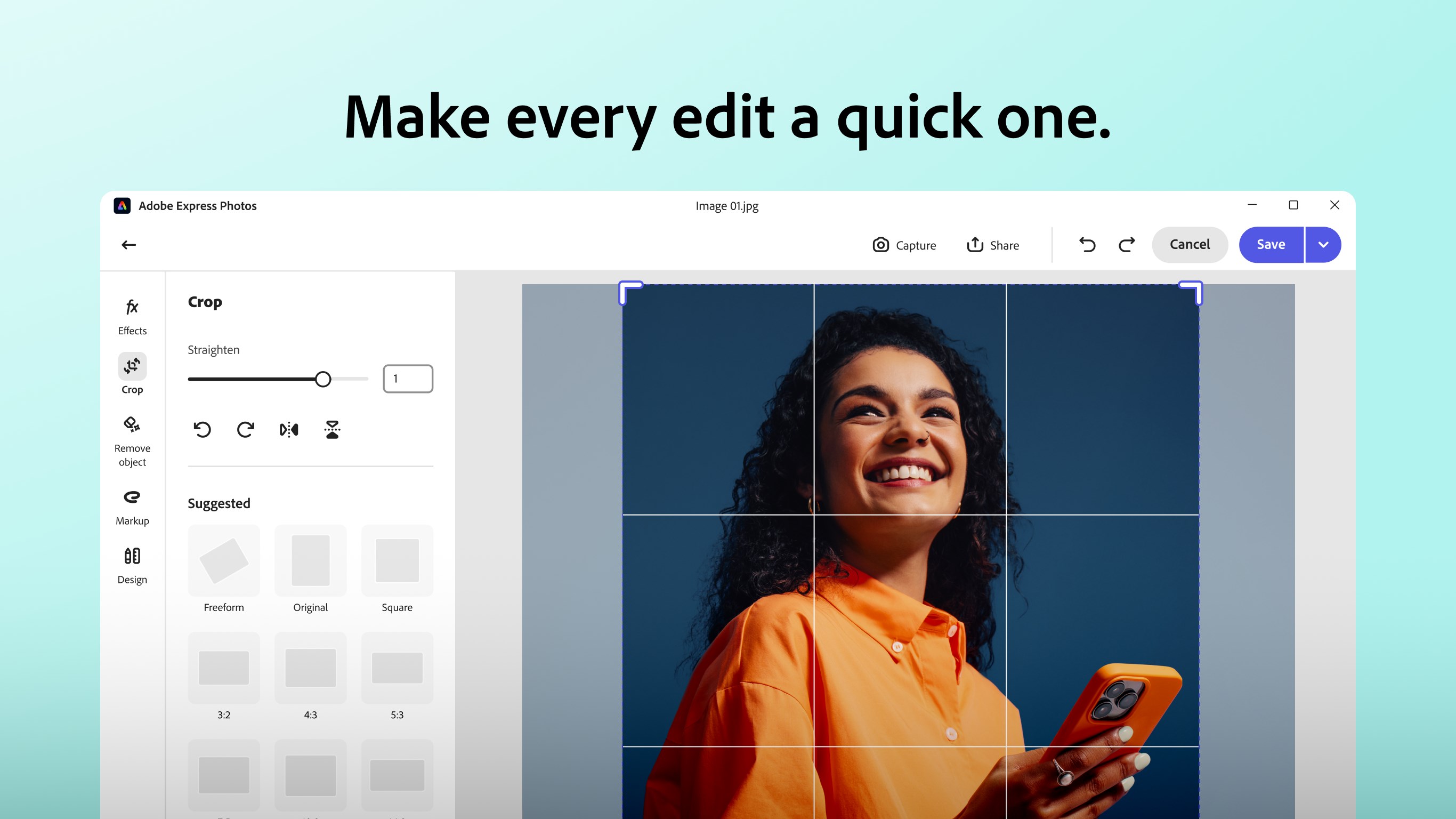
- Simple Cropping and Adjustments: Provides intuitive tools for cropping, rotating, and fine-tuning images, perfect for quick edits on the fly.
- Seamless Export and Sharing: Facilitates quick export options optimized for different social platforms, streamlining your creative sharing process.
A Friendly Introduction to Your New Editing Buddy
Imagine standing in front of a blank canvas, your photos yearning for a splash of personality—Adobe Express Photos is like having a helpful artist right beside you, ready to brighten, style, and polish your shots with minimal fuss. Whether you're tidying up a family snapshot or adding flair to a social media post, this app makes the process feel as satisfying as doodling in your favorite notebook.
Core Functionality: Instant Magic and Creative Effects
The real magic of Adobe Express Photos lies in its ability to quickly transform ordinary images into eye-catching visuals. Its auto-enhance feature works behind the scenes like a gentle assistant, analyzing your photo and applying optimal brightness, contrast, and color corrections that make every detail pop. This is perfect when you're short on time but want your images to look professionally polished.
Beyond auto-editing, the app boasts an extensive library of filters and overlays—think of them as a painter's palette—allowing you to add vintage tones, vibrant hues, or artistic textures with just a few clicks. Whether you're aiming for a cinematic look or a subtle nuance, these effects transition your photos from simple snapshots to compelling visual stories.
User Experience: Smooth, Streamlined, and Accessible
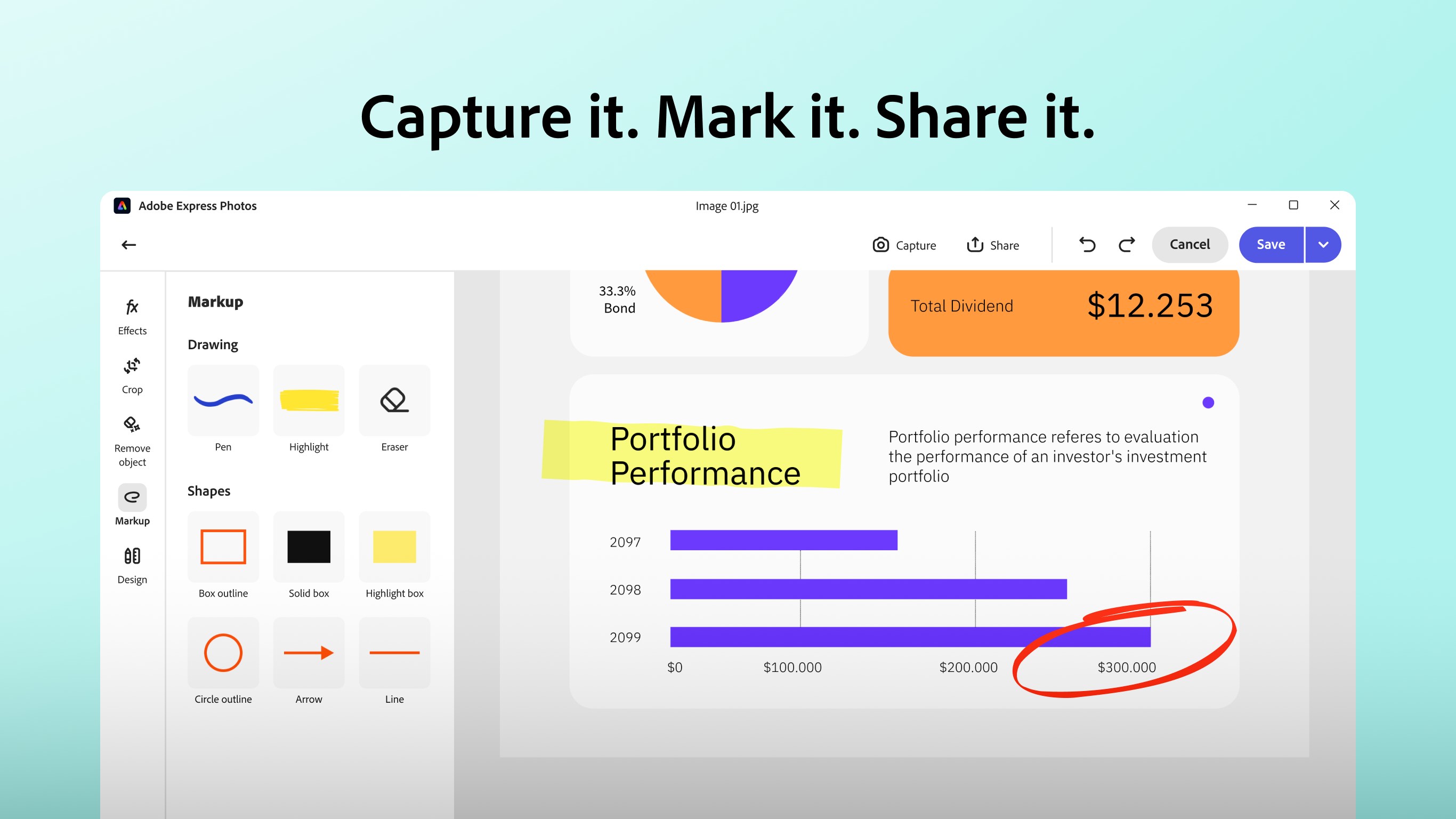
The interface of Adobe Express Photos resembles a well-organized workspace; clean, uncluttered, and inviting. All editing tools are logically arranged on a sidebar, making navigation straightforward for beginners while still offering depth for seasoned users. The app runs smoothly on most Windows configurations, with responsive controls that make editing feel effortless—almost like stirring a cup of coffee as the app takes care of the complex brewing.
Learning curves are minimal; most users can start editing within seconds, thanks to the clear icons and helpful tooltips. The instant preview feature further empowers users to see the impact of their adjustments in real-time, fostering a confident, hassle-free editing experience.
What Sets It Apart from Other Photo & Video Apps?
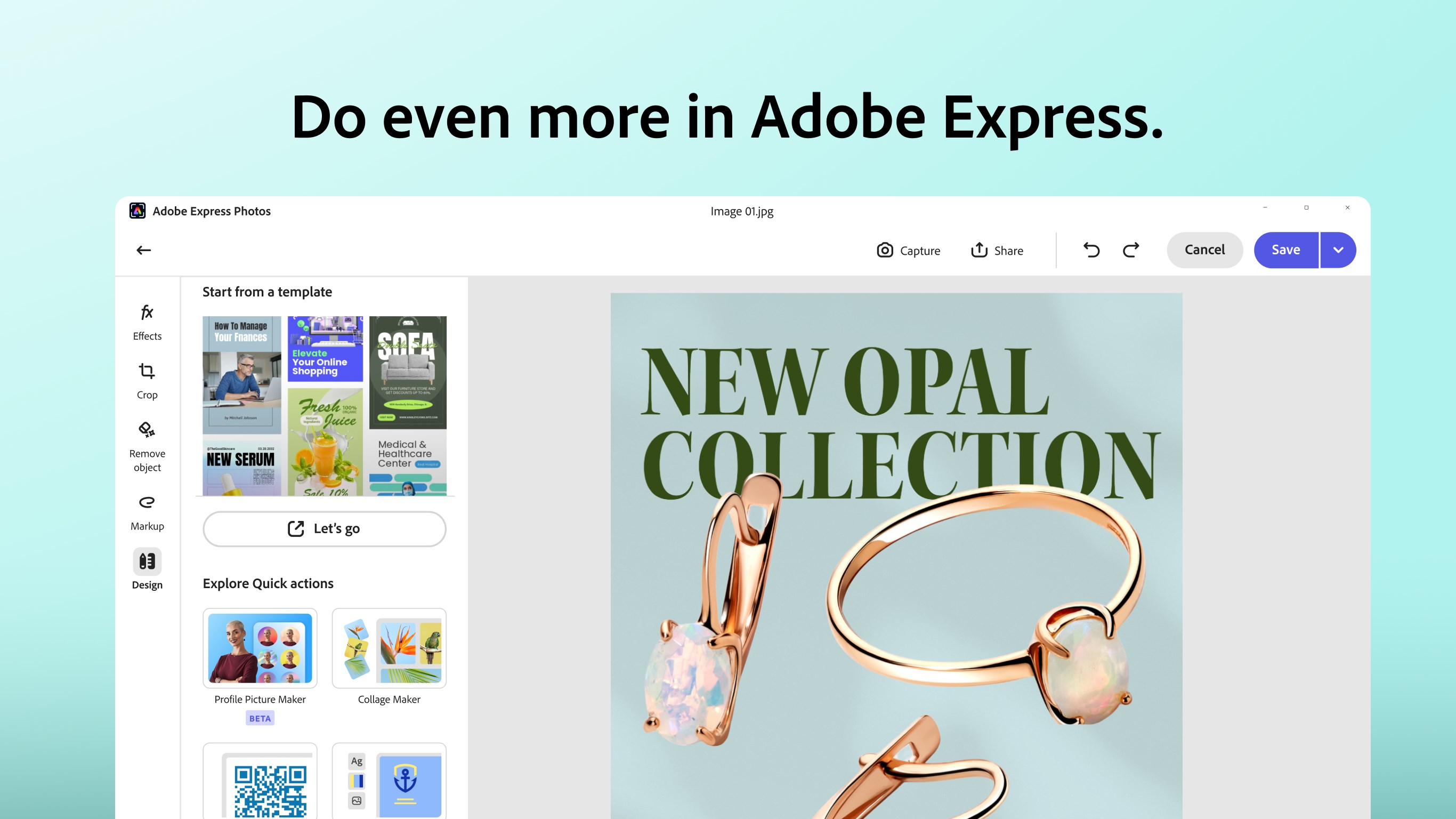
While many photo editing tools focus heavily on complex design features, Adobe Express Photos shines in its commitment to simplicity without sacrificing quality. Its standout feature is the intelligent auto-enhance combined with a rich library of effects specifically curated for quick yet impactful edits—think of it as the difference between a chef who improvises with a few ingredients versus one with a full pantry of options. The app's integration with Adobe's Creative Cloud makes it easy to transfer and edit images across devices, offering a seamless workflow for users invested in Adobe's ecosystem.
Compared to typical photo editors that can feel overwhelming, this app provides a gentle, guided approach—perfect for users who want swift results and minimal fuss. Its focus on streamlined editing, combined with powerful automation, makes it a notable choice among the plethora of photo apps on the market.
Final Thoughts: A Solid, User-Friendly Photo Editor Worth Trying
If you're seeking an editing app that balances simplicity with creative potential, Adobe Express Photos for Windows is definitely worth exploring. Its most compelling features—auto-enhancement and extensive filter effects—stand out as the app's best strengths, making quick yet attractive edits accessible to everyone. While it may not replace full professional editing suites, it excels in everyday photo refinement and creative experimentation.
Ideal for social media enthusiasts, casual photographers, or anyone wanting a reliable, easy-to-use photo tool, this app earns a confident recommendation. For those already in the Adobe ecosystem or looking for a gentle learning curve combined with professional-looking results, Adobe Express Photos is a smart addition to your digital toolkit.
Pros
- User-friendly interface
- Rich editing tools
- Cloud integration
- Fast processing speed
- Free to use
Cons
- Limited advanced editing features
- Occasional app crashes
- Watermark on exported images in free version
- Limited storage for cloud projects
- Some features require internet connection











