

- Category Multimedia design
- Developer Adobe
- Available on PC
- OS Windows 10 version 0.0 or higher
- Memory 8 GB
- DirectX DirectX 12 API, Hardware Feature Level 12
- languages English, Chinese (Simplified), Chinese (Traditional Chinese), Czech, Danish, Dutch, Dutch, English (United Kingdom), Finnish, French, Russian, Spanish, Ukrainian, Spanish (Mexico), French (Canada), German, Italian, Norwegian, Polish, Portuguese (Brazil), Portuguese, Swedish, Turkish, Japanese, Korean
Adobe Fresco for Windows: A Natural Drawing Experience on Your Desktop
Adobe Fresco for Windows offers digital artists and illustrators a powerful yet intuitive platform that mimics traditional media with a modern touch, making drawing and painting on a computer feel as natural as working with brushes and inks.
Developed by a Creative Powerhouse: Adobe's Commitment to Artistic Innovation
Produced by Adobe Inc., a global leader in multimedia design, Adobe Fresco leverages a decade of experience in digital creativity. The team behind it has crafted an application designed to bridge the gap between traditional art techniques and digital convenience.
Highlight Features Brighten Your Artistic Journey
- Live Brush Technology: Experience real-time watercolor and oil paint simulations that blend seamlessly, creating lifelike textures and spontaneous effects.
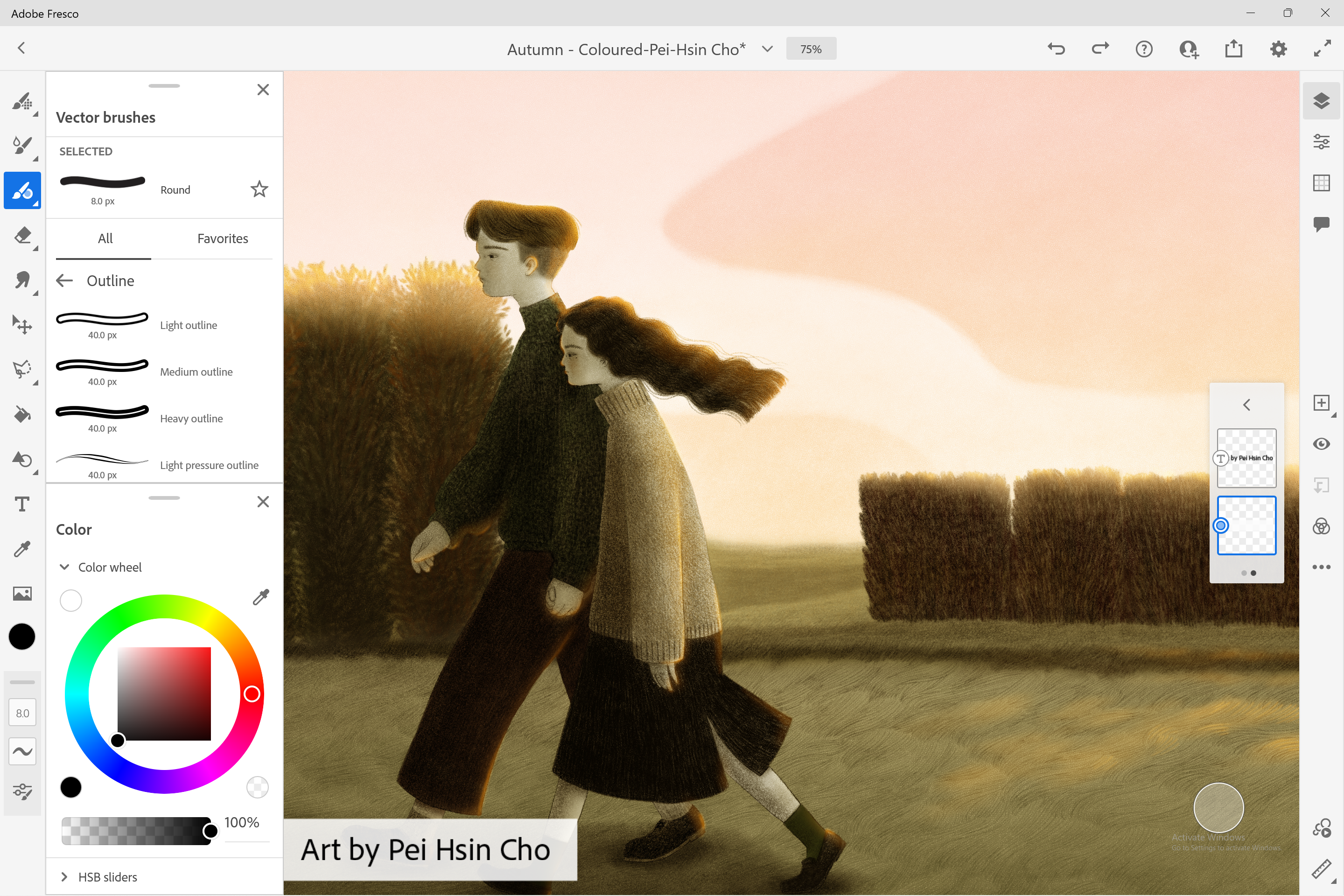
- Advanced Vector & Raster Support: Combine the crisp precision of vector graphics with the expressive potential of raster brushes, enabling versatile artwork creation within a single workspace.
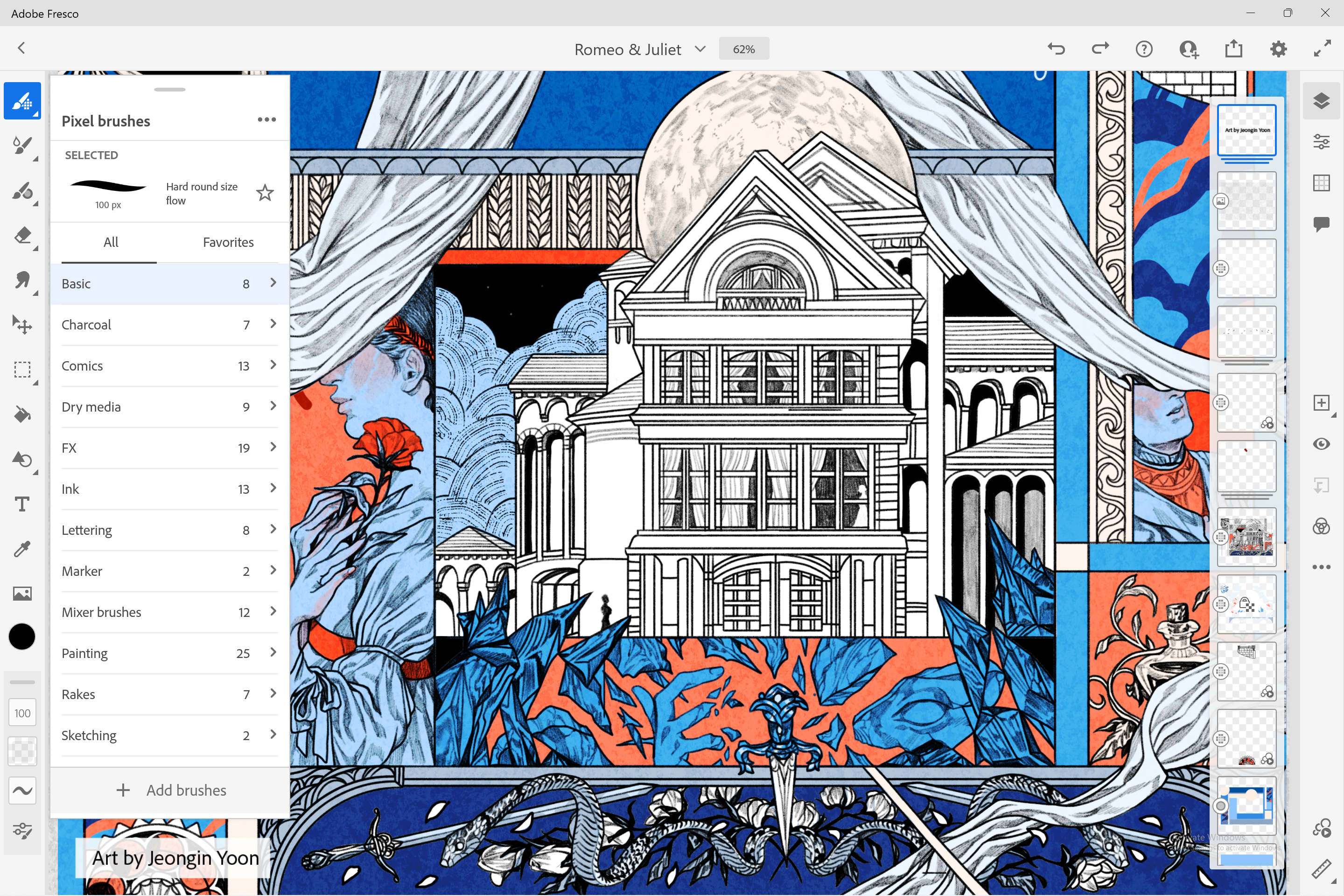
- Intuitive User Interface: Clean, customizable workspace that invites artists to focus on creativity without distractions, with accessible tools and flexible layouts.
- Multi-Device Compatibility: Sync your projects effortlessly across devices, ensuring your work continues seamlessly whether on Windows, iPad, or other platforms.
Drawing the Line: An In-Depth Review
Imagine sitting in a sunlit studio, brushes in hand, watching watercolor pools bloom and oil paints swirl with organic spontaneity—that's what Adobe Fresco aims to replicate digitally. The app's core promise is to bring traditional textures alive on a flat screen, and it largely succeeds.
Unleashing Creativity with Live Brushes
The standout feature of Adobe Fresco is undoubtedly its Live Brush technology. Unlike standard digital brushes that often feel stiff or plastic-like, Fresco's Live Brushes emulate real-world media with uncanny realism. Watercolors seep and blend just like they do on paper, with wet edges and spontaneous blooms, giving digital artists a playground for experimentation. This feature transforms a simple digital canvas into a lively, dynamic space where artistic expressions flow freely, making it a game-changer for watercolorists and oil painters alike.
Seamless Integration of Vector and Raster Features
Another compelling aspect is the combination of vector and raster tools within a unified interface. Artists can sketch with crisp, scalable vectors for clean lines and details, then switch to textured raster brushes for shading and realism—all without leaving the app. This hybrid approach minimizes workflow interruptions and empowers artists to realize their ideas from rough sketches to polished masterpieces in one environment, setting Fresco apart from many competitors that excel in either vector or raster but rarely both.
User Experience: Smooth Sailing or Choppy Waters?
The interface strikes a fine balance between simplicity and functionality. It resembles a well-organized artist's palette, with brushes, layers, and color controls readily accessible. The app performs smoothly even on moderate hardware, allowing fluid drawing without lags, which is crucial for spontaneous creativity. While there's a slight learning curve for those new to digital art or Adobe's ecosystem, the workflow is logical and well-documented, easing new users into sophisticated tools gradually.
What Makes Fresco Stand Out?
Compared to other multimedia design apps like Corel Painter or Clip Studio Paint, Adobe Fresco's key differentiator is its dedicated focus on mimicking real media with exceptional realism, especially through its Live Brush engine. Its integration with Adobe Creative Cloud also streamlines the process of bringing artwork into Photoshop, Illustrator, or After Effects, creating a cohesive ecosystem that benefits professionals working across multiple Adobe applications. Moreover, its lightweight footprint and native Windows support make it accessible for a broad audience—whether hobbyists or professional designers.
Should You Give Adobe Fresco a Try?
If you are an artist seeking a user-friendly yet highly capable digital painting tool that captures the essence of traditional media, Adobe Fresco for Windows is worth exploring. Its most compelling features—especially the Live Brush technology and hybrid vector/raster support—are particularly suited for those who want their digital art to feel lively and tactile.
While it might not replace specialized programs for animation or highly detailed concept art, it offers an excellent entry point or addition to your creative toolkit. I recommend it to artists who appreciate the nuance of watercolor and oil textures and desire an intuitive interface that encourages experimentation.
In conclusion, Adobe Fresco for Windows stands out as a versatile and innovative drawing app that brings the warmth and unpredictability of traditional art into the digital realm—smooth, responsive, and deeply inspiring.
Pros
- Natural Drawing Experience
- Intuitive User Interface
- Powerful Layer and Masking System
- Vector and Raster Hybrid Workspace
- Deep Integration with Adobe Cloud
Cons
- High System Requirements
- Limited Export Formats
- Occasional Lag with Complex Files
- Steep Learning Curve for Advanced Features
- Limited Video Resource Tutorials











