

- Category Productivity
- Developer Cyan Soft
- Available on PC, Mobile, Surface Hub, HoloLens
- OS Windows 10 version 17763.0 or higher
- languages Afrikaans, Albanian, Amharic, Arabic, Armenian, Assamese, Bangla, Basque, Belarusian, Bosnian (Latin), Bulgarian, Catalan, Croatian, Czech, Danish, Dutch, English, English (United States), Estonian, Finnish, French, Galician, Georgian, German, Greek, Gujarati, Hebrew, Hindi, Hungarian, Icelandic, Indonesian, Irish, isiXhosa, Italian, Japanese, Kannada, Kazakh, Khmer, Kinyarwanda, Korean, Latvian, Lithuanian, Macedonian, Malay, Malayalam, Maltese, Maori, Marathi, Nepali, Norwegian (Bokmål), Norwegian (Nynorsk), Odia, Persian/Farsi, Polish, Portuguese, Punjabi, Romanian, Russian, Sesotho sa Leboa, Sinhala, Slovak, Slovenian, Spanish, Swedish, Tamil, Telugu, Thai, Turkish, Ukrainian, Vietnamese, Welsh
Effortless Screen Mirroring and File Sharing at Your Fingertips
AirConnect is a streamlined Windows application designed to simplify the way you mirror screens and share files, making presentational workflows smoother and more integrated than ever before.
Developer and Core Features
Developed by Cyan Soft and published by CyanFood, this app aims to bridge devices seamlessly. Its primary features include reliable screen mirroring, quick file sharing across devices, and an intuitive interface that minimizes setup time. Designed for users who frequently switch between devices or give presentations, AirConnect transforms your Windows environment into a hub of connectivity and efficiency.
A Bright Spot for Presenters and Collaborators
Imagine standing in a conference room, easily casting your desktop to the big screen without fiddly cables or cumbersome settings—AirConnect makes this a reality. Its straightforward setup process feels almost like magic, instantly transforming your device into a wireless extension of your workspace. Whether you're showcasing a detailed slide deck or sharing files during a team session, this app keeps the focus on your content, not on the technology.
Screen Mirroring: Seamless and Reliable
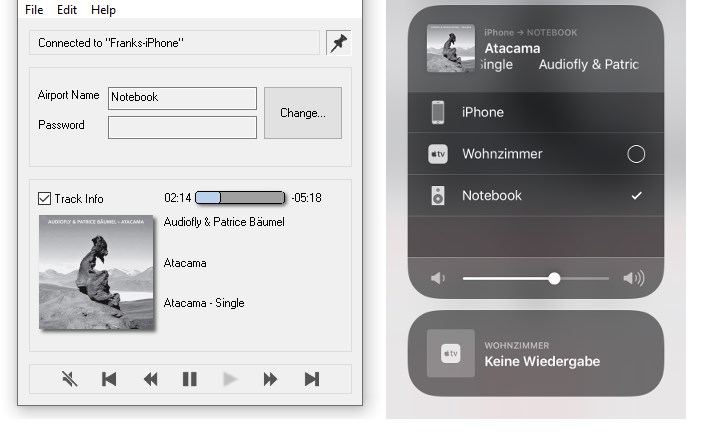
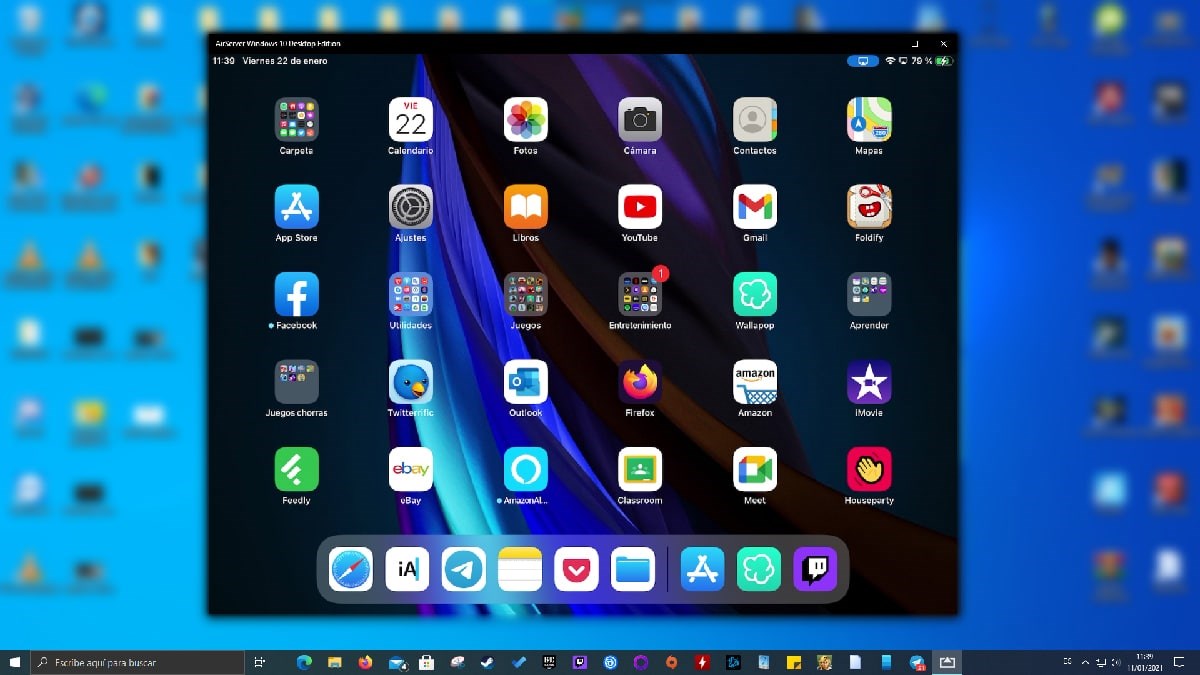
At its core, AirConnect excels at providing a smooth screen mirroring experience. Unlike some solutions that falter with latency or require complex configurations, this app supports stable connections that reliably reflect your Windows display onto compatible devices. The process is as simple as selecting your target device from a list—think of it as flicking a switch—eliminating the usual hurdles associated with screen sharing. The clarity and responsiveness make it suitable for dynamic demonstrations, not just static presentations.
File Sharing: Speed and Compatibility
Sharing files feels just as effortless. With AirConnect, you can transfer documents, images, and even large media files without copying and pasting through clunky network setups. Its intuitive interface guides users through selecting files and destinations, often in seconds. This quick-share capability is especially valuable during collaborative workflows, where time is precious, and efficiency is key. Plus, the app supports cross-device compatibility, integrating seamlessly with Windows-based environments and making data flow more fluid and less disruptive.
Engaging User Experience and Unique Advantages
The app sports a clean, modern interface that resembles a friendly dashboard rather than an intimidating tech tool. Navigation is logical, with clearly labeled options that even beginners can master after a brief exploration. The responsiveness of both mirroring and file transfer operations boosts user confidence, reducing cognitive load—users don't need to hunt for obscure settings or troubleshoot complex issues. The learning curve is gentle, akin to learning the gestures on a smartphone, making it accessible to a broad spectrum of users.
What truly sets AirConnect apart from other productivity tools is its focus on streamlining workflow integration. While many screen mirroring or file-sharing apps add layers of complexity, often requiring extensive configurations or separate apps for different tasks, AirConnect combines these functions into a unified experience with minimal fuss. This reduces mental clutter and allows users to concentrate on what truly matters—delivering engaging presentations and collaborating effectively. Its emphasis on reducing user effort and cognitive load makes it an ideal tool for educators, business professionals, or anyone who prioritizes efficiency over feature bloat.
Final Recommendations: A Tool Worth Having in Your Digital Toolkit
Based on its ease of use, reliability, and focus on integration, I would confidently recommend AirConnect to anyone looking to enhance their productivity workflows. It's especially suitable for teams that need quick, wireless screen sharing combined with swift file transfers—think of it as the “gateway drug” to a more connected and efficient workspace. For casual users or those already accustomed to Windows environments, it offers a refreshing blend of simplicity and effectiveness that can seamlessly become part of your daily routine. Just remember, while it may not boast a multitude of flashy features, its targeted strengths make it a standout choice for reducing friction during presentations and collaborative efforts.
In summary, AirConnect embodies the essence of smart workflow enhancement—delivering focus, speed, and reliability without overloading the user with unnecessary complexity. A practical, unpretentious app that could transform the way you connect and share data across your devices.
Pros
- Intuitive Screen Mirroring
- File Sharing Support
- Cross-Platform Compatibility
- Low Latency Streaming
- User-Friendly Interface
Cons
- Limited Device Compatibility
- Occasional Connectivity Drops
- File Transfer Speed Variability
- Basic Customization Options
- No Automatic Device Detection











