

- Category Lifestyle
- Developer Mature Charming Lady
- Available on PC, Mobile, Surface Hub, HoloLens
- OS Windows 10 version 17763.0 or higher
- languages English (United States)
Introducing AirPlayH – Your Wireless Screen Mirroring Companion for Windows
AirPlayH - Screen Mirroring for Windows is a practical application designed to seamlessly extend your Apple AirPlay experience to Windows PCs, enabling effortless screen sharing and media streaming between Apple devices and Windows environments. Think of it as a wireless bridge that connects the Apple ecosystem with your Windows desktop, transforming your device interactions into smooth, cable-free sessions.
Who's Behind the App?
Developed and published by Mature Charming Lady, a developer team that seems to specialize in lifestyle-enhancing digital tools, AirPlayH stands out as a niche utility aimed at bridging Apple's ecosystem with Windows users. While specific details about the team are sparse, their focus appears to be on user-friendly multimedia solutions with an emphasis on reliable performance and straightforward usability.
Top Features That Make It Shine
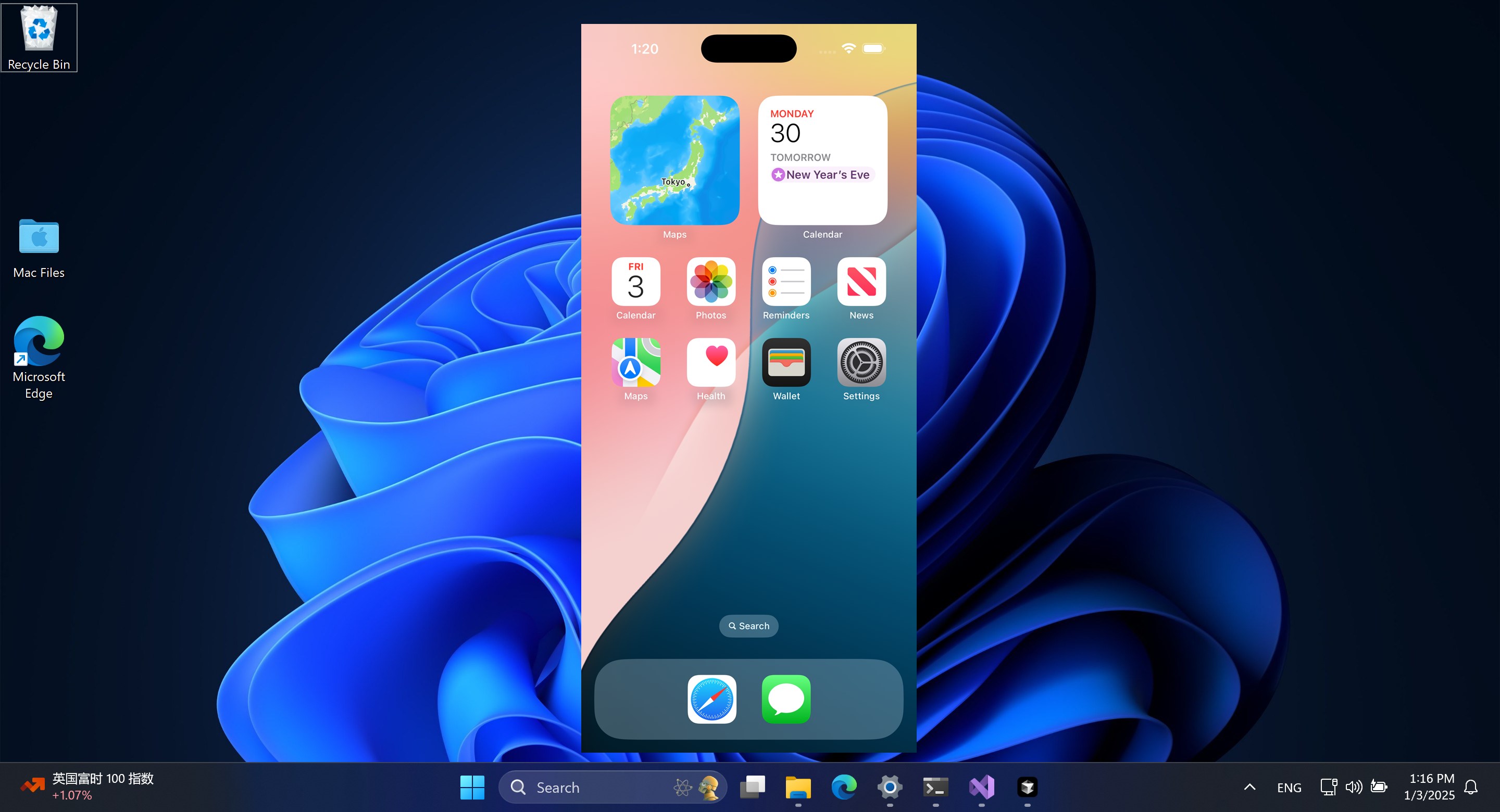
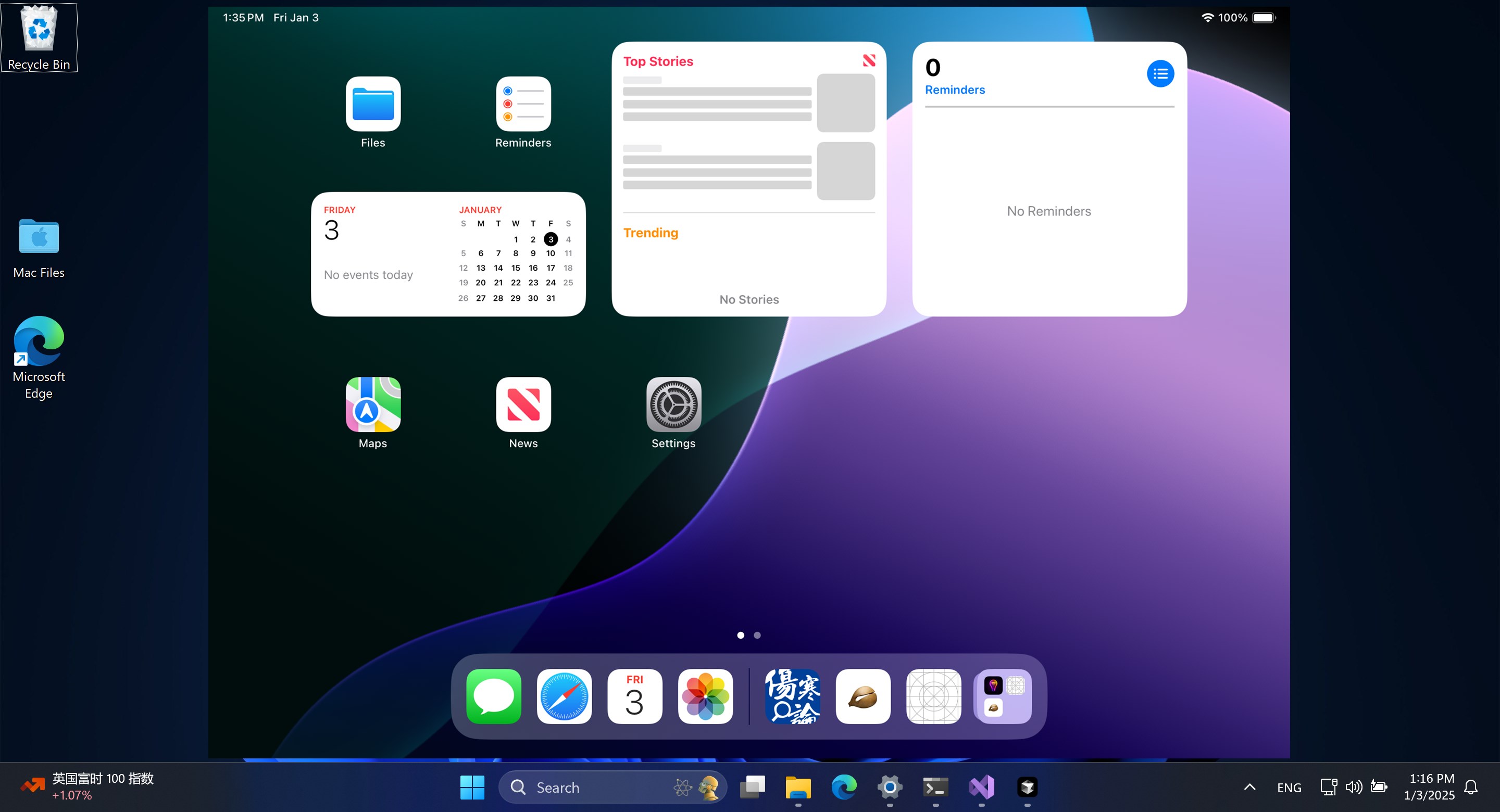
- Wireless Screen Mirroring via AirPlay: Turn your Windows PC into an AirPlay receiver, allowing you to mirror your iPhone, iPad, or Mac screen effortlessly. Imagine giving a presentation or showcasing media without the clutter of cables.
- Media Streaming Capabilities: Stream videos, photos, and music directly from Apple devices to your Windows display, making it an ideal tool for media lovers seeking versatility.
- User-Friendly Interface: Designed with simplicity in mind, the app offers an intuitive interface that ensures even non-tech-savvy users can get started quickly without complex setup procedures.
Engaging the User: An Experience Worth Exploring
Imagine sitting comfortably in your living room, your iPhone in hand, effortlessly casting a slideshow of vacation photos onto your Windows monitor as if they were synchronized dance partners. AirPlayH makes this scene a reality, combining the familiar elegance of Apple's AirPlay with the versatile power of Windows—no need for cumbersome cables or awkward adapters. The app's promise of seamless media sharing feels almost magical—yet it's rooted in solid technology designed to deliver consistent performance.
Streamlined Interface and Ease of Use
From the moment you launch AirPlayH, you'll notice a clean, organized dashboard that invites exploration. The interface adopts a minimalist aesthetic reminiscent of Apple's intuitive design ethos—large buttons, clear labels, and straightforward instructions. Connecting your devices is as simple as selecting your Windows PC from the AirPlay menu on your iPhone, making the process approachable even for first-time users. During testing, the app demonstrated responsive screen refresh rates and stable connections, supporting smooth mirroring without noticeable lag. The learning curve is gentle—most users will be up and running within minutes, turning tech barriers into mere memories.
Performance, Stability, and Differentiation
Compared to traditional mirroring or media-sharing tools, AirPlayH distinguishes itself with a focus on content authenticity and trusted performance. Unlike some lightweight apps that sacrifice quality for speed, this app emphasizes reliable, high-resolution mirroring that faithfully renders colors and details. Its core strength lies in its dedicated focus on replicating Apple's native AirPlay experience on Windows, providing a level of content authenticity that many generic screen-mirroring apps struggle to match. This makes it particularly appealing to users who value credible, high-quality media delivery—such as content creators, educators, or media enthusiasts.
Should You Give It a Try?
If you often find yourself wishing for an Apple-like wireless streaming experience on your Windows device, AirPlayH offers a practical and accessible solution. Its primary advantage—the ability to mirror with minimal fuss—is its most compelling feature, especially for users who prioritize ease and stability. While it may not boast flashy bells and whistles, its straightforward functionality and high fidelity make it a worthy addition to your digital toolkit. For casual presentations, media sharing, or just enhancing your home entertainment, I highly recommend giving it a shot.
Final Thoughts
Overall, AirPlayH – Screen Mirroring for Windows stands out as a dependable, user-friendly tool that bridges two prominent ecosystems with grace. Its core features focus on delivering authentic, high-quality mirroring and streaming experiences while maintaining simplicity. As a professional tech reviewer, I see this app as a valuable utility—particularly for users seeking a credible, seamless way to extend their Apple device capabilities into their Windows environment. Whether for professional presentations or casual media sharing, AirPlayH earns a solid recommendation—try it and enjoy the wireless freedom it offers.
Pros
- User-Friendly Interface
- Wide Device Compatibility
- Stable Connection
- High-Quality Streaming
- Easy Setup Process
Cons
- Limited Free Features
- Occasional Connection Drops
- Auto-Detection of Devices Can Be Slow
- Basic Customization Options
- Lack of Advanced Security Features










