

- Category Business
- Available on PC, Mobile, Surface Hub, HoloLens
- OS Windows 10 version 17763.0 or higher
- Keyboard Integrated Keyboard
- Mouse Integrated Mouse
- languages English (United States)
Ancestry for Windows: Unlocking Your Family History with Ease
In today's digital age, exploring your roots can feel like embarking on a fascinating adventure, and Ancestry for Windows makes this journey accessible and engaging. Developed by Wizard Software, this application offers a robust platform for genealogists of all levels to dig into family trees, historical records, and collaborative research tools—all at your fingertips.
Basic Information: Your Gateway to Family History
Positioned as a comprehensive genealogy tool, Ancestry for Windows is designed to help users uncover their ancestral stories through an intuitive interface and vast database integration. Wizard Software, a dedicated team specializing in family history applications, brings years of expertise to this product, ensuring a reliable and user-friendly experience. The key highlights include seamless integration with Ancestry's extensive record collections, easy-to-build family trees, and collaborative features that enable sharing and joint research. Targeted primarily at hobbyists, amateur genealogists, and even professional researchers, this app caters to anyone eager to explore their heritage from the comfort of their PC.
Engaging and Intuitive: A User-Friendly Experience
Getting started with Ancestry for Windows feels like opening a well-organized family scrapbook—you're greeted with a clean, friendly interface that invites exploration. Navigating through the app is smooth, thanks to thoughtful design elements that guide you step-by-step in building your family tree. Whether you're a tech novice or a seasoned researcher, you'll appreciate the minimal learning curve; the app's layout is straightforward, with clear menu options and helpful prompts along the way. The overall experience balances functionality with ease of use, making the process of genealogical discovery both enjoyable and accessible.
Core Functionality: Unearthing Your Heritage
Extensive Database Integration and Record Access
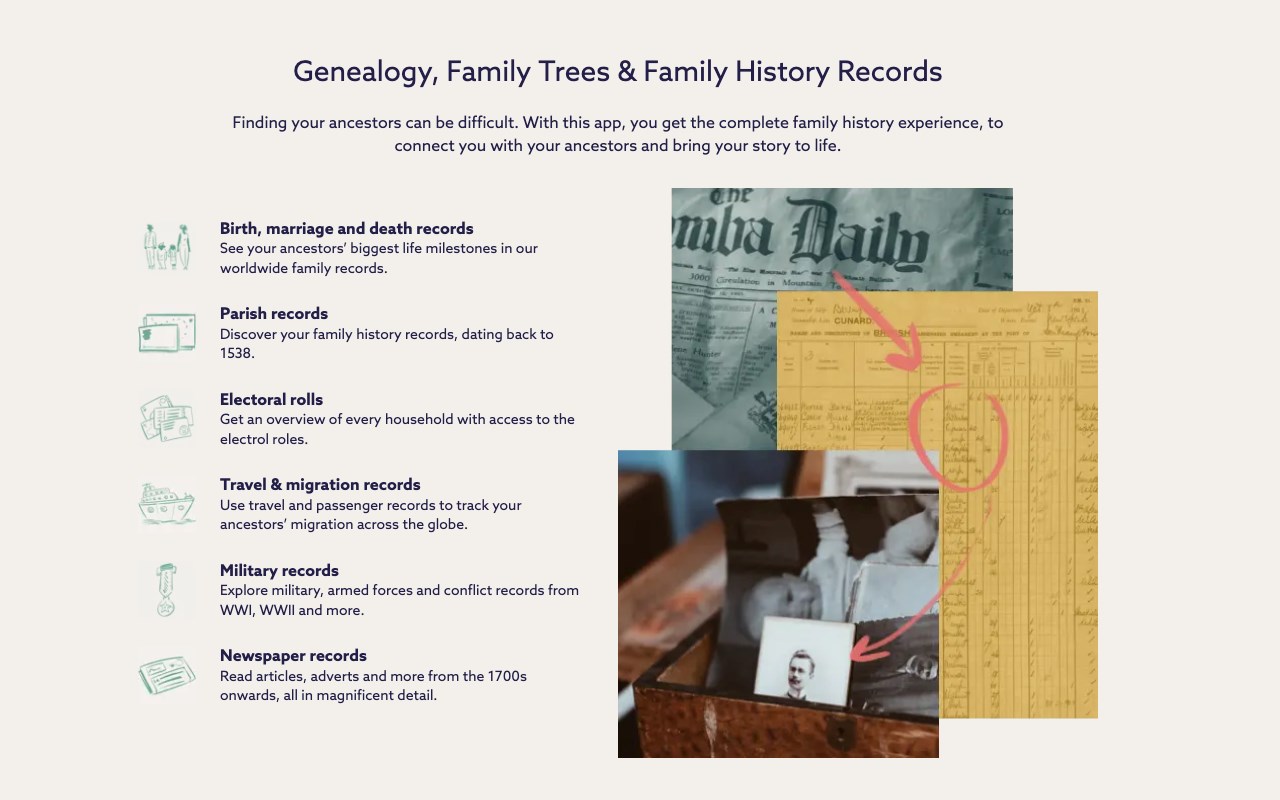
The star feature of Ancestry for Windows is undoubtedly its deep integration with Ancestry's vast collection of historical records. Users can search census data, immigration documents, birth and death certificates, and more, all within a unified platform. This treasure trove of data makes it easier to confirm relationships, fill gaps, and add rich context to your family stories. The app streamlines searches through smart filters and suggested records, saving hours of manual digging.
Family Tree Building and Visualization
Creating and visualizing your family tree has never been more straightforward. Users can manually add information or import data from other sources, and the app will generate a dynamic, interactive tree structure. The visual interface allows for easy navigation, zooming in on ancestors, and attaching media like photos and stories—turning your research into a vivid, living document. This feature stands out because of its clarity and flexibility, accommodating both simple and complex family histories.
Collaborative Research and Sharing
What truly sets Ancestry for Windows apart are its collaborative tools. The platform encourages users to invite relatives or fellow researchers to participate in building and editing family trees. This social dimension facilitates joint efforts, knowledge sharing, and collective verification of data—much like assembling a massive family mosaic with pieces contributed by all sides. This focus on teamwork is a notable advantage over many standalone genealogy apps, making ancestral discovery a shared adventure.
Comparative Edge: Standing Out in the Genealogy Crowd
Compared to other genealogy applications, Ancestry for Windows shines with its collaborative features—an aspect often overlooked by competitors. While most apps focus solely on individual research, this platform's emphasis on teamwork fosters lively, dynamic family histories. Its seamless integration with extensive records sets it apart as well, eliminating the need to juggle multiple sources or tools. The app's design caters to both solitary hobbyists and group researchers, blending independent exploration with social interaction seamlessly. These features combine to make Ancestry for Windows not just a tool, but a community-builder within the genealogical realm.
Final Verdict: A Trusted Companion for Family Historians
I'd recommend Ancestry for Windows to anyone curious about their origins—especially those who appreciate the social aspect of family research. Its user-friendly interface, combined with powerful record access and collaborative features, makes it a compelling choice for both beginners and experienced genealogists. If you're looking for an app that balances ease of use with depth of research capabilities, this software offers a dependable and inviting environment to explore your ancestry. Whether you're a solo traveler or part of a family team, Ancestry for Windows can serve as your digital family historian, uncovering stories that connect generations across time.
Pros
- Comprehensive genealogical records
- User-friendly interface
- Integration with other Microsoft services
- Regular updates and new records
- Good customer support and tutorials
Cons
- Limited free access
- Occasional data inaccuracies
- Slow loading times with large trees
- Limited mobile editing features
- Search functionality occasionally imprecise











