
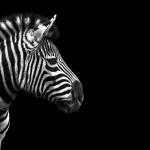
Frequently Asked Questions
How do I install Animal Portraits on my Windows 10 device?
Download the app from the Windows Store, then follow the on-screen instructions to set the animal images as your desktop wallpaper.
Can I change the displayed animal images after installation?
Yes, open the app and select from the 18 premium 4K images to set as your wallpaper under the 'Images' section.
What are the main features of Animal Portraits?
It offers 18 high-quality 4K animal images for desktop wallpapers, allowing easy browsing and setting images directly from the app.
How do I set an image as my desktop wallpaper?
Open Animal Portraits, select your preferred image, then click 'Set as Wallpaper' to apply it to your desktop.
Can I customize or rotate images in the app?
Currently, the app provides pre-selected images only; customization options are limited to selecting and setting wallpapers.
Is there a way to access more images or unlock additional features?
Additional content or features may require a purchase; check the app's 'Settings' > 'Account' > 'Subscriptions' to explore available options.
Is Animal Portraits free, and are there any in-app purchases?
The app is free to download and use with the 18 premium images, but some features or extra content may require purchase or subscription.
How can I subscribe or upgrade to premium content?
Navigate to 'Settings' > 'Account' > 'Subscriptions' within the app to view and manage subscription options.
What should I do if the app crashes or images do not load correctly?
Try restarting your device, update Windows, or reinstall the app from the Windows Store to resolve loading issues.
Does Animal Portraits support automatic wallpaper changes?
No, the app currently does not support automatic wallpaper rotation; images must be set manually.
You May Like

Blooming Dimensions
for Windows
5
Monotype Handwriting Font Pack
for Windows
5
Hues of Nature
for Windows
5
Dreamscapes
for Windows
5
Tales of the Teenage Mutant Ninja Turtles Theme
for Windows
5
Neon Dreams
for Windows
4.9
Cats Anytime
for Windows
4.9
Japanese Landscapes
for Windows
4.9
Sun and Sand
for Windows
4.9
Live Wallpaper Engine Plus
for Windows
4.8
Chicks and Bunnies
for Windows
4.8
Mountain Dwellings
for Windows
4.8