










- Category Business
- Developer Cisco Systems, Inc.
- Available on PC, Mobile, Xbox console, Surface Hub, HoloLens
- OS Windows 10 version 17134.0 or higher
- languages English (United States)
Introduction to AnyConnect for Windows: A Secure Doorway to the Digital World
Imagine having a reliable and seamless tunnel that lets you access your workplace network from anywhere in the world with just a few clicks—that's precisely what Cisco's AnyConnect for Windows offers. As a robust VPN client designed to prioritize security without sacrificing usability, this application becomes an essential tool for professionals, remote workers, and organizations aiming for protected and flexible connectivity.
Developed by Cisco Systems: A Trusted Name in Networking
Produced by Cisco Systems, Inc., a global leader in networking solutions, AnyConnect leverages Cisco's extensive experience in enterprise security to deliver a dependable virtual private network experience. Cisco's reputation for innovative, enterprise-grade products ensures that users are backed by a company with decades of expertise in safeguarding digital interactions.
Key Features That Stand Out
- Advanced Security Protocols: Supports multiple VPN protocols such as SSL and IPsec, ensuring secure connections even on potentially untrusted networks.
- Easy Deployment and Management: Streamlined setup process along with centralized management options make it suitable for organizations of all sizes.
- Seamless User Experience: Intuitive interface with quick connection options, making secure access straightforward for users with varying tech expertise.
- Intelligent Connection Handling: Features like automatic reconnection and seamless switching between networks help maintain security and productivity.
A User-Friendly Geometry of Security and Simplicity
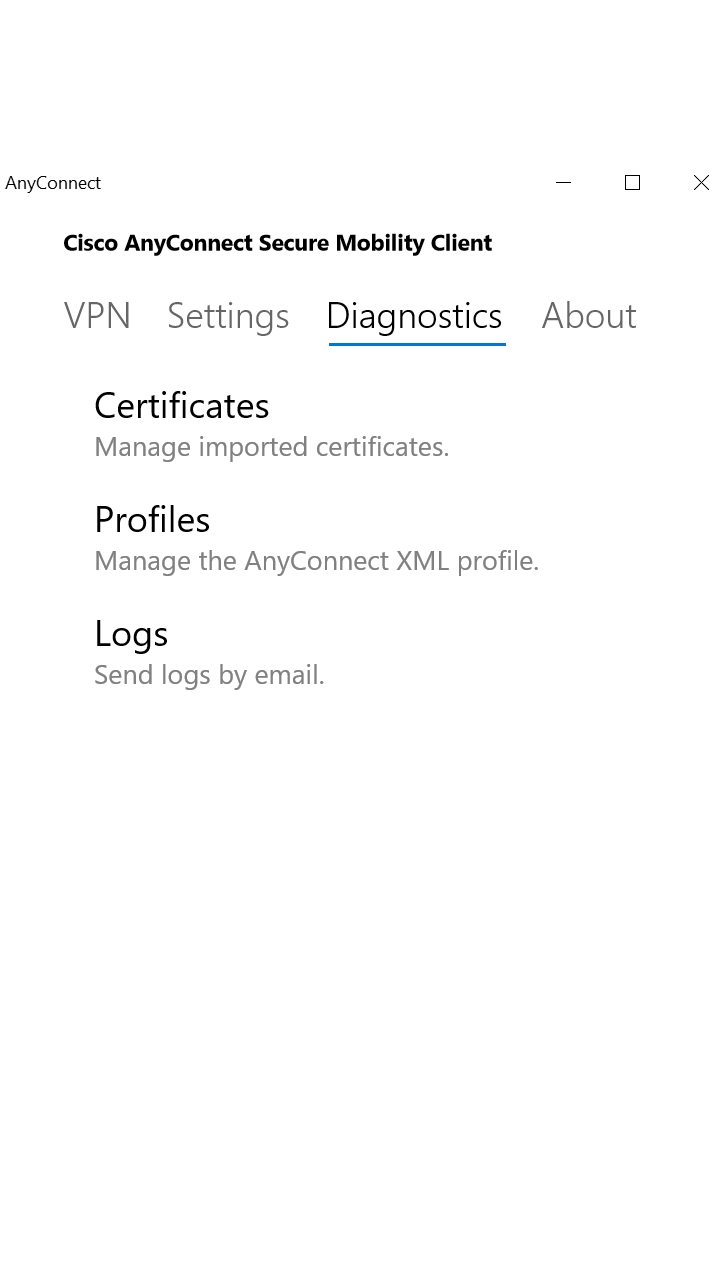
Getting started with AnyConnect for Windows feels like entering a well-designed control tower—clean, organized, and ready to assist. From the moment you launch the app, it greets you with a straightforward interface that demystifies what can often seem like complex VPN configurations. It's akin to having a friendly co-pilot guiding you through the digital skies, ensuring your voyage remains smooth and secure.
Core Functionality 1: Robust VPN Connectivity with Multiple Protocol Support
One of the application's standout features is its support for various VPN protocols, primarily SSL and IPsec. This flexibility lets users tailor their VPN connection according to their security needs and network environment. For example, on a public Wi-Fi, the SSL protocol takes center stage, encrypting your data and shielding you from prying eyes—much like a digital invisibility cloak. Meanwhile, IPsec ensures high-security, enterprise-level connections suitable for corporate environments.
Core Functionality 2: Manage and Monitore Connections with Ease
Another remarkable aspect of AnyConnect is its ability to manage multiple connections effortlessly. Users can switch between different VPN servers with just a few clicks, akin to toggling between radio stations, without losing connection stability. The app also provides real-time status updates, making it easy to monitor connection health—transforming what used to be a nerve-wracking process into a smooth, almost conversational experience.
Intuitive Design and Performance: User Experience Explored
The interface design champions clarity over clutter, showcasing a minimalistic style that emphasizes functionality. Navigation feels natural, with prominent connect/disconnect buttons and clear status indicators, reducing any learning curve for first-time users. The application's responsiveness is excellent—connections are established rapidly, and operations like network switching or reconnection happen seamlessly, much like a well-oiled machine. This ease of use makes it accessible for non-technical users while satisfying those requiring advanced features.
What Sets It Apart? Focusing on Collaborative and Management Features
While many VPN clients simply offer raw connection capabilities, AnyConnect extends its utility into the realms of collaboration and task management. Its integration with Cisco's broader enterprise management tools allows organizations to enforce security policies, monitor traffic, and deploy updates centrally—ensuring everyone works within a unified, secure ecosystem. Additionally, the application's ability to enable continual, encrypted communications facilitates collaborative tasks—like sharing sensitive files or working on joint projects—without concerns of data leakage. This focus on maintaining secure, collaborative workflows makes AnyConnect a standout choice for teams that rely on remote cooperation.
Should You Use It? Final Recommendations
Considering its robust security protocols, user-friendly interface, and enterprise-oriented management features, AnyConnect for Windows is highly recommended for professionals and organizations seeking a reliable VPN solution. It strikes a prudent balance—offering powerful security without overwhelming the user, making it suitable for both seasoned IT experts and remote workers unfamiliar with VPN intricacies. For those already invested in Cisco's ecosystem or requiring enterprise-grade management and security, this app is an especially compelling choice.
In summary, If you prioritize secure, flexible, and manageable remote access, Cisco's AnyConnect for Windows deserves a prominent spot on your list. Its thoughtful design and focus on collaboration enhance traditional VPN use, making your digital journeys safer and more efficient.
Pros
- Strong Security Features
- User-Friendly Interface
- Cross-Platform Compatibility
- Reliable Connection Stability
- Automatic Configuration Updates
Cons
- Occasional Connection Drops
- High System Resource Usage
- Limited Free Features
- Complex Setup for Non-IT Users
- Occasional Compatibility Issues with Firewalls











