

- Category Developer tools
- Developer wherewhere
- Available on PC, Surface Hub
- OS Windows 10 version 17763.0 or higher
- languages Afrikaans, Arabic, Catalan, Chinese (Simplified), Chinese (Traditional), Czech, Danish, Dutch, English (United States), Finnish, French, German, Greek, Hebrew, Hungarian, Indonesian, Italian, Japanese, Korean , Norwegian (Nynorsk), Persian, Polish , Portuguese (Brazil), Portuguese (Portugal), Romanian, Russian, Spanish (Spain), Swedish, Turkish, Ukrainian, Uyghur, Vietnamese
A Fresh Approach to Simplified App Installation on Windows
App Installer (Mobile) - WinUI 3 for Windows emerges as a refined tool designed to streamline app deployment, tailored for users who seek an intuitive yet robust installation experience. Its clean interface and focused features promise to reduce the hassle often associated with installing multiple apps, making it a valuable addition for both casual users and developers alike.
Meet the Team Behind the Tool
Developed and published by wherewhere, a team dedicated to enhancing Windows app management, this application reflects their commitment to creating lightweight, efficient, and user-friendly utilities. Their expertise in WinUI 3 leverages modern Windows design principles, delivering an app that feels native and responsive.
Key Highlights and User Benefits
- Seamless App Installation:** Simplifies the process of installing apps from various sources, minimizing clutter and steps, almost like having a personal assistant for app management.
- Secure and Reliable:** Ensures installations adhere to Windows security protocols, reducing potential risks and instilling confidence in users.
- User-Friendly Interface:** Boasts a sleek, minimalistic design that makes navigating through app options as smooth as gliding on glass.
- Targeted for Developers and Power Users:** Provides advanced options for those who need more control, without overwhelming casual users.
Getting to Know the App: An Engaging Experience
Imagine opening a toolbox that's just as orderly as your favorite desk — App Installer (Mobile) feels exactly like that. From the moment you launch it, its clean layout welcomes you with a sense of familiarity, even for newcomers. Its intuitive design means less fumbling through menus and more time doing what you enjoy: installing your favorite apps efficiently and safely.
Streamlined Installation Workflow
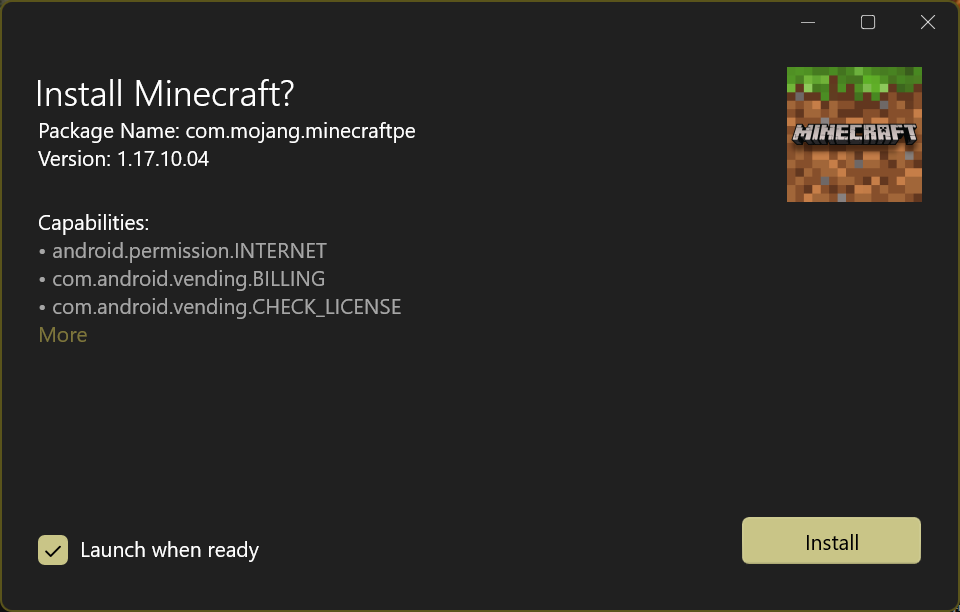
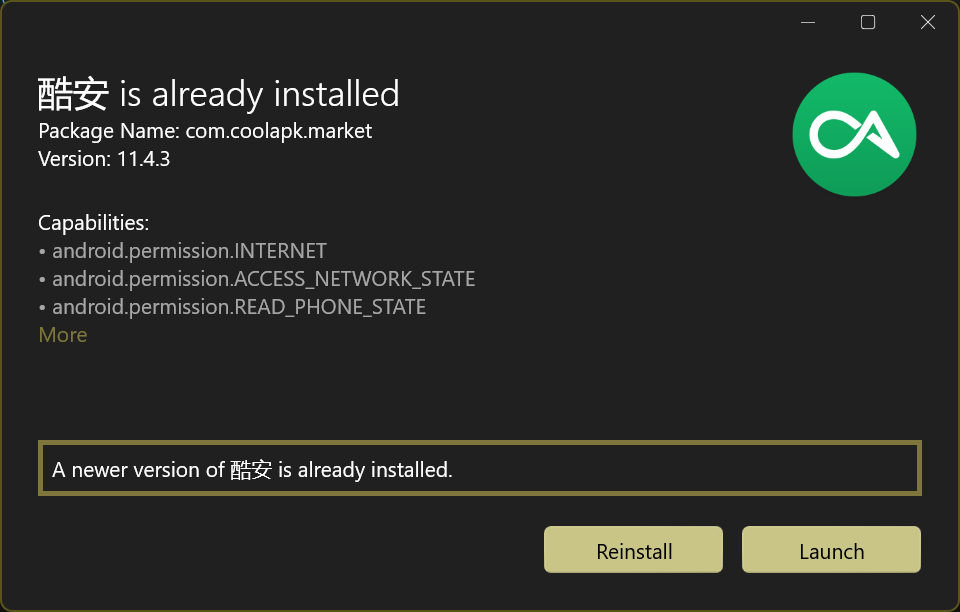
One of the standout features is its straightforward installation process. Unlike traditional methods that might involve navigating multiple settings or download managers, this app consolidates everything into a unified interface. Simply select your app package, review details, and hit install — it's akin to pressing a button on a well-oiled machine. The process is quick, transparent, and reliable, significantly reducing wait times and user frustration.
Intelligent App Management
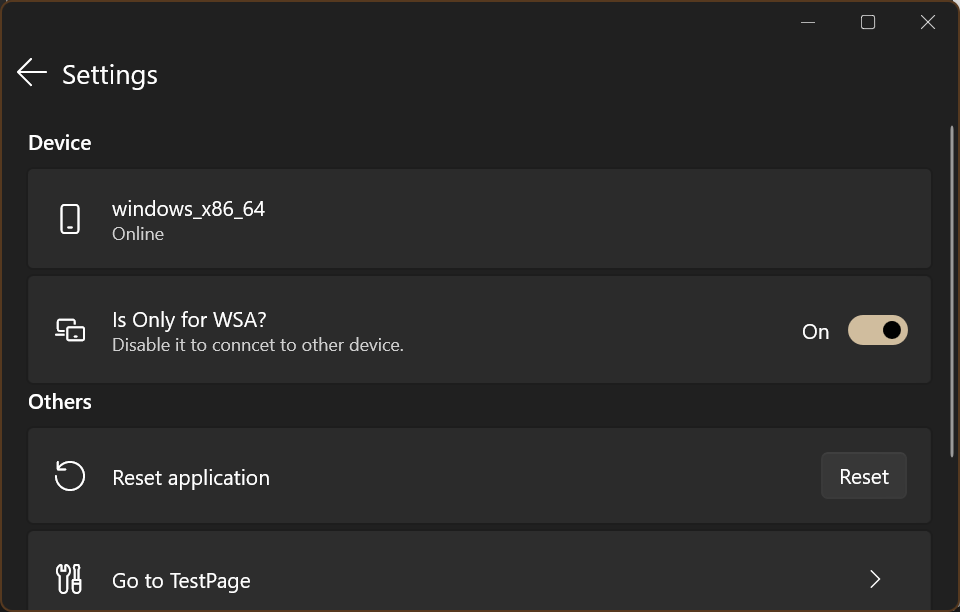
Beyond just installing, the app offers a nuanced control panel where users can see installed applications, manage updates, and troubleshoot issues—all within a few clicks. It's like having an app concierge at your fingertips, guiding you through every step while keeping distractions at bay. Plus, its emphasis on security means you can trust it to handle applications without unintended changes or risks.
Design, Performance, and Unique Advantages
The use of WinUI 3 lends the application a modern, aesthetically pleasing interface that feels native to Windows 10 and 11 environments. Navigation is fluid, thanks to optimized code that minimizes lag—think of it as riding a smooth highway rather than a bumpy dirt road. The learning curve is mild; even those new to app installers will find their way around after a brief exploration.
Compared to similar developer tools, wherewhere's app distinguishes itself with its focus on simplicity without sacrificing control. Its clean layout and reduced clutter stand apart from bulkier counterparts, making the installation process feel less like a chore and more like a breeze. The app's particular strength lies in its balance—providing enough features for power users while remaining accessible for novices.
Final Verdict and Recommendations
If you're seeking a straightforward, reliable, and visually appealing app installer, this tool deserves serious consideration. While it may not replace more comprehensive deployment platforms, it excels at fulfilling everyday installation needs for those who value simplicity and security. I'd recommend it especially to developers who often need a quick way to deploy apps or users who prefer managing their software with minimal fuss. Overall, this app offers a fresh, efficient touch to Windows app management—worth trying out if you're tired of clunky installers and cluttered interfaces.
Pros
- Seamless WinUI 3 Integration
- Efficient App Deployment
- Automatic Updates
- User-Friendly Interface
- Integration with Microsoft Ecosystem
Cons
- Limited Customization Options
- Occasional Installation Failures
- Requires Windows 10 or newer
- Limited Offline Functionality
- Basic Analytics Reporting










