
- Category Productivity
- Developer Ashampoo Technology GmbH & Co. KG
- Available on PC
- OS Windows 10 version 0.0 or higher
- languages German, English, Dutch, French, Italian, Polish, Russian, Spanish, Turkish, Hungarian
Introducing Ashampoo Home Design 9: Your Digital Blueprint for Cozy Spaces
Ashampoo Home Design 9 for Windows stands out as a user-friendly yet powerful home interior planning tool, helping both DIY enthusiasts and design professionals craft their ideal living spaces with ease and precision.
Meet the Developer: Ashampoo Technology GmbH & Co. KG
Developed by Ashampoo Technology GmbH & Co. KG, a reputable software company known for creating intuitive and reliable productivity tools, this application benefits from years of experience in delivering high-quality digital solutions for home design and beyond.
Key Features That Make Home Design 9 Shine
- Intuitive drag-and-drop interface simplifies room planning, making design accessible for users of all levels.
- Rich library of furniture, decor, and material options allows for highly customizable interior layouts.
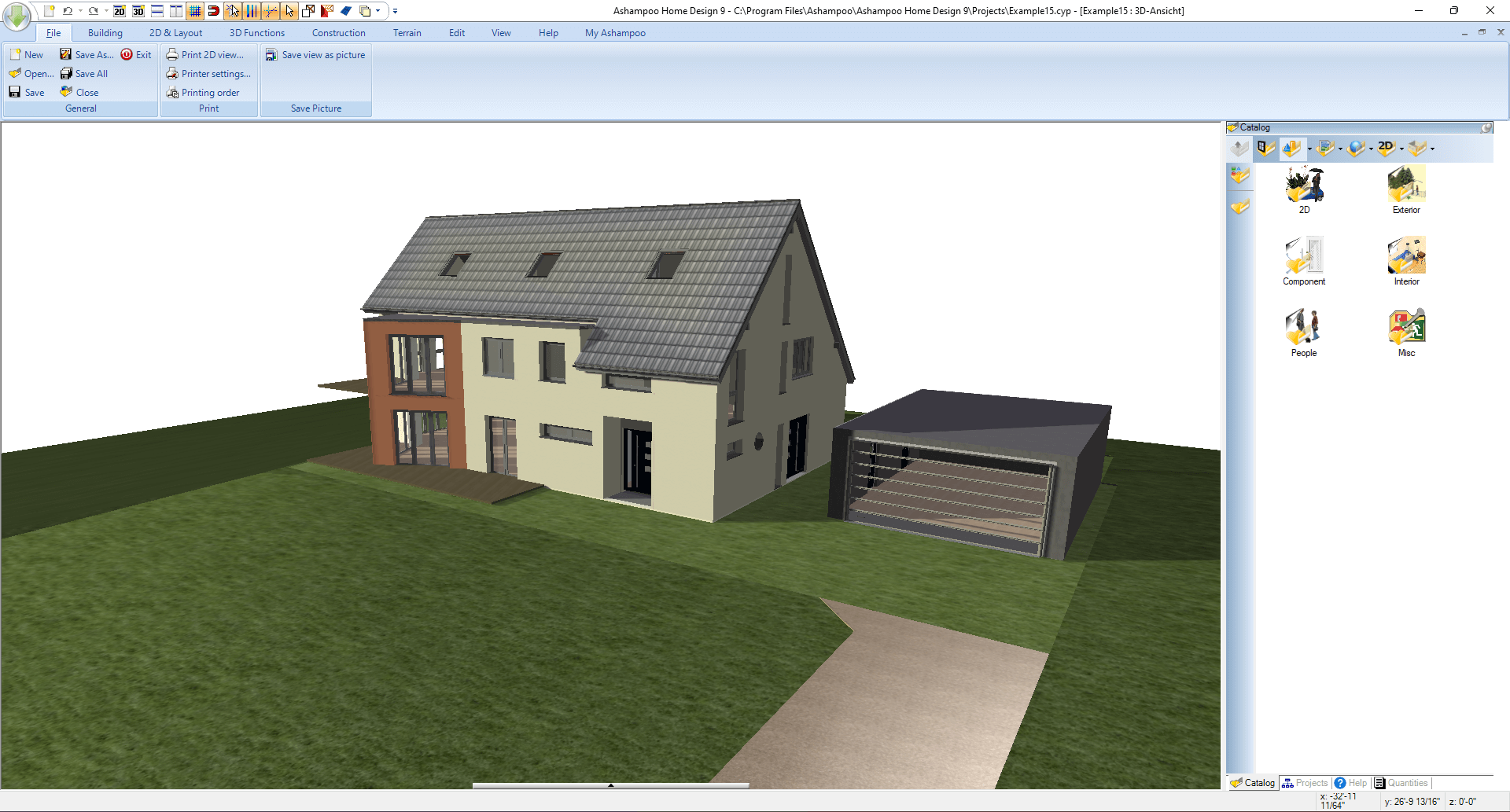
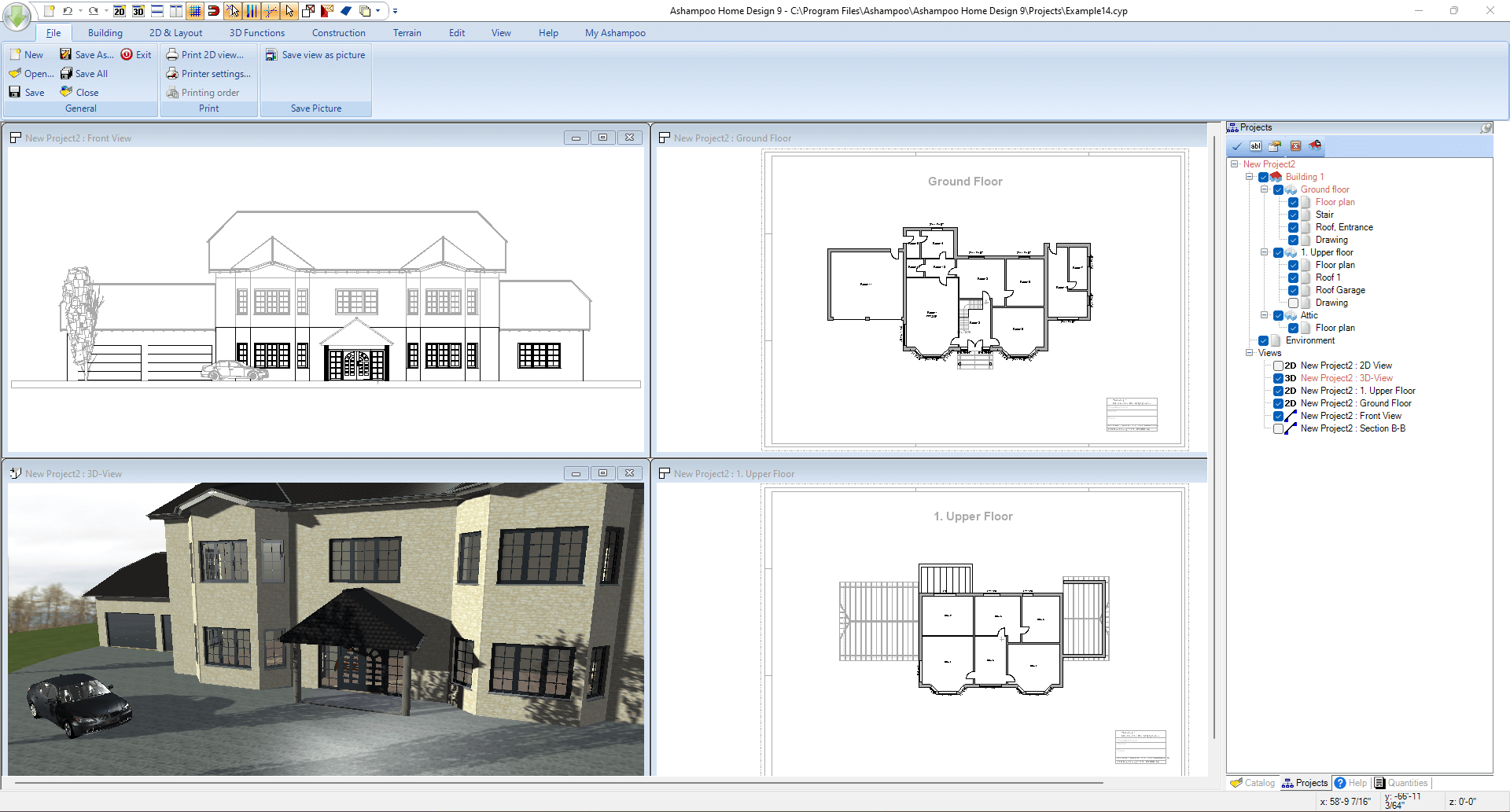
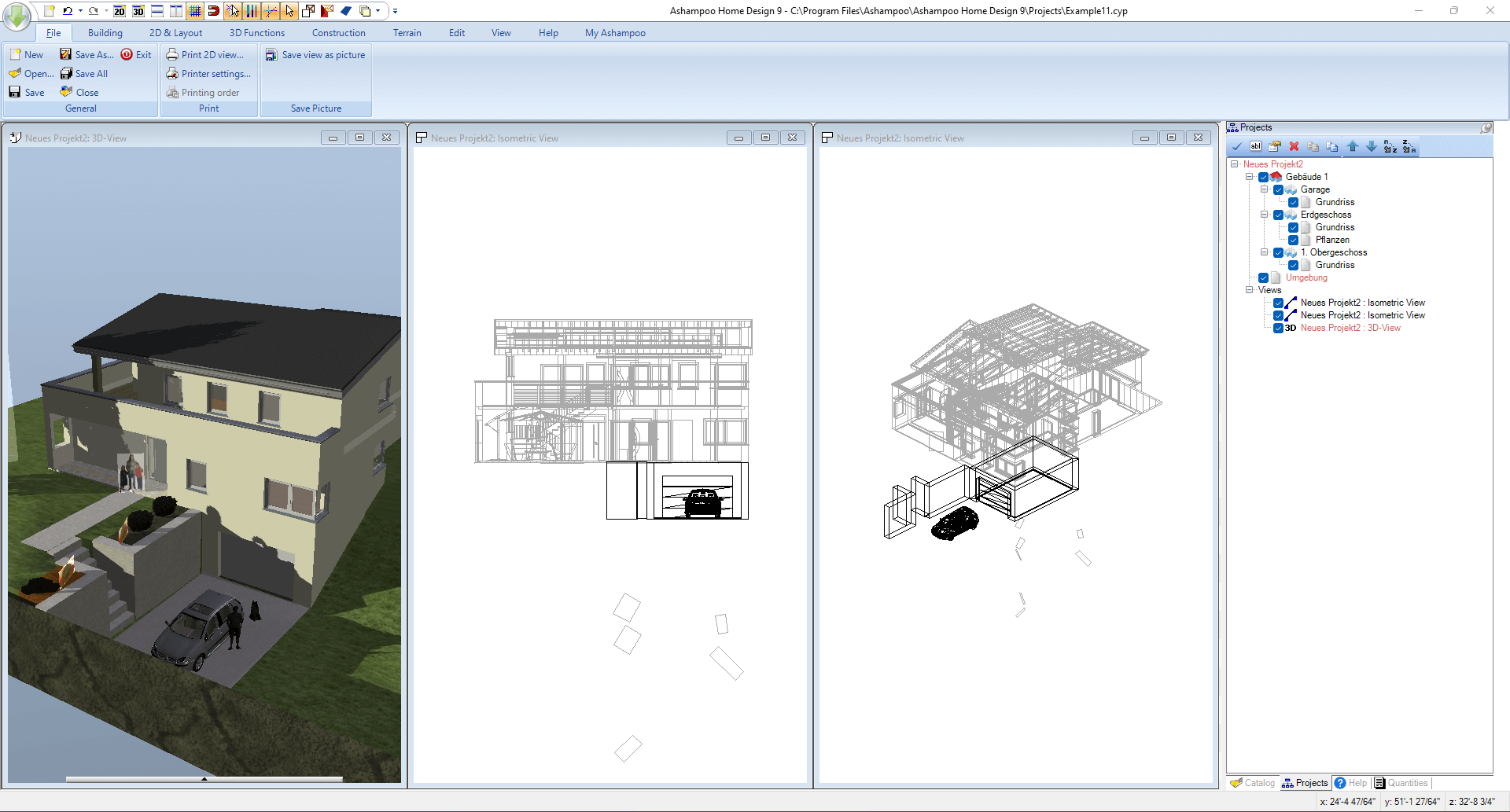
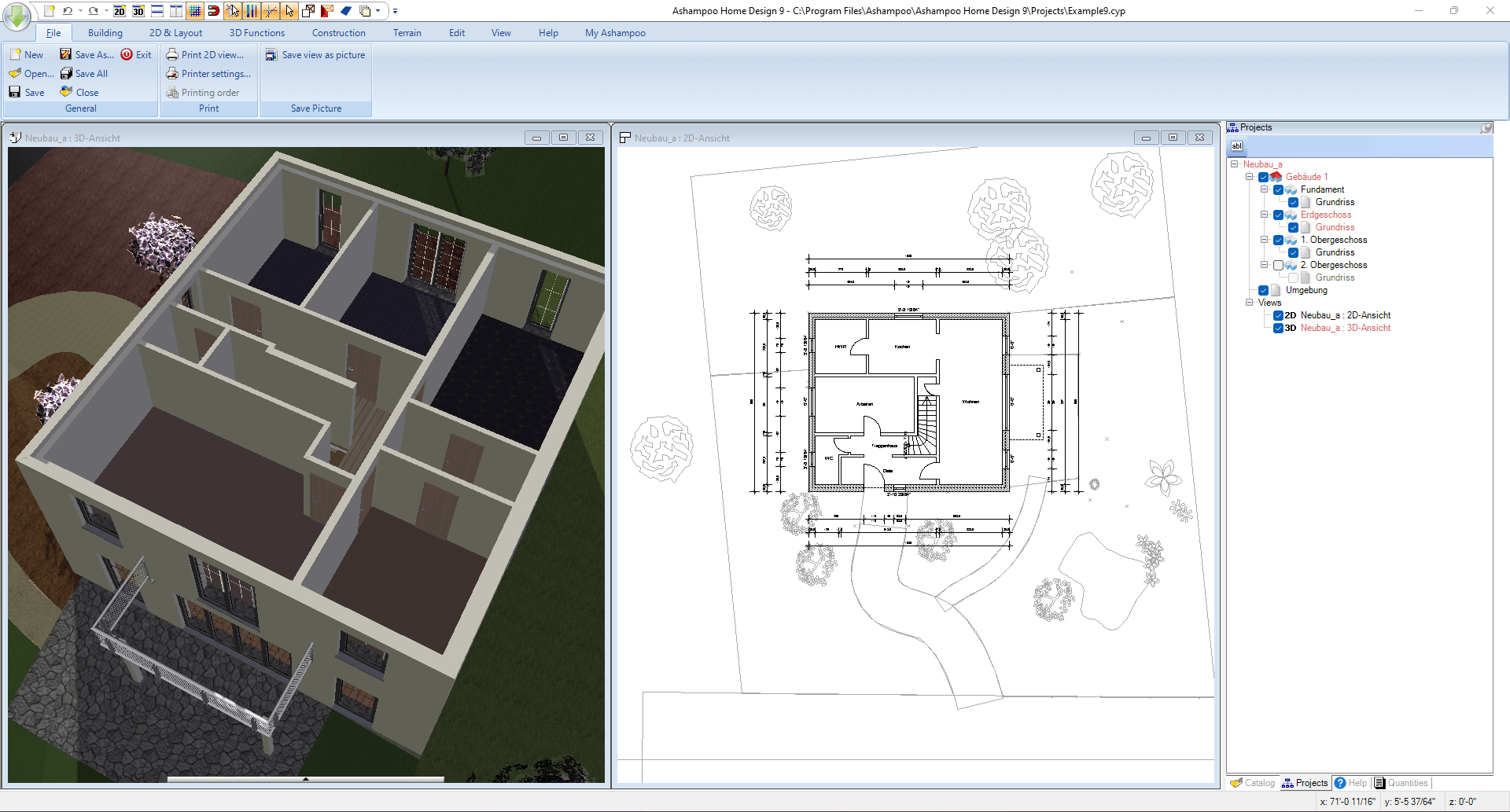
- 3D visualization provides real-time, immersive previews, bridging the gap between concept and reality.
- Efficient project management tools enable users to organize multiple rooms and designs seamlessly.
A Journey into the Heart of Home Design
Imagine sitting at your computer, surrounded by furniture catalogs and color swatches, eager to redesign your living room. Ashampoo Home Design 9 transforms that imagination into a tangible plan within minutes—no complicated software jargon, just straightforward tools that turn your ideas into visual reality. Whether you're renovating a cozy apartment or planning a dream house, this app becomes your reliable partner in turning vision into structure.
Room Planning and Customization
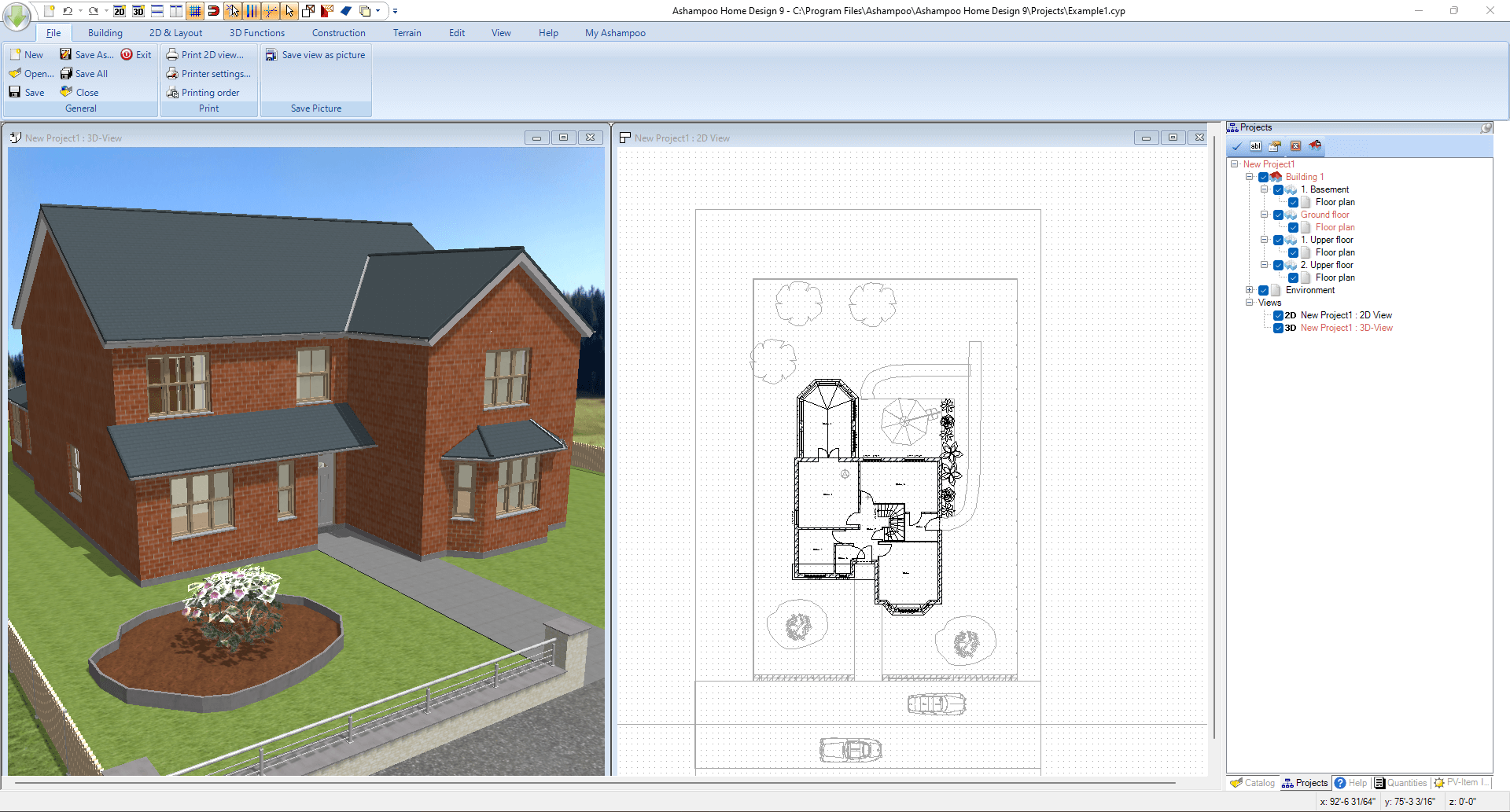
The core strength of Home Design 9 lies in its room layout capabilities. Users can quickly sketch out floorplans with drag-and-drop ease, placing walls, windows, doors, and furniture as if arranging real pieces on a tabletop. Its extensive object library offers a variety of furniture styles—from modern minimalism to classic charm—allowing you to customize each room precisely to your taste. Plus, adjustable parameters like dimensions and textures add a layer of realism that helps in envisioning the final space before actual construction begins.
Immersive 3D Visualization
Once the initial plan is drafted, the real magic begins with the application's 3D visualization feature. It acts like a virtual walkthrough, letting you navigate through your design in real-time. The smooth rendering engine ensures a seamless experience, helping you identify potential spatial issues or design clashes early on. This immersive preview not only aids in decision-making but also boosts confidence by presenting a lifelike depiction of your future home—almost like stepping into a digital model of your new living room.
User Experience: Intuitive, Fluid, and Accessible
Home Design 9's interface resembles a sleek, organized workspace, comparable to a well-lit drafting table where every tool has its place. Its layout is clean, well-structured, and easy to learn, even for beginners. Operations flow naturally, with responsive controls that make editing, resizing, or switching between views feel effortless. The learning curve remains gentle—guided tutorials and intuitive icons help new users get onboard quickly, while seasoned designers appreciate the flexibility and depth of customization.
A Unique Edge: Workflow Efficiency & Cognitive Load Reduction
Compared to other interior design apps, Ashampoo Home Design 9 distinctly emphasizes reducing cognitive load while streamlining workflow. Unlike cluttered tools packed with countless features that can overwhelm users, this application focuses on core functionalities that matter—making the design process straightforward and enjoyable. Its intelligent organization means you spend less time hunting for options and more time creating. For example, the seamless integration of 3D visualization with your layout updates means you see changes in real time, avoiding repetitive steps and mental clutter. This efficiency is especially valuable for homeowners and small design firms who need quick, reliable results without navigating complex software menus.
Final Thoughts: A Practical Choice for Home Enthusiasts
Overall, Ashampoo Home Design 9 offers a balanced blend of simplicity and sophistication. It's an ideal tool for anyone looking to take control of their interior design projects—from casual homeowners to aspiring interior decorators. Its standout features, especially the easy-to-use room planning and real-time 3D visualization, mark it as a valuable addition to your digital toolkit. For those who prioritize a smooth workflow with minimal cognitive overload, this app deserves serious consideration.
While it may not replace professional CAD software for complex architectural projects, Home Design 9 hits a sweet spot in usability and feature set, making home interior planning accessible and enjoyable. I recommend giving it a try if you're embarking on a renovation or simply exploring interior ideas—you might find it sparks your creativity without overwhelming your senses.
Pros
- Intuitive 3D modeling tools
- Extensive furniture and material library
- Real-time rendering preview
- User-friendly interface
- Export options for high-quality images
Cons
- Occasional lag with complex projects
- Limited advanced editing features
- Learning curve for advanced features
- Occasional bugs in rendering
- Large file sizes for complex projects











